
In the realm of artificial intelligence, particularly in the synthesis of visual content from text, a properly trained prior can serve as a bridge, allowing seamless translation between embedding spaces. In this guide, we’ll take a closer look at the structure of a Text-Conditioned Diffusion-Prior, its training details, and how to use it effectively. So, let’s jump in!
What is a Text-Conditioned Diffusion-Prior?
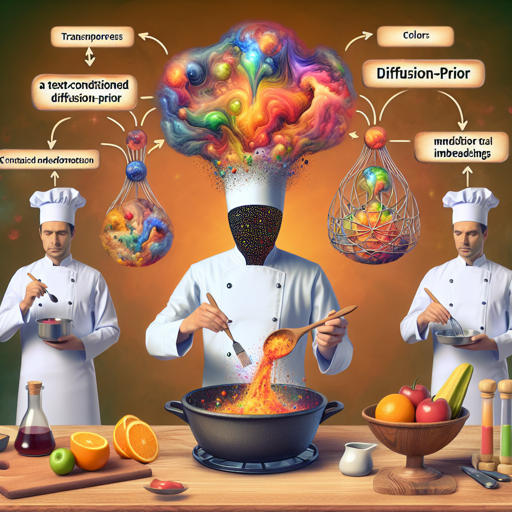
Imagine trying to convey the essence of your favorite meal through both taste and an exquisite painting. However, the flavors (represented by text embeddings) and the colors (represented by image embeddings) occupy different plates. The diffusion prior acts as a skilled chef, transforming the flavors into hues, aligning them into a shared culinary masterpiece where your words can finally be experienced visually.
Motivation Behind the Model
Before we delve into using the Text-Conditioned Diffusion-Prior, let’s understand its utility. Consider a scenario where we aim to generate images from text using a combination of CLIP (Contrastive Language-Image Pre-training) and a decoder. CLIP maximizes similarity between text and images; still, it often finds that their embeddings belong to different realms – hence the importance of a diffusion prior to align these realms.
Training the Model
To train a diffusion-prior model, you need to follow a structured process. Here’s how to get started:
Preparing Your Dataset
- To train the prior effectively, it’s crucial to work with precomputed embeddings of your images. You can utilize img2datset to gather images from a list of URLs.
- Leverage clip_retrieval for generating the embeddings required for the priors dataset loader.
Model Loading and Configuration
Once your dataset is prepared, you can load the model configuration as follows:
import torch
from dalle2_pytorch import DiffusionPrior, DiffusionPriorNetwork, OpenAIClipAdapter
from dalle2_pytorch.trainer import DiffusionPriorTrainer

def load_diffusion_model(dprior_path):
    prior_network = DiffusionPriorNetwork(
        dim=768,
        depth=24,
        dim_head=64,
        heads=32,
        normformer=True,
        attn_dropout=5e-2,
        ff_dropout=5e-2,
        num_time_embeds=1,
        num_image_embeds=1,
        num_text_embeds=1,
        num_timesteps=1000,
        ff_mult=4
    )

    diffusion_prior = DiffusionPrior(
        net=prior_network,
        clip=OpenAIClipAdapter(ViT-L14),
        image_embed_dim=768,
        timesteps=1000,
        cond_drop_prob=0.1,
        loss_type='l2',
        condition_on_text_encodings=True,
    )

    trainer = DiffusionPriorTrainer(
        diffusion_prior=diffusion_prior,
        lr=1.1e-4,
        wd=6.02e-2,
        max_grad_norm=0.5,
        amp=False,
        group_wd_params=True,
        use_ema=True,
        device=device,
        accelerator=None,
    )

    trainer.load(dprior_path)
    return trainer
Understanding the Code with an Analogy
Think of loading a diffusion model like preparing a magical kitchen where the ingredients (data) align perfectly with the recipe (code). First, you establish the setup (loading networks, defining dimensions, etc.), ensuring you have all the right pots (model components) to cook (train) efficiently. The ingredients are various configurations tailored, ensuring that when you mix the elements, they create a delightful dish (a well-functioning model) ready for consumption (embedding generation)!
Generating Embeddings
Once the model is set up, generating embeddings is straightforward:
# tokenize the text
tokenized_text = clip.tokenize(your amazing prompt)

# predict an embedding
predicted_embedding = prior.sample(tokenized_text, n_samples_per_batch=2, cond_scale=1.0)
The `prior.sample()` function generates embeddings that align directly with the model’s trained dimensions. This is crucial for maintaining coherence in your generated outputs.
Troubleshooting
If you encounter issues during model training or embedding generation, consider the following:
- Ensure that your dataset is correctly formatted and that precomputed embeddings are accessible.
- Verify that your model checkpoints are correctly configured before loading.
- Check all dependencies and ensure they are up to date to avoid version-related issues.
For more insights, updates, or to collaborate on AI development projects, stay connected with fxis.ai.
Conclusion
At fxis.ai, we believe that such advancements are crucial for the future of AI, as they enable more comprehensive and effective solutions. Our team is continually exploring new methodologies to push the envelope in artificial intelligence, ensuring that our clients benefit from the latest technological innovations.