
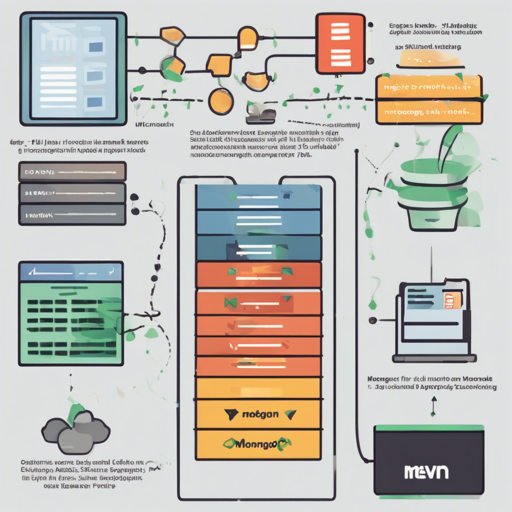
Welcome to the world of the MEVN stack! This powerful combo offers a seamless way to build full-stack applications using Node.js, Express, MongoDB, and Vue.js with Vuetify for an elegant user interface. In this guide, we’ll walk you through the installation, setup, and running of a basic application using this stack, while also providing troubleshooting tips. So buckle up, and let’s get building!
What You’ll Need
Before diving in, ensure you have the following installed on your machine:
Installation Steps
To set up your MEVN stack application, you can either clone the repository or use it as a GitHub template. Follow these friendly steps:
- Clone the repository:
git clone git@github.com:aturingmachinemevn-stack.git [directory-name]git clone your-reponpm run setup- Install dependencies in both sub-projects:
npm cinpm ci --prefix clientcp .env.example .envDependencies to Keep in Mind
Aside from the aforementioned technologies, you will also need:
- A MongoDB instance to connect to your application.
- The Vue CLI installed for scaffolding and managing your Vue.js projects.
Development Phase
Now that your setup is complete, it’s time to kickstart the development server!
- To run both the Vue development server and Express application simultaneously, use the helper script:
npm run dev- To start the Express server with auto-reloading through Nodemon:
npm run dev:servernpm run dev:clientUnderstanding the Code: An Analogy
Imagine you’re building a treehouse. Each branch represents a part of your application. Node.js is the sturdy trunk that supports your entire structure, providing the necessary strength and stability. The Express framework serves as the planks that hold the treehouse together, allowing you to design and create the structure you envision. MongoDB is like the treasure chest in your treehouse where you keep all your toys (data), and Vue.js is the beautiful curtains that provide style and make it inviting. Vuetify enhances that style with added decorations, making your treehouse the coolest spot in the neighborhood!
Troubleshooting Tips
If you encounter issues during the installation or running of your application, here are some troubleshooting steps that may help:
- Check if Node.js is correctly installed by running
node -vin your terminal. - Ensure MongoDB is up and running. You can do this by checking its status in your system services.
- If the Vue CLI is not recognized, ensure it’s globally installed with:
npm install -g @vue/clinpm installFor more insights, updates, or to collaborate on AI development projects, stay connected with fxis.ai.
Conclusion
Congratulations! You have now set up the MEVN stack and are ready to dive deeper into full-stack development. With these tools at your fingertips, the possibilities for your web applications are endless. At fxis.ai, we believe that such advancements are crucial for the future of AI, as they enable more comprehensive and effective solutions. Our team is continually exploring new methodologies to push the envelope in artificial intelligence, ensuring that our clients benefit from the latest technological innovations.