
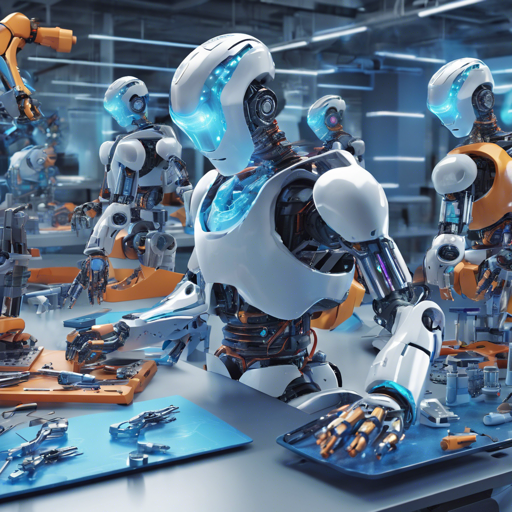
Welcome to the fascinating world of Robo-Diffusion 2, a state-of-the-art model capable of generating visually striking robots based on simple text prompts! This blog will guide you through the process of utilizing this advanced AI art tool, ensuring that you make the most out of its capabilities.
What is Robo-Diffusion 2?
Robo-Diffusion 2 is a finetuned version of the Stable Diffusion model specifically designed to generate impressive robots when prompted. By utilizing a dreambooth methodology, the model enhances its output to produce unique and creative robots as per your requirements.
Getting Started with Robo-Diffusion 2
To effectively use Robo-Diffusion 2, follow these steps:
- Download the Necessary Libraries: Ensure you have Python and the
torchlibrary installed in your environment. You’ll also need thediffuserslibrary. - Import the Required Packages: You will be primarily using the
StableDiffusionPipelineand theEulerDiscreteScheduler. - Initialize the Model: Load the model and its scheduler using the pre-trained weights.
- Set Your Prompts: Remember to keep the word “nousr robot” towards the beginning of your prompt to invoke the finetuned style. Utilize negative prompts for better output.
- Run the Generation Code: Execute your prompt command to generate the desired robot image.
Example Usage
Here’s how you can set up the code:
python
import torch
from diffusers import StableDiffusionPipeline, EulerDiscreteScheduler

scheduler = EulerDiscreteScheduler.from_pretrained('nousrrobo-diffusion-2-base', subfolder='scheduler')
pipe = StableDiffusionPipeline.from_pretrained('nousrrobo-diffusion-2-base', scheduler=scheduler, torch_dtype=torch.float16)
pipe = pipe.to('cuda')

prompt = "A realistic photograph of a 3d nousr robot in a modern city. A glossy white and orange nousr robot."
negative_prompt = "black and white robot, picture frame, a children's drawing in crayon. Wholesale, Abstract Metal Sculpture."

image = pipe(prompt, negative_prompt=negative_prompt, num_inference_steps=32, guidance_scale=5.0).images[0]
image.save('robo.png')
This code initializes the Robo-Diffusion 2 model, sets your prompts, and generates an image of your desired robot. Think of it like ordering a custom sandwich: you specify the type of bread, the toppings, and any restrictions (like no pickles), and voilà, your perfect sandwich is served!
Troubleshooting Common Issues
While using Robo-Diffusion 2, you may encounter a few hiccups. Here are some troubleshooting tips:
- Error Loading Model: Ensure that you have a stable internet connection while loading the model and all necessary libraries are installed properly.
- CUDA Errors: Verify that your GPU drivers are up-to-date and that CUDA is properly configured in your Python environment.
- Inconsistent Output: Experiment with different combinations of prompts and negative prompts. Sometimes, a small change can yield spectacular results.
For more insights, updates, or to collaborate on AI development projects, stay connected with fxis.ai.
Wrap Up
Robo-Diffusion 2 provides a creative outlet for generating unique art pieces and designs featuring robots. With just a few lines of code and a bit of imagination, you can bring your robot concepts to life.
At fxis.ai, we believe that such advancements are crucial for the future of AI, as they enable more comprehensive and effective solutions. Our team is continually exploring new methodologies to push the envelope in artificial intelligence, ensuring that our clients benefit from the latest technological innovations.