
In the realm of AI, text embeddings have become a vital part of natural language processing (NLP). At the forefront of this technology is the GTE-Large model, designed to handle a variety of tasks, from information retrieval to semantic textual similarity. In this guide, we’ll walk through how to utilize the GTE-Large model effectively in Python, along with some troubleshooting tips to ease your journey!
Installation
Before we dive into usage, make sure you’ve got the required libraries installed. You can do this with pip:
pip install torch transformers sentence-transformersHow to Use the GTE-Large Model
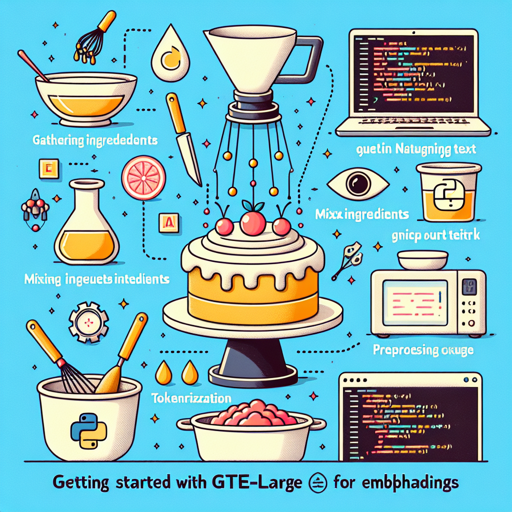
Using the GTE-Large model is a breeze! Think of it as learning to bake a cake. You need to gather ingredients (your input text), mix them properly (preprocess through tokenization), and finally bake (using the model) to get your delicious outcome (the embeddings). Let’s break it down into steps:
- Step 1: Import Libraries
- Step 2: Tokenize Input Text
- Step 3: Generate Embeddings
Step 1: Import Libraries
import torch.nn.functional as F
from torch import Tensor
from transformers import AutoTokenizer, AutoModel
Step 2: Tokenize Input Text
First, define the input texts you wish to process:
input_texts = [
    "What is the capital of China?",
    "How to implement quick sort in Python?",
    "Beijing",
    "Sorting algorithms"
]
Step 3: Generate Embeddings
Now, it’s time to mix everything together and get those embeddings:
tokenizer = AutoTokenizer.from_pretrained("thenlper/gte-large")
model = AutoModel.from_pretrained("thenlper/gte-large")

batch_dict = tokenizer(input_texts, max_length=512, padding=True, truncation=True, return_tensors='pt')
outputs = model(**batch_dict)

# Average pooling
embeddings = average_pool(outputs.last_hidden_state, batch_dict['attention_mask'])
embeddings = F.normalize(embeddings, p=2, dim=1)

# Calculate similarity scores
scores = (embeddings[:1] @ embeddings[1:].T) * 100
print(scores.tolist())
Understanding the Code with an Analogy
To make it clearer, let’s envision the entire process as preparing for a cooking competition. You need to:
- Gather your recipe (input texts).
- Preheat the oven (initialize the model).
- Prepare your ingredients (tokenization and embedding generation).
- Finally, mix and bake to get your final dish (generating similarity scores from embeddings).
Each step is crucial to achieving a perfectly cooked dish—just as each coding step is essential to efficiently utilize GTE-Large!
Troubleshooting
Even the best chefs face challenges in the kitchen! Here are some common issues you might encounter while using the GTE-Large model:
- Issue: Import Errors
Make sure that all required packages are installed. Use pip to install any missing packages. - Issue: Long Input Texts
Remember, GTE-Large can only handle texts up to 512 tokens. Shorten your texts if needed! - Issue: Model Loading Failure
Ensure you have a stable internet connection when downloading models. Try resetting your environment if issues persist. - Issue: Unexpected Output
Double-check your input texts and ensure correct tokenization. Reviewing the embedding calculation step may help.
For more insights, updates, or to collaborate on AI development projects, stay connected with fxis.ai.
Final Thoughts
The GTE-Large model opens up a world of possibilities for handling text embeddings and performing various NLP tasks. By following these steps and troubleshooting tips, you can effectively integrate GTE-Large into your projects!
At fxis.ai, we believe that such advancements are crucial for the future of AI, as they enable more comprehensive and effective solutions. Our team is continually exploring new methodologies to push the envelope in artificial intelligence, ensuring that our clients benefit from the latest technological innovations.