
Welcome to this beginner’s guide on KoT5, a state-of-the-art model designed for natural language processing tasks. In this blog, we’ll explore how to effectively utilize KoT5 and provide troubleshooting tips to ensure a smooth experience.
What is KoT5?
KoT5 is an advanced machine learning model which falls under the T5 (Text-to-Text Transfer Transformer) framework, specifically adapted for the Korean language. Its architecture is finely tuned to handle a variety of tasks including translation, summarization, and question answering.
How to Use KoT5
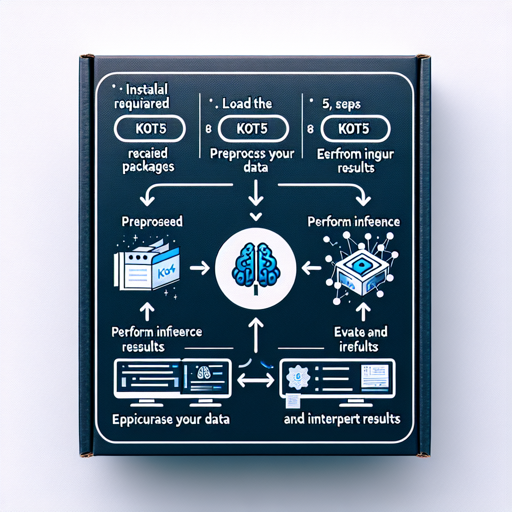
Using KoT5 might sound daunting at first, but let’s break it down into a step-by-step process:
- Step 1: Install Required Packages
- Step 2: Load the KoT5 Model
- Step 3: Preprocess Your Data
- Step 4: Perform Inference
- Step 5: Evaluate and Interpret Results
Step 1: Install Required Packages
First and foremost, you need to set up your Python environment and install the necessary packages. You can do this using pip:
pip install transformers torchStep 2: Load the KoT5 Model
Load the KoT5 model from the Hugging Face library with the following code:
from transformers import T5Tokenizer, T5ForConditionalGeneration

tokenizer = T5Tokenizer.from_pretrained('KETI-AIR/koT5-base')
model = T5ForConditionalGeneration.from_pretrained('KETI-AIR/koT5-base')
Step 3: Preprocess Your Data
Similar to how a chef prepares ingredients before cooking, you need to preprocess your data. Tokenization is the key here:
input_text = "Translate English to Korean: Hello, how are you?"
input_ids = tokenizer.encode(input_text, return_tensors='pt')
Step 4: Perform Inference
Once your data is prepared, it’s time to cook! Run the model to get your output:
outputs = model.generate(input_ids)
decoded_output = tokenizer.decode(outputs[0], skip_special_tokens=True)
print(decoded_output)
Understanding the Code
Think of the code blocks like a recipe for a delicious meal. Each block serves a purpose:
- The installation step is akin to gathering all the ingredients.
- Loading the model is like preheating your oven, setting the stage for cooking.
- Data preprocessing is chopping your ingredients into usable sizes.
- Performing inference is the actual cooking process where all elements come together to create a final dish.
- Lastly, interpreting the output is like tasting your dish, determining if it needs a pinch more seasoning (refinement).
Troubleshooting Tips
As in every cooking journey, hurdles may arise. Here are some common issues and their solutions:
- Installation Issues: If the packages fail to install, ensure you are using the correct Python version and have a stable internet connection.
- Model Not Loading: This may happen if you have a typo in the model name. Double-check for accuracy.
- Inference Returns Errors: Verify that your input text is properly formatted and the tokenizer is functioning correctly.
For more insights, updates, or to collaborate on AI development projects, stay connected with fxis.ai.
Conclusion
At fxis.ai, we believe that such advancements are crucial for the future of AI, as they enable more comprehensive and effective solutions. Our team is continually exploring new methodologies to push the envelope in artificial intelligence, ensuring that our clients benefit from the latest technological innovations.