
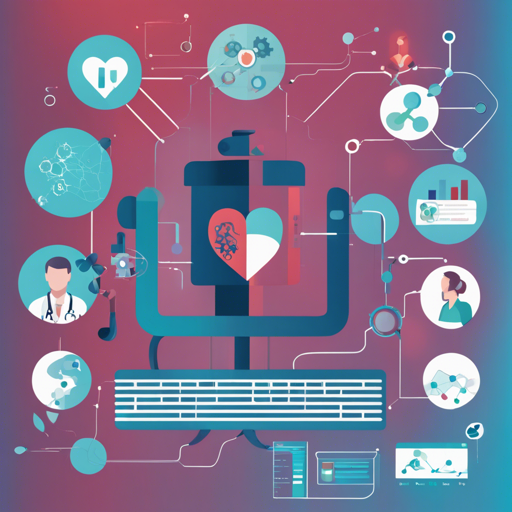
The Microsoft Health Intelligence Machine Learning Toolbox is designed to provide researchers and practitioners in the healthcare and life sciences sectors with essential tools that simplify the development of deep learning models. It offers a harmonious blend of low-level and high-level components, making it easier to manage data and workflows. This article will guide you through the installation process, its functionalities, and troubleshooting tips.
Installation Instructions
To embark on your journey with the toolbox, follow these straightforward installation steps:
- For the full toolbox (including AzureML functions), run:
pip install hi-mlpip install hi-ml-azureUsing the Azure Layer: A Quick Start
Imagine you have a recipe for a delicious dish that needs to be cooked efficiently in a professional kitchen. This is analogous to running workloads in Azure Machine Learning (AML) using the toolbox. Here’s how you can transform a basic Python script to run in Azure:
Your fundamental script might look like this:
from pathlib import Path

if __name__ == "__main__":
    input_folder = Path("tmp/my_dataset")
    output_folder = Path("tmp/my_output")

    for file in input_folder.glob("*.jpg"):
        contents = read_image(file)
        resized = contents.resize(0.5)
        write_image(output_folder / file.name)
This script reads images from a folder, resizes them, and saves them back to an output location. However, when you want to scale this operation—running it in a cloud environment like Azure—you can conveniently do so by adding an additional function call.
So, now your enhanced Azure-compatible version might appear like this:
from pathlib import Path
from health_azure import submit_to_azure_if_needed

if __name__ == "__main__":
    current_file = Path(__file__)
    run_info = submit_to_azure_if_needed(compute_cluster_name="preprocess-ds12",
                                          input_datasets=["images123"],
                                          output_datasets=["images123_resized"],
                                          default_datastore="my_datastore")

    input_dataset = run_info.input_datasets[0] or Path("tmp/my_dataset")
    output_dataset = run_info.output_datasets[0] or Path("tmp/my_output")

    files_processed = []
    for file in input_dataset.glob("*.jpg"):
        contents = read_image(file)
        resized = contents.resize(0.5)
        write_image(output_dataset / file.name)
        files_processed.append(file.name)

    stats_file = run_info.output_folder / "processed_files.txt"
    stats_file.write_text("\n".join(files_processed))
With these adjustments, when you execute the script with a command line option --azureml, it seamlessly integrates with Azure and processes your images as required. It’s like cooking your dish in a vast, well-equipped kitchen rather than a small home kitchen.
Troubleshooting Tips
While working with the toolbox, you may encounter some challenges. Here are some common troubleshooting steps you can take:
- If you face issues during installation, ensure that your
pipis updated by runningpip install --upgrade pip. - Should there be problems with the Azure services, verify your Azure subscription and that the necessary permissions are granted.
- If you find bugs in the toolbox, consult the issues page on GitHub for existing resolutions, or report a new issue with detailed information.
- Always check the compatibility of your local environment with the required libraries and versions.
For more insights, updates, or to collaborate on AI development projects, stay connected with fxis.ai.
Documentation and Further Reading
For those seeking a deeper understanding, comprehensive documentation is available on Read the Docs, offering detailed examples and API references.
Your Contributions Matter!
At fxis.ai, we believe that such advancements are crucial for the future of AI, as they enable more comprehensive and effective solutions. Our team is continually exploring new methodologies to push the envelope in artificial intelligence, ensuring that our clients benefit from the latest technological innovations.