
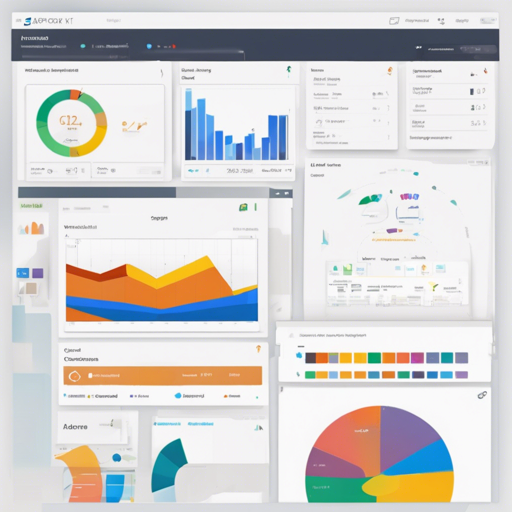
Are you ready to dive into the world of web applications with a modern UI? The AdminLTE Starter Kit is an excellent choice, offering a boilerplate for ASP.NET Core web applications. This guide will walk you through the essentials to set you up for success.
1. Introduction
The AdminLTE Starter Kit is derived from the open-source .NET Express Project. This tool provides templates, samples, and documentation for easily kickstarting your development journey. Follow these instructions to get the project running on your local machine for development and testing.
2. Prerequisites
Before we can get started, ensure you have the necessary software installed:
3. Installing the Starter Kit
Now that you have the prerequisites, let’s proceed with the installation.
3.1 Installing from .NET Core CLI
You can easily install the dotnet new templates via the command line as follows:
dotnet new -i Dynamic.NET.AdminLTE.ProjectTemplatesThis command installs new templates for creating an AdminLTE MVC bootstrap web application. To create a new web app, use:
dotnet new mvc-adminlte [options]This creates your web application in the current directory.
3.2 Installing from GitHub Repository
Alternatively, you can clone the source directly from the GitHub repository:
git clone https://github.com/dotnet-express/AdminLTE-Starter-Kit.git4. Configuration Settings
Many of the configuration settings exist within the appsettings.json file. Let’s break down the essential components.
4.1 Database Connection
The database settings are specified in the connection string section:
ConnectionStrings: {
    DefaultConnection: "Server=(localdb)mssqllocaldb;Database=aspnet-Company.WebApplication1-53bc9b9d-9d6a-45d4-8429-2a2761773502;Trusted_Connection=True;MultipleActiveResultSets=true"
}
4.2 Application Settings
Your application settings, such as email configurations and authentication providers, are detailed here:
Email: {
    EmailProvider: "Examples, SendGrid",
    SupportTeamEmail: "support@dotnet.express",
    SupportTeamName: ".NET Express - Support Team",
    SendGrid: {
        KeyName: "KEY NAME",
        ApiKey: "API KEY"
    }
},
Authentication: {
    Facebook: { IsEnabled: true, AppId: "APP ID", AppSecret: "SECRET KEY" },
    Google: { IsEnabled: false, ClientId: "CLIENT ID", ClientSecret: "SECRET KEY" }
}
5. Bundling and Minification
To optimize your project, this template utilizes BuildBundlerMinifier. After building, you should see the following lines in your output:
Bundler: Begin processing bundleconfig.json
Bundler: Done processing bundleconfig.json
For detailed documentation, check out this guide.
6. Library Manager
This solution employs Visual Studio’s Library Manager, configured in libman.json. It saves all external libraries in the wwwroot/libs folder. More information can be found here:
- Client-side library acquisition with LibMan
- Using LibMan in Visual Studio
- Using the LibMan CLI with ASP.NET Core
Troubleshooting
If you encounter issues while setting up your AdminLTE Starter Kit, here are some troubleshooting ideas you may find useful:
- Ensure your .NET Core SDK version is compatible by running
dotnet --versionin your terminal. - Verify your Visual Studio or VS Code installation to ensure all dependencies are present.
- If you experience build errors, try cleaning and rebuilding the solution.
- Reach out to the community for support or search through existing issues on the project’s GitHub repository.
For more insights, updates, or to collaborate on AI development projects, stay connected with fxis.ai.
Conclusion
At fxis.ai, we believe that such advancements are crucial for the future of AI, as they enable more comprehensive and effective solutions. Our team is continually exploring new methodologies to push the envelope in artificial intelligence, ensuring that our clients benefit from the latest technological innovations.