
Welcome to the exciting world of AI where images meet text with remarkable precision! Today, we will explore how to harness the capabilities of the BLIP-2 model combined with Flan T5-xxl, unlocking new avenues in image captioning and visual question answering. Designed to simplify the complex, this guide will walk you through the practical implementation of this innovative model, making it user-friendly even for those who are not seasoned programmers.
Understanding the Components
Before diving into the how-tos, let’s break down the components of BLIP-2:
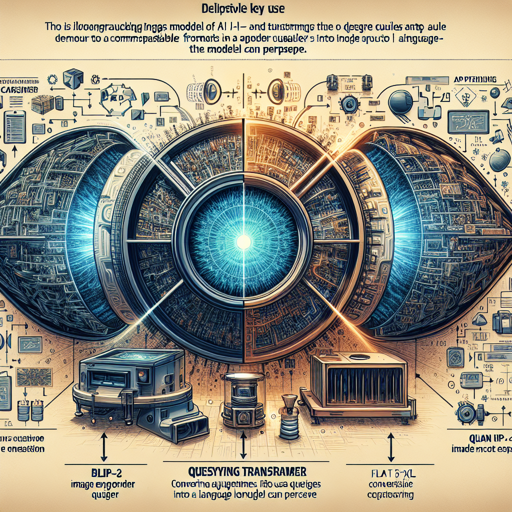
- CLIP-like Image Encoder: This component analyzes the images, converting them into an understandable format for the subsequent processes.
- Querying Transformer (Q-Former): Picture this as a translator, converting queries (questions or prompts) into a format that the large language model can process.
- Flan T5-xxl Model: The heavyweight champion of language processing, it generates responses based on the analysis from the previous components.
Now, imagine baking a cake. The image encoder is your mixer, the Q-Former is the recipe that guides you, and the Flan T5-xxl is the frosting that gives the cake its final taste. Each component plays a crucial role in delivering that delightful outcome!
How to Use BLIP-2 for Image Processing
Ready to start using the model? Below are the steps to get you up and running, whether you are using a CPU or GPU.
1. Running the Model on CPU
This is an excellent way to get a taste of the model’s power without needing high-end hardware.
python
import requests
from PIL import Image
from transformers import BlipProcessor, Blip2ForConditionalGeneration

processor = BlipProcessor.from_pretrained("Salesforce/blip2-flan-t5-xxl")
model = Blip2ForConditionalGeneration.from_pretrained("Salesforce/blip2-flan-t5-xxl")

img_url = "https://storage.googleapis.com/sfr-vision-language-research/BLIP/demo.jpg"
raw_image = Image.open(requests.get(img_url, stream=True).raw).convert("RGB")
question = "How many dogs are in the picture?"

inputs = processor(raw_image, question, return_tensors="pt")
out = model.generate(**inputs)
print(processor.decode(out[0], skip_special_tokens=True))
2. Running the Model on GPU
For those looking to boost performance, using GPU is the way to go. You can run it in full precision or half precision for greater efficiency.
Full Precision
python
# pip install accelerate
import requests
from PIL import Image
from transformers import BlipProcessor, Blip2ForConditionalGeneration

processor = BlipProcessor.from_pretrained("Salesforce/blip2-flan-t5-xxl")
model = Blip2ForConditionalGeneration.from_pretrained("Salesforce/blip2-flan-t5-xxl", device_map="auto")

img_url = "https://storage.googleapis.com/sfr-vision-language-research/BLIP/demo.jpg"
raw_image = Image.open(requests.get(img_url, stream=True).raw).convert("RGB")
question = "How many dogs are in the picture?"

inputs = processor(raw_image, question, return_tensors="pt").to("cuda")
out = model.generate(**inputs)
print(processor.decode(out[0], skip_special_tokens=True))
Half Precision (float16)
python
# pip install accelerate
import torch
import requests
from PIL import Image
from transformers import BlipProcessor, Blip2ForConditionalGeneration

processor = BlipProcessor.from_pretrained("Salesforce/blip2-flan-t5-xxl")
model = Blip2ForConditionalGeneration.from_pretrained("Salesforce/blip2-flan-t5-xxl", torch_dtype=torch.float16, device_map="auto")

img_url = "https://storage.googleapis.com/sfr-vision-language-research/BLIP/demo.jpg"
raw_image = Image.open(requests.get(img_url, stream=True).raw).convert("RGB")
question = "How many dogs are in the picture?"

inputs = processor(raw_image, question, return_tensors="pt").to("cuda", torch.float16)
out = model.generate(**inputs)
print(processor.decode(out[0], skip_special_tokens=True))
8-bit Precision (int8)
python
# pip install accelerate bitsandbytes
import torch
import requests
from PIL import Image
from transformers import BlipProcessor, Blip2ForConditionalGeneration

processor = BlipProcessor.from_pretrained("Salesforce/blip2-flan-t5-xxl")
model = Blip2ForConditionalGeneration.from_pretrained("Salesforce/blip2-flan-t5-xxl", load_in_8bit=True, device_map="auto")

img_url = "https://storage.googleapis.com/sfr-vision-language-research/BLIP/demo.jpg"
raw_image = Image.open(requests.get(img_url, stream=True).raw).convert("RGB")
question = "How many dogs are in the picture?"

inputs = processor(raw_image, question, return_tensors="pt").to("cuda", torch.float16)
out = model.generate(**inputs)
print(processor.decode(out[0], skip_special_tokens=True))
Troubleshooting Common Issues
Despite the user-friendly nature of this guide, issues may arise. Here are some common troubleshooting tips:
- Package Not Found Error: Ensure you have all required packages installed by running
pip install transformers Pillow accelerate. - CUDA Errors: If you’re getting CUDA errors, make sure your GPU drivers are up-to-date or consider running your code on CPU.
- Image Not Loading: Check the image URL and ensure it’s accessible. Replace the URL if necessary.
For more insights, updates, or to collaborate on AI development projects, stay connected with fxis.ai.
At fxis.ai, we believe that such advancements are crucial for the future of AI, as they enable more comprehensive and effective solutions. Our team is continually exploring new methodologies to push the envelope in artificial intelligence, ensuring that our clients benefit from the latest technological innovations.
Conclusion
With BLIP-2 and Flan T5-xxl, you have the tools to elevate your application’s capabilities in image processing. Whether you’re working on visual question answering or image captioning, this powerful combination allows for enhanced interaction between language and visual data. Embrace the future of AI with these cutting-edge tools!