
In this article, we’ll walk through the process of adapting a T5 large model to generate structured SQL queries from natural language prompts. We’ll explore how to leverage database schemas in our models to enhance the accuracy of SQL query generation. Let’s dive into the different components and understand how this all works!
Understanding the Task
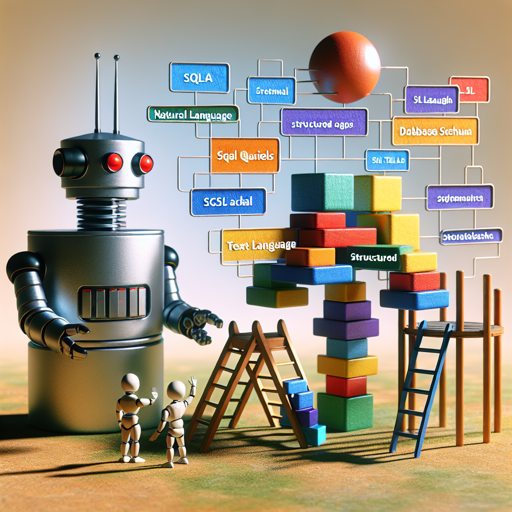
The Text2SQL task is like teaching a child to accurately express what they want in a structured form – in this case, a SQL query. Instead of merely telling the child to ask for a set of data, we show them the playground equipment available (the database schema) so that they can ask specific questions about it.
When we pose a question in natural language, if the model lacks insight into the underlying database schema, it may generate SQL queries that refer to non-existent columns or relationships. Our approach aims to include this schema directly within the question, enabling better contextual understanding for more accurate query generation.
Fine-Tuning the Model
Our model is fine-tuned from the t5-large-LM-adapt checkpoint. We utilize the Spider and Spider-Syn datasets to prepare it for various SQL contexts.
Database Schema Format
The database schema is formatted in a way that indicates the table name, the columns, and their types, along with foreign key relationships. This gives the model a clear picture of how to construct its questions for the SQL queries.
Sample Input and Output
Let’s consider a scenario where we pose the question:
Question: What is the average, minimum, and maximum age for all French musicians?When provided with the appropriate schema, the expected SQL output would be:
SELECT avg(age), min(age), max(age) FROM singer WHERE country = FranceUsing the Model
To get started with the model using 🤗 Transformers in PyTorch, follow the steps below:
- Import the necessary libraries:
- Load the model and tokenizer:
- Prepare your input using the question and schema:
- Tokenize the input and generate the output SQL query:
from transformers import AutoModelForSeq2SeqLM, AutoTokenizermodel_path = "gaussalgo/T5-LM-Large-text2sql-spider"
model = AutoModelForSeq2SeqLM.from_pretrained(model_path)
tokenizer = AutoTokenizer.from_pretrained(model_path)question = "What is the average, minimum, and maximum age for all French musicians?"
schema = "stadium Stadium_ID int, Location text, Name text, Capacity int, Highest int, Lowest int, Average int, foreign_key: primary key: Stadium_ID [SEP] singer Singer_ID int, Name text, Country text, Song_Name text, Song_release_year text, Age int, Is_male bool, foreign_key: primary key: Singer_ID [SEP] concert concert_ID int, concert_Name text, Theme text, Year text, foreign_key: Stadium_ID text from stadium, Stadium_ID, primary key: concert_ID [SEP] singer_in_concert, foreign_key: concert_ID int from concert, concert_ID, Singer_ID text from singer Singer_ID, primary key: concert_ID Singer_ID"
input_text = " ".join([ "Question:", question, "Schema:", schema ])model_inputs = tokenizer(input_text, return_tensors='pt')
outputs = model.generate(**model_inputs, max_length=512)
output_text = tokenizer.batch_decode(outputs, skip_special_tokens=True)
print("SQL Query:")
print(output_text)Evaluation of the Model
To ensure the model’s robustness, we evaluate it on the validation splits of the Spider and Spider-Syn datasets. The databases in these splits do not overlap with those in the training set, ensuring true generalization. The results yield the following accuracies:
- Spider dev accuracy: 49.2%
- Spider Syn dev accuracy: 39.5%
Training Settings
The model is trained using the Adaptor library with specified parameter values to ensure effective learning and evaluation cycles. You can refer back to the training settings for fine-tuning your own instance.
Troubleshooting
If you encounter issues such as inaccurate SQL outputs or problems during model training, consider the following troubleshooting tips:
- Ensure that the database schema included with the question matches the actual schema of the database.
- Monitor the training logs for any warnings or errors that may indicate problems with data or model configuration.
- Adjust the learning rate or the number of epochs in the training settings to see if that improves results.
For more insights, updates, or to collaborate on AI development projects, stay connected with fxis.ai.
Conclusion
At fxis.ai, we believe that such advancements are crucial for the future of AI, as they enable more comprehensive and effective solutions. Our team is continually exploring new methodologies to push the envelope in artificial intelligence, ensuring that our clients benefit from the latest technological innovations.