
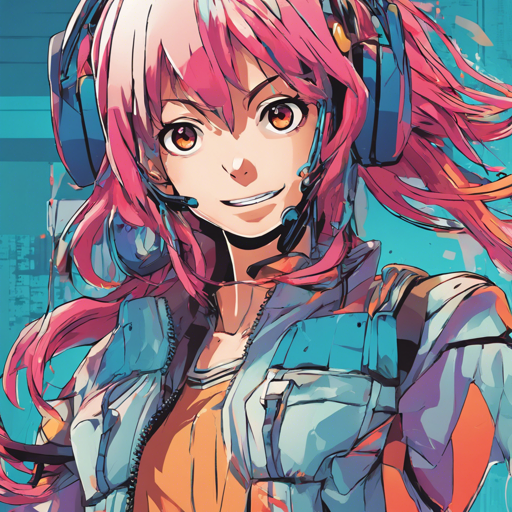
Have you ever dreamed of making an anime character express emotions through just a single image? Well, the Talking Head Anime from a Single Image 2: More Expressive project makes that dream a reality! This guide will walk you through the setup and use of this fascinating technology, including troubleshooting tips to ensure everything runs smoothly.
Understanding the Programs
This repository introduces two main programs to supercharge your anime character interactions:
- Manual Poser: An interactive tool allowing you to manipulate facial expressions and head rotations of an anime character using a graphical user interface (GUI). You can run it as a standard application or within a Jupyter Notebook.
- iFacialMocap Puppeteer: This program captures your facial movements through the iFacialMocap application found on iOS devices and transfers them to your anime character.
Trying Out the Manual Poser
If you’re eager to dive in without diving deep into the installation process, you can access the Manual Poser directly through Google Colab. Just click the button below!

Hardware Requirements
For the best experience, you need a powerful setup:
- A recent Nvidia GPU is essential. Some suggestions include the Nvidia Titan RTX, or high-end gaming GPUs like RTX 2080 or RTX 3080.
- If you want to use the iFacialMocap Puppeteer, you’ll need an iOS device with a TrueDepth camera (iPhone X or newer works typically).
Software Requirements
This project is powered by Python. Make sure your setup has these packages:
- Python 3.8
- PyTorch 1.7.1 with CUDA support
- SciPy 1.6.0
- wxPython 4.1.1
- Matplotlib 3.3.4
To simplify, follow these commands in your Anaconda environment:
conda create -n talking-head-anime-2-demo python=3.8
conda activate talking-head-anime-2-demo
conda install pytorch torchvision cudatoolkit=10.2 -c pytorch
conda install scipy
pip install wxPython
conda install matplotlib
Automatic Environment Construction
If you prefer a more automated approach, Anaconda allows you to build up the entire environment in one go. Navigate to where you cloned the repository and run:
conda env create -f environment.ymlThis will create the environment named talking-head-anime-2-demo containing all necessary packages!
Downloading the Model Files
Before you start the programs, download the model files from this Dropbox link and unzip them into the repository’s data folder. The structure should look like this:
+ data
  + illust
    - waifu_00.png
    - waifu_01.png
    - ...
  - combiner.pt
  - eyebrow_decomposer.pt
  - eyebrow_morphing_combiner.pt
  - face_morpher.pt
  - two_algo_face_rotator.pt
Running the Programs
Manual Poser Desktop Application
To run it, open a command prompt, navigate to the repository’s root directory, and execute:
python tha2appmanual_poser.pyManual Poser Jupyter Notebook
Similarly to the desktop application, run:
jupyter notebookFrom there, locate and open tha2.ipynb to interact with the GUI.
Facial Mocap Puppeteer
First, ensure you have iFacialMocap running on your iOS device. Note down the displayed IP address. Then, launch the desktop companion app, navigate to “Open Advanced Setting,” and configure your connection:
python tha2appifacialmocap_puppeteer.pyCheck for the progress bars moving as you manipulate your face in front of the iOS device camera!
Troubleshooting Tips
If you encounter issues, consider these solutions:
- Check your hardware specifications to ensure compatibility; an outdated GPU may lead to slow performance.
- If Python and CUDA versions are causing problems, ensure you’ve installed versions suitable for your specific hardware.
- Ensure that both the iOS device and the computer are on the same network for seamless connectivity.
For more insights, updates, or to collaborate on AI development projects, stay connected with fxis.ai.
Final Thoughts
At fxis.ai, we believe that such advancements are crucial for the future of AI, as they enable more comprehensive and effective solutions. Our team is continually exploring new methodologies to push the envelope in artificial intelligence, ensuring that our clients benefit from the latest technological innovations.
In Conclusion
With a bit of setup, you can bring your anime characters to life, making them express emotions and move based on your facial expressions! Dive into the world of Talking Head Anime and discover the endless possibilities it offers!