
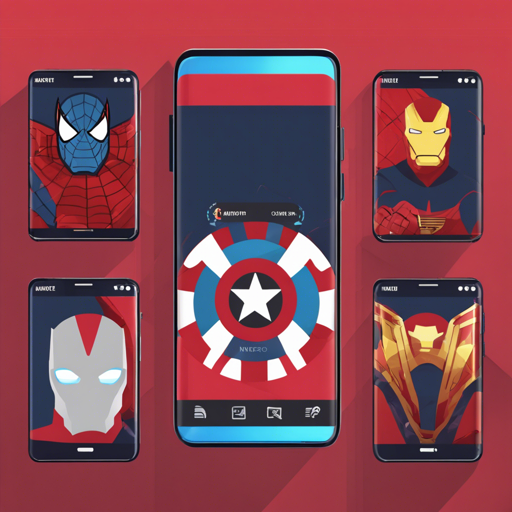
Marvel Application is a delightful Android client that brings you the essence of Marvel.com. Created as part of an assessment by smava GmbH, this repository is an excellent starting point for anyone looking to create their own Android applications by utilizing cutting-edge libraries and tools.
Overview of the Marvel Application
- Version: 1.0.1
- Last Update: Wed June 27, 2018
The application is structured based on the MVP pattern, ensuring clean separation of concerns between the view, presenter, and model components. This makes the app easy to maintain and extend in your development journey.
Setting Up Development Tools
To create the Marvel Application effectively, you will need the following tools:
- Android Studio v3.1.3
- Gradle Plugin v4.4
- Android SDK Build Tools v27.1.1
- MinSdkVersion 14
- CompileSDKVersion 27
Core Dependencies
The application relies on several libraries to enhance functionality:
- Android Support Tools (RecyclerView, CardView, etc.)
- Retrofit for API calls
- OkHttp for HTTP client operations
- Dagger for dependency injection
- RxJava/RxAndroid for reactive programming
- Timber for logging
- Picasso for image loading and caching
- Firebase for analytics and crash reporting
- JUnit for unit testing
Application Structure Explained
The Marvel Application is structured into three main components: the view, presenter, and models:
- View: The MainActivity includes Search and Cache Fragments, which take care of displaying the content to users.
- Presenter: Acts as a mediator between the view and models, handling data retrieval and business logic.
- Model: Encapsulates data retrieval services and serves data to the presenter.
This structure can be likened to a well-coordinated relay race. The view is the runner waiting for the baton (data) from the presenter, who handles the complexity of fetching the baton from the models. The models, like well-trained athletes, effectively source data from the backend, ensuring the baton is always available when needed, thus keeping the race smooth and efficient.
Testing and Continuous Integration
To ensure robustness, the application includes test cases designed with JUnit and Mockito for UI functionality, and it utilizes tools like Espresso and Robolectric for thorough testing. Continuous Integration is facilitated with CircleCI and Travis CI services.
Troubleshooting
While setting up or running the Marvel Application, you might encounter some issues. Here are a few troubleshooting tips:
- Ensure your Android Studio and SDK tools are up to date with the version specified above.
- If you encounter network issues, check your internet connection and ensure that API keys are correctly set in the code.
- Check logs for errors using Timber to trace where the problem might be.
- To further dive into enhancements or debugging, seek out community insights or guidance on more forums or social media.
For more insights, updates, or to collaborate on AI development projects, stay connected with fxis.ai.
Conclusion
In this blog, we’ve explored how to get started with the Marvel Application on Android. By utilizing well-structured components and integrating powerful libraries, you can effectively build applications that offer both functionality and a great user experience. At fxis.ai, we believe that such advancements are crucial for the future of AI, as they enable more comprehensive and effective solutions. Our team is continually exploring new methodologies to push the envelope in artificial intelligence, ensuring that our clients benefit from the latest technological innovations.