
Image classification is a pivotal task in the field of computer vision. With the rise of advanced models like Vision Transformers (ViT), it has become simpler to categorize images, be it identifying animals or detecting objects. In this blog, we’ll explore how to utilize a Vision Transformer model adapted from the timm repository for image classification tasks.
Preparing Your Environment
Before diving into the code, make sure you have the appropriate environment set up. The safetensors model requires a torch 2.0 environment. Here’s how to prepare:
- Install PyTorch: You can install it by following the instructions at the official PyTorch website.
- Clone the timm repository to get the weights: Use the command
git clone https://github.com/rwightman/pytorch-image-models.
Understanding the Model
The ViT models, including vit-tiny and vit-small, are acclaimed for their effectiveness in image classification tasks. However, Google has not made these specific model checkpoints available on Hugging Face. No worries! We can adapt these frameworks using the weights available in the timm repository.
Analogy to Understand the Concept
Think of the Vision Transformer as a master art curator. The curator examines several pieces of art (images) and categorizes them into various styles (classes) based on their attributes. The weights from the timm repository equip our model with the knowledge it needs, similar to how an art curator develops sophisticated taste over time. Thus, when we present an image to the model, it will classify it much like a seasoned curator would categorize an art piece.
Sample Usage
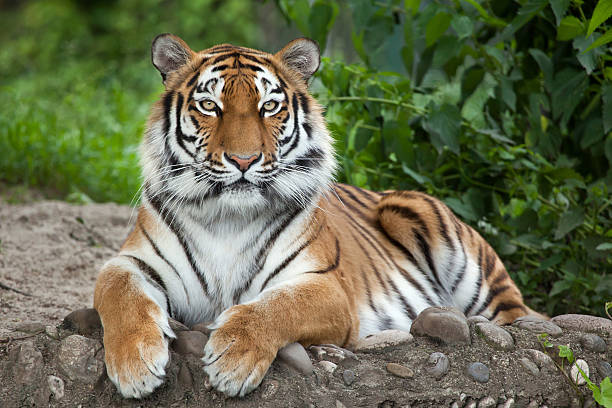
Here are a few example images you can test with:
- Tiger:
- Teapot:

- Palace:

Troubleshooting Tips
If you encounter issues during the setup or classification process, consider the following tips:
- Make sure you are using torch version 2.0 or higher as it is necessary for safetensors.
- Verify that you have installed all dependencies from the timm repository.
- If the model doesn’t seem to classify an image correctly, check if the input image is of the right dimensions.
- For more insights, updates, or to collaborate on AI development projects, stay connected with fxis.ai.
At fxis.ai, we believe that such advancements are crucial for the future of AI, as they enable more comprehensive and effective solutions. Our team is continually exploring new methodologies to push the envelope in artificial intelligence, ensuring that our clients benefit from the latest technological innovations.