

Are you looking to enhance your web application with a seamless comment feature? You’ve come to the right place! In this guide, we will walk you through the process of setting up the Vue.js Comment Grid, utilizing powerful Firebase services for a robust backend. Let’s dive in!
Table of Contents
- Introduction
- Installation
- Creating Firebase Project
- Setting Up Sign-In Method
- Getting Base URL and API Key
- Creating Database Node Name
- Setting Up Database Rules
- Giving Yourself Admin Permission
- Changing Name or Comment Length Props
- Usage
- Props
- Customizing
- TODO
- Why I Did This Plugin?
- License
Introduction
The Vue.js Comment Grid is built using CSS Grid and integrates with Firebase via REST API & Authentication. This allows you to manage comments interactively. For practical exposure, check out the Demo.
Installation
Follow the steps below to get your comment grid up and running:
Downloading Plugin
npm install --save vue-comment-gridDependencies
To facilitate HTTP requests, ensure that you have Axios in your project. If you are already using Axios, no additional dependencies are required.
Include Plugin
Add the following code to your main.js file:
import Vue from 'vue';
import CommentGrid from 'vue-comment-grid';

Vue.use(CommentGrid);
These steps are crucial, be sure to follow them thoroughly. A few manual configurations are needed for security reasons.
Creating Firebase Project
Create a new project in the Firebase console. If you need help, click here for detailed instructions.
Setting Up Sign-In Method
Enable Email/Password sign-in method within the Firebase Authentication menu. For more information, visit this link.
Getting Base URL and API Key
Retrieve your databaseURL and apiKey from Firebase. You’ll find this information under the web setup in the Authentication menu. If you’re unsure how to do this, check out this guide.
Creating Database Node Name
For security purposes, manually create node names in your database. For your primary node, use:
Name: commentsGridnodeNameYouWant
active Value: true
This is essential before proceeding with creating node names on various pages. If you need further assistance, visit here.
Setting Up Database Rules
Update your Realtime Database Rules. Refer to this document for proper configurations.
Giving Yourself Admin Permission
After setting up the rules, sign up as a standard user in your comment system. Then locate your account under the commentUsers node in Firebase and add:
Name: admin
Value: true
For granting admin privileges to others, just replicate this step. More details can be found here.
Changing Name or Comment Length Props
The default maximum username length is 30 characters and comments can be up to 1000 characters. Modify these values in the Firebase Rules accordingly. For guidance, see this documentation.
Usage
Use the following settings to deploy the comment grid:
<vue-comment-grid
    baseURL="https://your-app.firebaseio.com"
    apiKey="your-api-key"
    nodeName="nodeNameThatYouCreated">
</vue-comment-grid>
These are the default required settings.
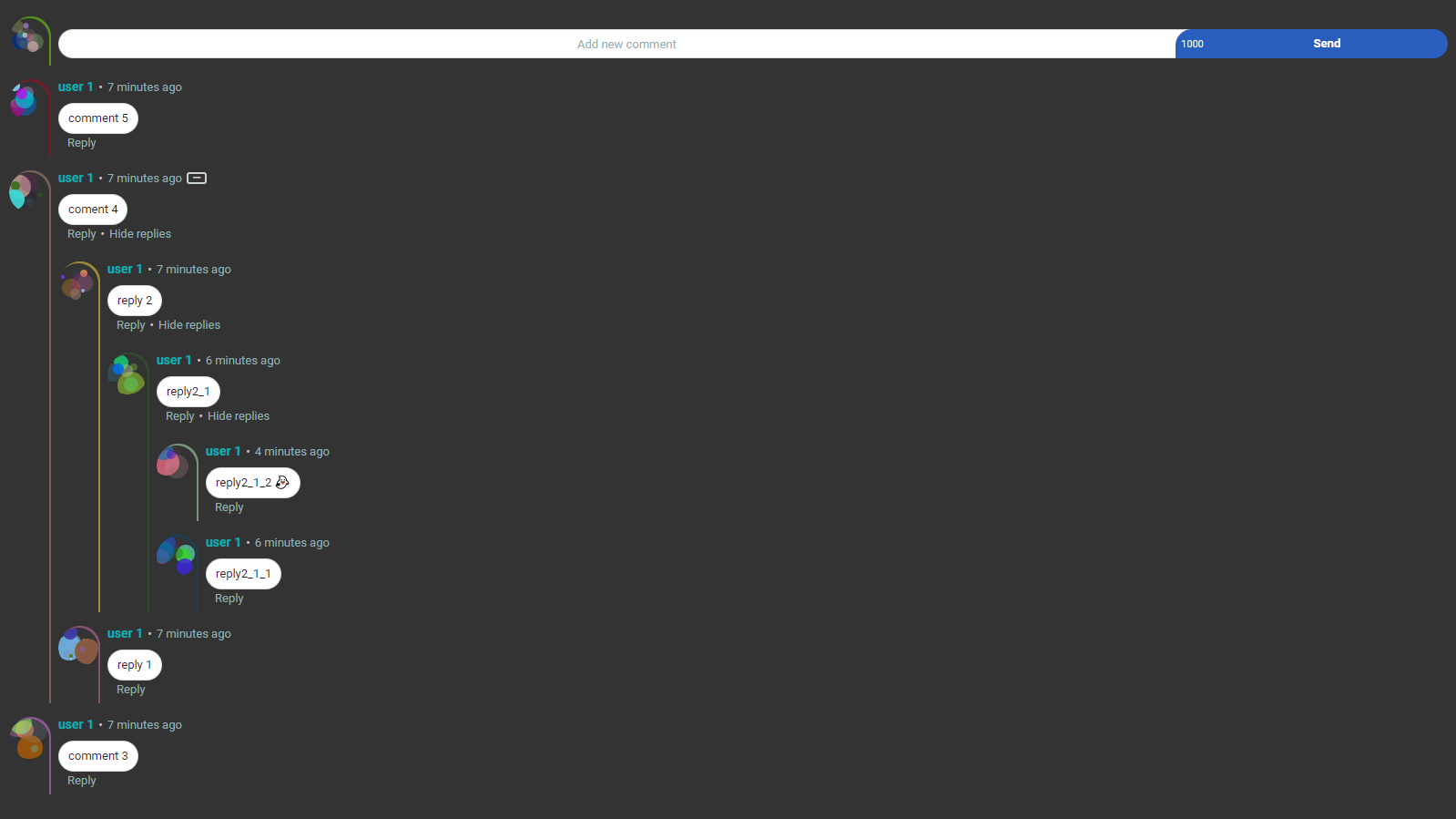
Default Settings with Dark Backgrounds
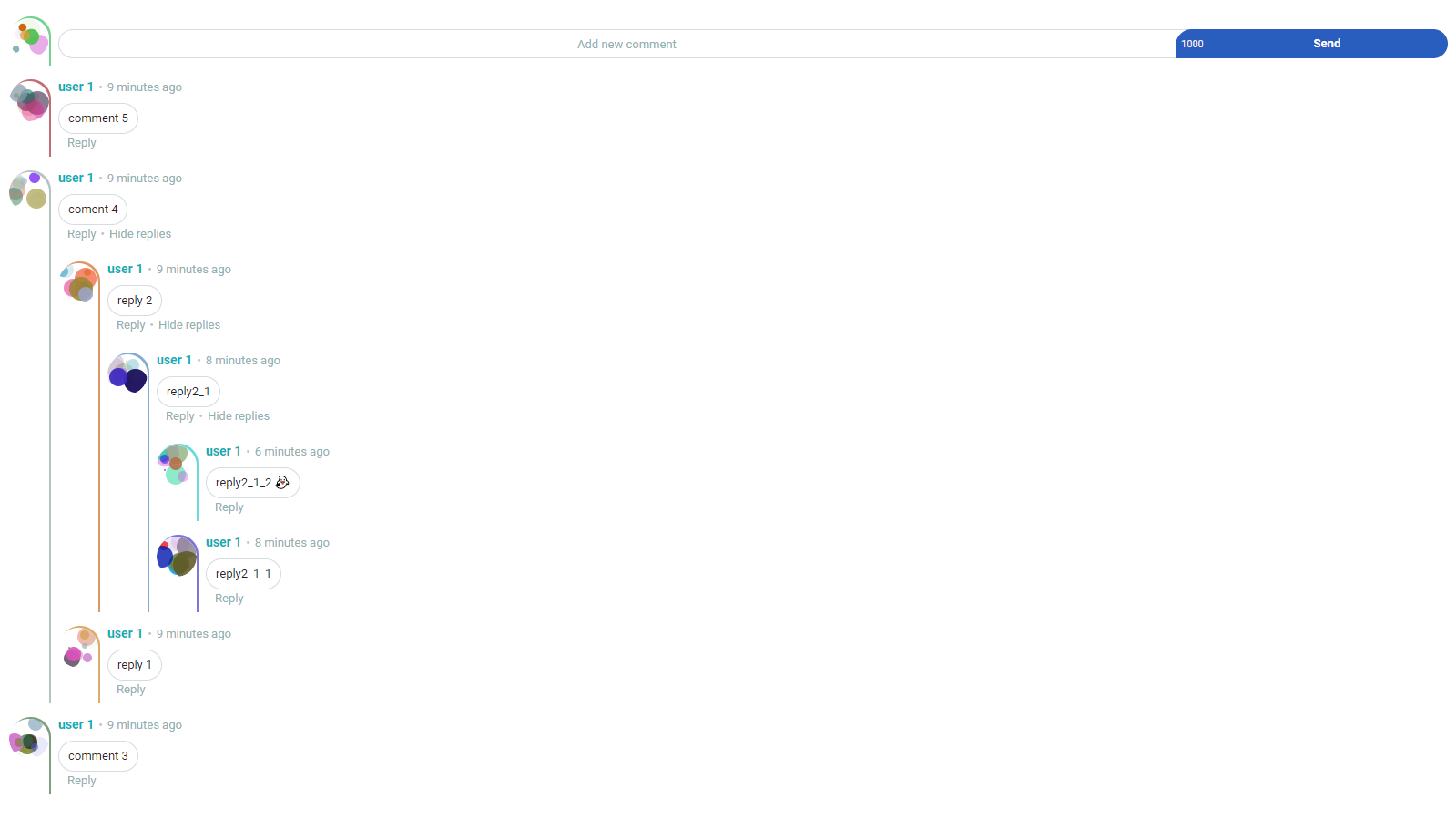
Default Settings with Light Backgrounds
Props
Here’s a summary of the props:
| Name | Type | Default | Description | Required |
|---|---|---|---|---|
| baseURL | String | null | Database URL of your Firebase Project | True |
| apiKey | String | null | API Key of your Firebase Project | True |
| nodeName | String | null | Node name created in Firebase Realtime Database | True |
| maxUserNameLength | String | 30 | Max length of user name | Optional |
| maxCommentLength | String | 1000 | Max length of comments | Optional |
| initialMessageLimit | String | 10 | Initial comments displayed | Optional |
| background | String | transparent | Background color of the component | Optional |
Customizing
If you wish to customize component props, you can take a look at this documentation.
TODO
- Add different languages support.
- Add ranking and sorting system for comments.
Why I Did This Plugin?
This project was an exciting challenge to learn about CSS Grid while integrating it with technologies I already knew. If you’re passionate about CSS Grid, I highly recommend exploring it too!
For a demo, visit: Demo | Watch a Video.
License
This project is licensed under MIT.
Troubleshooting
If you encounter any issues while setting up Vue.js Comment Grid, consider the following troubleshooting tips:
- Ensure all credentials (baseURL, apiKey, nodeName) are correctly entered without additional spaces.
- Check your Firebase rules to ensure they are configured correctly for the data structure you’re implementing.
- If you face issues with Axios, verify it’s included in your project dependencies.
For more insights, updates, or to collaborate on AI development projects, stay connected with fxis.ai.
At fxis.ai, we believe that such advancements are crucial for the future of AI, as they enable more comprehensive and effective solutions. Our team is continually exploring new methodologies to push the envelope in artificial intelligence, ensuring that our clients benefit from the latest technological innovations.