
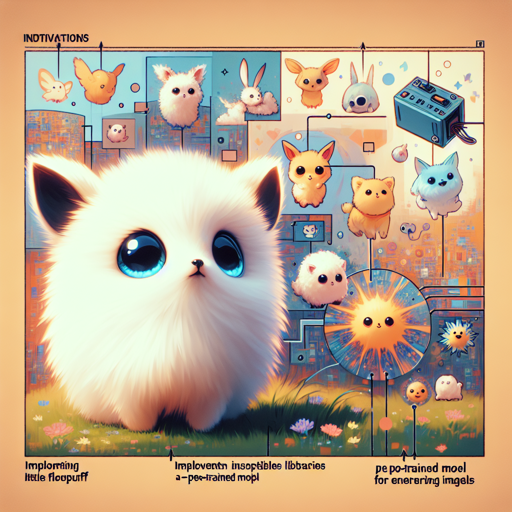
In the mystical realm of creativity and innovation, the enchanting world of cute animals emerges as a subject that captivates hearts and imaginations alike. With the help of cutting-edge technologies, particularly text-to-image models, you can now bring your vision of these adorable creatures to life. Whether it’s the fluffy Flooflepuff or delightful little critters inspired by various animated styles, this guide will take you through the process step by step.
Setting Up Your Environment
Before diving into creating cute animals, ensure you have the right tools in place. Here’s how to get started:
- Step 1: Install the necessary libraries, such as Diffusers for text-to-image generation.
- Step 2: Ensure you have access to a pre-trained model for generating cute images. The Stable Diffusion model is a great choice.
- Step 3: Set up your coding environment (Jupyter Notebook or any suitable IDE) for convenient execution of your code.
Generating Adorable Animal Imagery
Imagine you’re a painter, but instead of brushes and canvases, you wield a powerful model that transforms text into vibrant images. This process can be understood as a magic spell — you provide an enchanting “instance prompt,” and, poof, a cute creature materializes!
Here’s an example of generating images that describe a cute creature:
    instance_prompt = "Flooflepuff, a cute animal in an enchanted forest, fluffy pastel rainbow fur, sparkling eyes, and heart-shaped footprints."

    # The model takes this input and creates an image that embodies these characteristics.
In this analogy, your instance prompt is like a treasure map, guiding the model through the vast field of imagination to find that coveted treasure—an image of your unique and cute animal.
Exploring Different Stylistic Approaches
To create visual diversity, you can experiment with various art styles. Here are some ideas:
- Create your cute animals in the whimsical style of Studio Ghibli.
- Try a vibrant cartoon style reminiscent of Pixar.
- Explore a realistic approach with high-resolution, detailed textures and lighting.
Troubleshooting Common Issues
While creating your enchanting creatures, you might encounter a few hiccups. Here are some troubleshooting tips:
- Issue: Model fails to generate the desired image.
- Solution: Double-check your instance prompt for clarity and detail. Make sure your descriptions are vivid enough to guide the model.
- Issue: Slow performance during image generation.
- Solution: Ensure that your hardware meets the necessary requirements or try optimizing your code.
For more insights, updates, or to collaborate on AI development projects, stay connected with fxis.ai.
Conclusion
With the combination of your creativity and advanced AI tools, generating adorable cute animals becomes a delightful adventure. You can weave enchanting stories using these captivating creatures as your characters. What’s more, this process illuminates the beauty of blending technology and artistry.
At fxis.ai, we believe that such advancements are crucial for the future of AI, as they enable more comprehensive and effective solutions. Our team is continually exploring new methodologies to push the envelope in artificial intelligence, ensuring that our clients benefit from the latest technological innovations.