
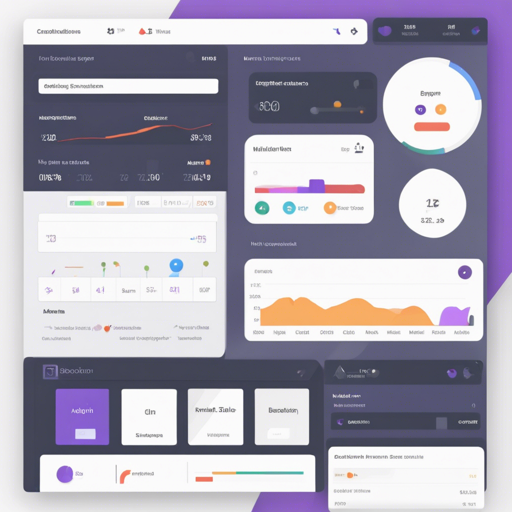
Creating an admin panel can seem like a daunting task, but with the Bootstrap Admin Panel, you can build an intuitive and responsive admin interface in no time. This guide walks you through the installation and configuration process step-by-step, ensuring that you have everything you need to get started.
Requirements
Before diving into the installation, ensure you meet the following prerequisites:
- PHP version: 8.0 or greater
- Composer
- Node.js
- PHP extensions: GD, GMP, ZIP
Technologies Used
This admin panel is built with the following technologies:
- Laravel 10.X
- Livewire 3.X
- Bootstrap 5
- Tabler.io
- SweetAlert2
- spatie/laravel-permission
- Laravel Mix Build Tools
Installation Steps
Now, let’s get your admin panel up and running! Follow these installation steps carefully:
- Clone the repository:
- Navigate to the cloned directory:
- Install dependencies:
- Copy the example environment file:
- Generate the application key:
- Set up the database credentials in your .env file (DB_* settings) and your app domain configuration (APP_URL).
- Run the migrations and seed the database:
- Build the frontend for production:
- Start your local server:
git clone https://github.com/aliqasemzadehbap/BoostrapAdminPanelcd BoostrapAdminPanelcomposer installnpm installcp .env.example .envphp artisan key:generatephp artisan migrate --seednpm run productionphp artisan serveAccessing the Application
Once you’ve followed the installation steps, you can access the admin panel using the following credentials:
- Username: info@bap.local
- Password: P@ssw0rd321
Understanding the Installation Process
Think of building your admin panel like assembling a sandwich. The bread represents your Laravel framework, the various ingredients are the technologies you incorporate (like Livewire and Bootstrap), and the wrapping is the final installation process that brings it all together. You need all the right components stacked in place for a delicious end result—otherwise, you might end up with something unappetizing!
Troubleshooting
If you encounter issues during the installation process, consider the following troubleshooting tips:
- Ensure that your PHP version and extensions are correctly installed.
- Check your database credentials in the .env file to verify they are accurate.
- Run
php artisan serveagain if you’re unable to access the application after the initial run. - If you face dependency errors, try deleting the
vendorandnode_modulesdirectories and re-runcomposer installandnpm install.
For more insights, updates, or to collaborate on AI development projects, stay connected with fxis.ai.
Final Notes
Remember, any misuse of this software to launch illegal sites is not permitted, and users are responsible for how they use the software.
Conclusion
Congratulations! You have successfully installed your Bootstrap Admin Panel. At fxis.ai, we believe that such advancements are crucial for the future of AI, as they enable more comprehensive and effective solutions. Our team is continually exploring new methodologies to push the envelope in artificial intelligence, ensuring that our clients benefit from the latest technological innovations.