
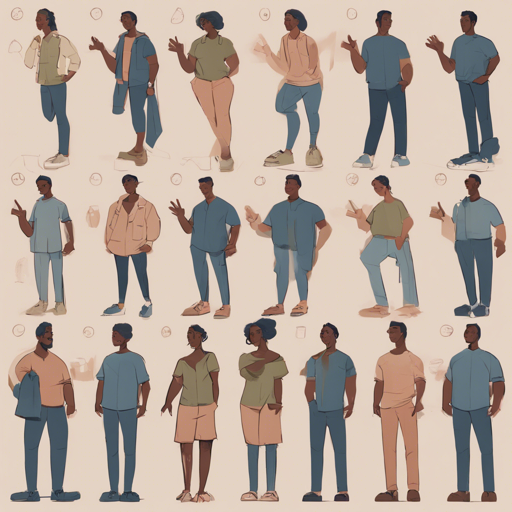
Creating images of a defined character in various poses can breathe life into your creative projects, be it in animation, video games, or illustrations. This guide will take you through the steps to develop character images using the Consistent Character repository. Let’s get started!
What You’ll Need
- A GPU machine for optimal performance
- Basic knowledge of Git and command-line operations
- Access to the necessary scripts and repositories
Setting Up Your Environment
First things first, let’s get our environment ready to create those lovely character images!
1. Clone the Repository
To begin, clone the Consistent Character repository using the following command:
sh
git clone --recurse-submodules https://github.com/fofr/cog-consistent-character.git
2. Install Custom Nodes
Next, you’ll have to install all custom nodes required for your project. Run the installation script like this:
sh
scripts/install_custom_nodes.py
This script sets you up with all the necessary tools to create your images effectively.
Running the Web UI
Now comes the fun part—running the web UI for you to upload and create character images!
3. Start the Cog Container
Assuming you’re using a GPU machine, expose port 8188 with the following command:
sh
sudo cog run -p 8188 bash
This command initializes the Cog container and allows you to access it.
4. Start the Server Inside the Cog Container
Within the Cog container, navigate to ComfyUI and start the server:
sh
cd ComfyUI
python main.py --listen 0.0.0.0
This setup binds the server to all available network interfaces, making it accessible.
5. Accessing the Server
On your local machine, access the server using the GPU machine’s IP address and the exposed port:
http://gpu-machines-ip:8188
When you access this URL, you will see the classic ComfyUI web interface, ready for you to create!
Understanding the Workflow
Think of this process like preparing a gourmet meal. Each step—the cloning of the repository, installing nodes, and running the server—is akin to gathering ingredients, prepping, and finally cooking. Just as a chef ensures they have all the right tools and ingredients, you will need the proper setup to create rich, diverse character images.
Troubleshooting Tips
Here are some troubleshooting ideas to help you resolve common setup issues:
- If the Cog container doesn’t start, ensure that your GPU drivers are correctly installed and updated.
- If you can’t access the web UI, check if the correct IP address and port number are being used.
- If the custom nodes do not appear, verify you’ve run the installation script without any errors.
- If you notice performance issues, consider allocating more resources to your GPU machine.
For more insights, updates, or to collaborate on AI development projects, stay connected with fxis.ai.
Conclusion
Setting up a workflow for creating images of a character in different poses can be efficient and rewarding. Remember, each step is crucial for ensuring your character looks consistent and vivid! At fxis.ai, we believe that such advancements are crucial for the future of AI, as they enable more comprehensive and effective solutions. Our team is continually exploring new methodologies to push the envelope in artificial intelligence, ensuring that our clients benefit from the latest technological innovations.