
Welcome to the world of speech synthesis! In this article, we’ll explore how to utilize the English Text-to-Speech (TTS) model from Facebook’s Massively Multilingual Speech (MMS) project. This guide will walk you through installation, code examples, and potential hiccups you might face along the way. Let’s get started!
Understanding the VITS Model
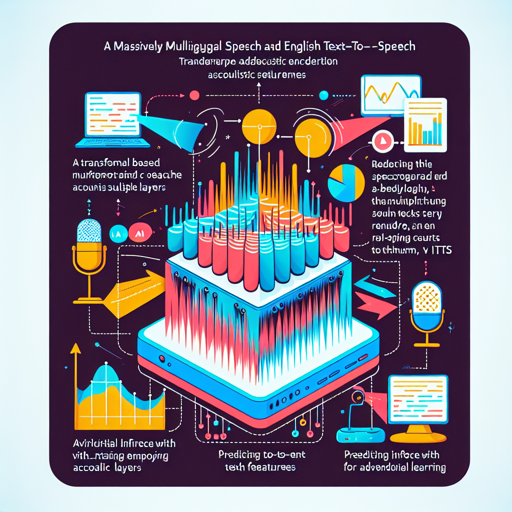
The heart of our TTS system is the VITS (Variational Inference with adversarial learning for end-to-end Text-to-Speech) model. Think of it as a talented storyteller who can narrate the same story in various accents and rhythms. Here’s how VITS operates behind the scenes:
- When you send it text (our story), it analyzes the input using a Transformer-based text encoder to create a spectrogram—a visual representation of the sound waves.
- Then, it employs multiple layers to predict acoustic features. Imagine different ways our storyteller might emphasize certain words or phrases.
- This speech generation is made more dynamic with a stochastic duration predictor, allowing our storyteller to switch up their pacing and style—in essence, making sure that no two storytelling sessions sound the same.
Installation
To kick off, you’ll need the latest version of the 🤗 Transformers library. Use the following command in your terminal:
pip install --upgrade transformers accelerateRunning Inference
Once installed, it’s time to bring our TTS model to life! Here’s a code snippet you can use to generate a speech waveform:
from transformers import VitsModel, AutoTokenizer
import torch

model = VitsModel.from_pretrained("facebook/mms-tts-eng")
tokenizer = AutoTokenizer.from_pretrained("facebook/mms-tts-eng")

text = "some example text in the English language"
inputs = tokenizer(text, return_tensors="pt")

with torch.no_grad():
    output = model(**inputs).waveform
Saving the Output
The generated waveform can be saved as a `.wav` file using the following code:
import scipy
scipy.io.wavfile.write("techno.wav", rate=model.config.sampling_rate, data=output.float().numpy())
Playing the Audio
If you want to play the audio directly in a Jupyter Notebook or Google Colab, use this snippet:
from IPython.display import Audio
Audio(output.numpy(), rate=model.config.sampling_rate)
Troubleshooting
If you encounter issues along the way, here are a few troubleshooting tips:
- Ensure you have installed the necessary libraries correctly. You can always re-run the installation command.
- If you experience performance issues, consider checking if your GPU is properly configured, as TTS can be resource-intensive.
- For questions about supported languages and their ISO codes, refer to the MMS Language Coverage Overview.
- If you need more TTS models, explore the collection at the Hugging Face Hub.
For more insights, updates, or to collaborate on AI development projects, stay connected with fxis.ai.
Conclusion
With just a few simple steps, you’ve transformed text into a spoken narrative using state-of-the-art technology. The VITS model not only makes this process seamless but also adds a layer of expressiveness that brings your text to life. At fxis.ai, we believe that such advancements are crucial for the future of AI, as they enable more comprehensive and effective solutions. Our team is continually exploring new methodologies to push the envelope in artificial intelligence, ensuring that our clients benefit from the latest technological innovations.