
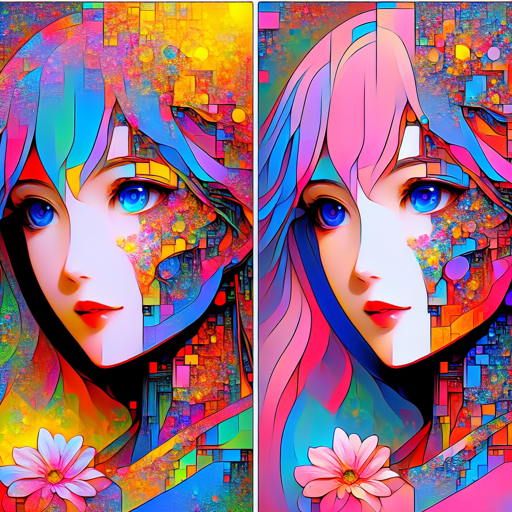
The world of AI-generated art is continually evolving, with models like FlatpieceCoreXL paving the way for compelling creations. In this guide, we’ll explore how to effectively use the FlatpieceCoreXL A1579 and A1818 models based on the CreativeML OpenRAIL++ license to generate vibrant anime-style images. Let’s embark on this creative journey together.
Understanding the FlatpieceCoreXL Models
The FlatpieceCoreXL A1579 and A1818 models are derived from the SDXL1.0 training model but have been fine-tuned specifically for anime art. Think of these models as skilled painters. A1579 is like a painter who beautifully captures the canvas with bright colors and intricate details using simple prompts. The A1818 model, on the other hand, is a refined artist who emphasizes solid coloring and further enhances facial features for a more polished look.
Getting Started with the Models
Follow these steps to start generating your own anime artwork:
- Install the Required Libraries: Ensure you have the necessary libraries installed for running these AI models.
- Load the Model: Use the Hugging Face API to load either the A1579 or A1818 model into your environment.
- Create Prompts: Write detailed prompts that describe the desired output—think of it as directing your painter.
- Run the Model: Execute the model with your crafted prompts to generate the artwork!
Recommended Settings for Optimal Results
For the best output, adhere to the following settings:
A1579 Model Settings:
- Sampler: DPM++ 2M Karras
- Steps: 30 – 35
- CFG Scale: 9.0 – 11.0
- Denoising Strength: 0.6 – 0.65
- Clip Skip: 1
- High-Res Upscale: 1.5 – 2.0
- Image Size: 1280 x 768 or 768 x 1280
A1818 Model Settings:
- Sampler: DPM++ 2M Karras
- Steps: 35 – 40
- CFG Scale: 8.0 – 10.0
- Denoising Strength: 0.7 – 0.8
- Clip Skip: 1
- High-Res Upscale: 1.5 – 2.0
- Image Size: 768 x 768 or higher
Sample Prompts to Use
Here are some example prompts to inspire your creativity:
- For A1579: “1 girl, solo, orange eyes, happy, silver hair, long hair, bangs, puffy sleeves.”
- For A1818: “1 woman, solo, light smile, open mouth, burgundy hair, high ponytail, frost eyes.”
Troubleshooting Common Issues
If you encounter any hiccups during your creative process, consider the following troubleshooting tips:
- Ensure your environment meets all library requirements for compatibility.
- Double-check your prompts for any typos or unclear descriptions.
- Adjust the recommended model settings for better outputs based on your needs.
- For further assistance, consider browsing the community forums or documentation.
For more insights, updates, or to collaborate on AI development projects, stay connected with fxis.ai.
Conclusion
Using the right model and settings, you can unleash your imagination and create stunning anime artwork with FlatpieceCoreXL. Whether you’re a seasoned artist or new to AI art generation, these models will elevate your creations to new heights.
At fxis.ai, we believe that such advancements are crucial for the future of AI, as they enable more comprehensive and effective solutions. Our team is continually exploring new methodologies to push the envelope in artificial intelligence, ensuring that our clients benefit from the latest technological innovations.