
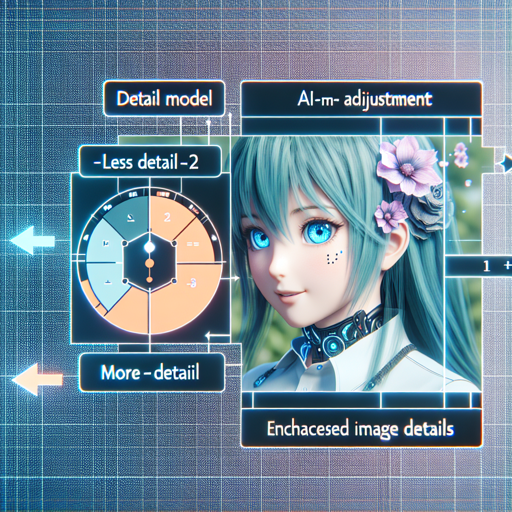
In the world of AI-assisted creativity, Anime Detailer XL LoRA stands out as a versatile tool for generating stunning anime-style images. Developed by Linaqruf, this innovative model allows users to manipulate the level of detail in their creations. In this article, we’ll guide you through the setup and usage of this powerful library, ensuring that you harness its full potential.
Overview of Anime Detailer XL LoRA
Anime Detailer XL LoRA is a specialized adapter designed to enhance the capabilities of the Animagine XL 2.0 model. It utilizes a concept slider that lets you control the detail level of generated images. Adjusting the slider from -2 (less detail) to +2 (more detail) provides artists with a vast range of expressive choices to create unique anime artworks.
Setting Up Your Environment
Before you dive into the creative process, you need to ensure that your coding environment is ready. Follow these simple steps:
- Install the latest versions of necessary libraries:
pip install diffusers --upgrade
pip install transformers accelerate safetensors
Using the LoRA with Animagine XL 2.0
Now, let’s get your model running! Imagine the process as a custom restaurant where you can adjust your meal based on taste – the LoRA serves as the chef, modifying the dish (your image) to fit your specific cravings (detail level).
Here’s a step-by-step breakdown of the Python script you’ll need to generate images:
import torch
from diffusers import (
    StableDiffusionXLPipeline,
    EulerAncestralDiscreteScheduler,
    AutoencoderKL
)

# Initialize LoRA model and weights
lora_model_id = "Linaqruf/anime-detailer-xl-lora"
lora_filename = "anime-detailer-xl.safetensors"
lora_scale_slider = 2  # -2 for less detailed result

# Load VAE component
vae = AutoencoderKL.from_pretrained(
    "madebyollins/dxlfp16-fix",
    torch_dtype=torch.float16
)

# Configure the pipeline
pipe = StableDiffusionXLPipeline.from_pretrained(
    "Linaqruf/animagine-xl-2.0",
    vae=vae,
    torch_dtype=torch.float16,
    use_safetensors=True,
    variant="fp16"
)

pipe.scheduler = EulerAncestralDiscreteScheduler.from_config(pipe.scheduler.config)
pipe.to("cuda")

# Load and fuse LoRA weights
pipe.load_lora_weights(lora_model_id, weight_name=lora_filename)
pipe.fuse_lora(lora_scale=lora_scale_slider)

# Define prompts and generate image
prompt = "face focus, cute, masterpiece, best quality, 1girl, green hair, sweater, looking at viewer, upper body, beanie, outdoors, night, turtleneck"
negative_prompt = "lowres, bad anatomy, bad hands, text, error, missing fingers, extra digit, fewer digits, cropped, worst quality, low quality, normal quality, jpeg artifacts, signature, watermark, username, blurry"
image = pipe(
    prompt,
    negative_prompt=negative_prompt,
    width=1024,
    height=1024,
    guidance_scale=12,
    num_inference_steps=50
).images[0]

# Unfuse LoRA before saving the image
pipe.unfuse_lora()
image.save("anime_girl.png")
Understanding the Code with an Analogy
Think of the code above as a recipe for a delicious dish:
- Ingredients – The libraries imported are like ingredients that enhance your dish’s flavor. You’ve picked the essentials such as
StableDiffusionXLPipelineandAutoencoderKL. - Preparation – Initializing your model weights and loading components is akin to preparing the kitchen – ensuring that everything needed is in the right place for seamless cooking.
- Cooking – The main part of the code involves defining prompts and generating an image, similar to the process of cooking your chosen dish to perfection!
- Serving – Finally, saving your generated image is like plating your food, ready for presentation and enjoyment.
Troubleshooting Tips
If you encounter issues during installation or while running your images, consider the following steps:
- Ensure all libraries are updated with the installation commands.
- Double-check your model paths and permissions if you’re encountering file access errors.
- Monitor for GPU-related errors; ensure your setup is correctly configured for CUDA.
- Adjust the parameters in your prompts if images are not generating as expected.
For more insights, updates, or to collaborate on AI development projects, stay connected with fxis.ai.
Conclusion
With this guide, you are equipped to explore the wonders of Anime Detailer XL LoRA. This tool opens up infinite possibilities for high-quality anime image generation. At fxis.ai, we believe that such advancements are crucial for the future of AI, as they enable more comprehensive and effective solutions. Our team is continually exploring new methodologies to push the envelope in artificial intelligence, ensuring that our clients benefit from the latest technological innovations.