
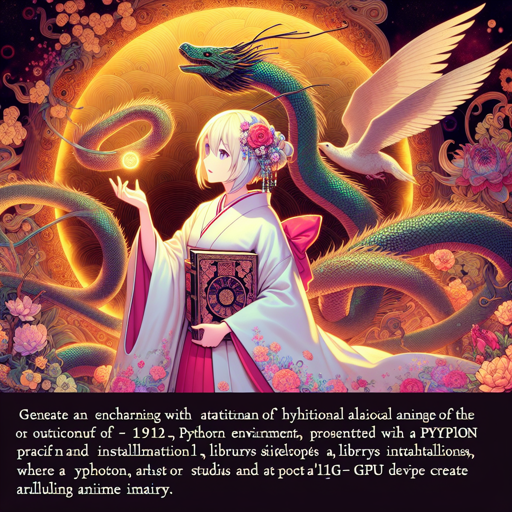
Welcome to the whimsical world of Studio Ghibli! With the Ghibli Diffusion model, you can transform your creative prompts into enchanting images that capture the essence of modern anime feature films brought to life by Studio Ghibli. In this article, we’ll walk you through how to get started, explore the settings, and troubleshoot any potential issues along the way.
What You Need
- A Python environment (Anaconda or similar)
- PyTorch and Hugging Face’s diffusers library installed
- Access to a GPU or a compatible device for faster processing
Setting Up Ghibli Diffusion
To create your Ghibli-style images, follow the steps below:
from diffusers import StableDiffusionPipeline
import torch

model_id = "nitrosocke/Ghibli-Diffusion"
pipe = StableDiffusionPipeline.from_pretrained(model_id, torch_dtype=torch.float16)
pipe = pipe.to("cuda")

prompt = "ghibli style magical princess with golden hair"
image = pipe(prompt).images[0]
image.save("magical_princess.png")
Analogy to Understand the Process
Imagine you are a talented artist setting up a magical paintbrush to create enchanting landscapes. The steps you take to prepare the paintbrush—selecting the right colors, adjusting the brush size, and positioning yourself for the best light—are akin to the setup required for Ghibli Diffusion. Just as a painter must skillfully wield their brush to create immersive art, you will employ code to channel the model’s capabilities into producing breathtaking images that resonate with the Ghibli aesthetic.
Choosing the Right Prompt
The magic of Ghibli Diffusion lies in how you craft your prompts. To ensure you capture that unique Ghibli flair, make sure to use the token _ghibli style_ to enhance your input. Here are some example prompts:
- Landscape Prompt: _ghibli style beautiful Caribbean beach tropical (sunset)_
- Character Prompt: _ghibli style (storm trooper)_
- Vehicle Prompt: _ghibli style VW beetle_
Troubleshooting Common Issues
Even the best journeys may encounter bumps along the way. Here are a few common problems you might encounter and their solutions:
- Model Not Found: Double-check that the model ID is typed correctly and that you’re connected to the internet.
- CUDA Error: Ensure that your GPU drivers are up to date and that you have adequate GPU memory available.
- Output Image is Blurry: Adjust your prompt and include more specific details or reduce negative prompts like “soft blurry”.
For more insights, updates, or to collaborate on AI development projects, stay connected with fxis.ai.
License Information
Ghibli Diffusion is open access and available under the CreativeML OpenRAIL-M license. This means you can use the model within specified guidelines for both personal and commercial purposes.
Conclusion
With a sprinkle of creativity and the right setup, you can dive into the whimsical universe of Studio Ghibli and create stunning images of your very own. Whether it’s enchanting landscapes or magical characters, Ghibli Diffusion opens a world of possibilities for anime enthusiasts and artists alike.
At fxis.ai, we believe that such advancements are crucial for the future of AI, as they enable more comprehensive and effective solutions. Our team is continually exploring new methodologies to push the envelope in artificial intelligence, ensuring that our clients benefit from the latest technological innovations.