
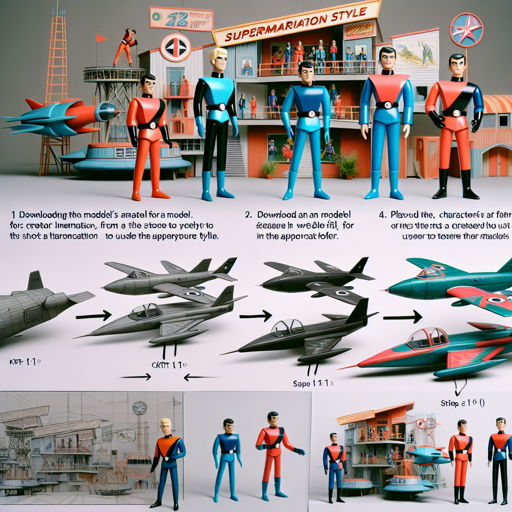
Are you ready to channel your inner Gerry Anderson and bring the whimsical charm of Supermarionation to your digital artworks? With the fine-tuned Stable Diffusion model based on the beloved Thunderbirds series, you can create captivating text-to-image content. This guide walks you through using this powerful AI tool, including troubleshooting tips to ensure your creative journey remains smooth.
Getting Started
To dive into this Supermarionation experience, follow these steps:
- Download the Model: First, you’ll need to grab the model’s ckpt file. You can find it in the files and versions tab on your web UI of choice. Make sure to place it in the stable diffusion models folder.
- Using the Studio: Open your stable diffusion web UI. You’ll be ready to generate images inspired by Supermarionation styling.
- Create Your Prompt: For best results, use the token supermarionation in your prompts. Experimenting with different themes, such as characters and vehicles, can yield hilarious and interesting outputs.
Image Generation Settings
When creating your images, it’s essential to know a few settings:
- Denoising Strength: Play around with denoising strengths between 40 and 70.
- Restore Face Option: Decide whether you want to enable this feature based on your image results.
Example Settings:
Utilize the following settings to start your creative adventure:
Prompt: [person] in supermarionation style
Steps: 40
Sampler: Euler
CFG scale: 7.5
Output Exploration
You’ll find that the results can be quite amusing and surprisingly charming. Here’s a summary of what you can expect based on different prompts:
- Characters Rendered with img2img: Using the prompt “[person]” in a Supermarionation style.
- Vehicles Rendered: Emphasizing “[personvehicle]” can yield vibrant creations.


Troubleshooting Your Experience
If you encounter issues along the way, consider these troubleshooting tips:
- Model Not Loading: Double-check that the ckpt file is correctly placed in the models directory of your web UI.
- Poor Image Quality: Adjust your denoising strength settings and explore alternative prompts to achieve a desirable output.
- Model Output Issues: Ensure that you are using the correct syntax and settings during image generation.
For more insights, updates, or to collaborate on AI development projects, stay connected with fxis.ai.
Licensing Information
This model is available under the CreativeML OpenRAIL-M license, which allows open access and usage with specific guidelines:
- Do not create or share illegal or harmful outputs.
- You have the freedom to use your generated outputs, provided they comply with licensing terms.
- Redistribution and commercial use are permissible, but the same restrictions must be conveyed to your users.
For detailed information, please visit here.
At fxis.ai, we believe that such advancements are crucial for the future of AI, as they enable more comprehensive and effective solutions. Our team is continually exploring new methodologies to push the envelope in artificial intelligence, ensuring that our clients benefit from the latest technological innovations.
Conclusion
Using the Supermarionation model within Stable Diffusion opens up numerous creative possibilities. Remember to experiment with different prompts and settings to make your unique creations. Happy image generating!