
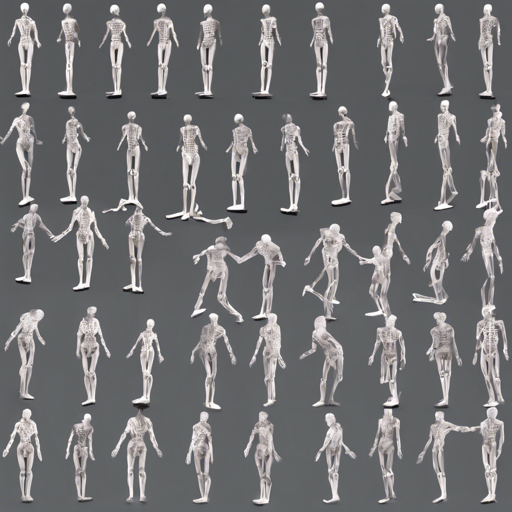
Have you ever watched videos of people moving and wondered how machines understand their positions and movements? Welcome to the world of 3D multi-person pose estimation! In this blog, we’ll dive into how to set up and run a demo for real-time 3D pose estimation using PyTorch and Intel OpenVINO, based on the Lightweight OpenPose architecture.
Table of Contents
- Requirements
- Prerequisites
- Pre-trained Model
- Running the Demo
- Inference with OpenVINO
- Inference with TensorRT
Requirements
Before you dive in, make sure you have the following software tools installed:
- Python 3.5 (or above)
- CMake 3.10 (or above)
- C++ Compiler (g++ or MSVC)
- OpenCV 4.0 (or above)
- [Intel OpenVINO](https://software.intel.com/en-us/openvino-toolkit) *(Optional)* for fast inference on CPU.
- [NVIDIA TensorRT](https://docs.nvidia.com/deep-learning/tensorrt/install-guide/index.html) *(Optional)* for fast inference on Jetson.
Prerequisites
- Install the required packages by running:
pip install -r requirements.txt - Build the pose_extractor module:
python setup.py build_ext - Add the build folder to PYTHONPATH:
export PYTHONPATH=pose_extractor/build:$PYTHONPATH
Pre-trained Model
You can download the pre-trained model from Google Drive.
Running the Demo
To execute the demo, you need to provide the path to the pre-trained checkpoint and the camera ID (or video file path) with the following command:
python demo.py --model human-pose-estimation-3d.pth --video 0Optionally, if your camera is capable of capturing scenes from different angles, you can enhance the demo’s visualization using camera extrinsics and focal length parameters with the prior mentioned options.
Inference with OpenVINO
To utilize OpenVINO for faster inference, follow these steps:
- Set OpenVINO environment variables:
source OpenVINO_INSTALL_DIR/bin/setupvars.sh - Convert the checkpoint to ONNX format:
python scripts/convert_to_onnx.py --checkpoint-path human-pose-estimation-3d.pth - Convert the ONNX model to OpenVINO format:
python OpenVINO_INSTALL_DIR/deployment_tools/model_optimizer/mo.py --input_model human-pose-estimation-3d.onnx --input=data --mean_values=data[128.0,128.0,128.0] --scale_values=data[255.0,255.0,255.0] --output=features,heatmaps,pafs
To run the demo utilizing OpenVINO inference, pass the following command:
python demo.py --model human-pose-estimation-3d.xml --device CPU --use-openvino --video 0Inference with TensorRT
For TensorRT, you must make sure it is installed properly. Follow the official guide for installation and proceed with these steps:
- Install CUDA 11.1.
- Install cuDNN 8 (first runtime library, then developer).
- Install nvidia-tensorrt:
python -m pip install nvidia-pyindexpip install nvidia-tensorrt==7.2.1.6 - Convert the checkpoint to TensorRT format:
python scripts/convert_to_trt.py --checkpoint-path human-pose-estimation-3d.pth
Ensure you set the correct network input height and width during conversion. Without proper sizing, detections may fail.
To conduct the demo with TensorRT, use the following command:
python demo.py --model human-pose-estimation-3d-trt.pth --use-tensorrt --video 0On an RTX 2060, you’ll witness a network inference speedup of about 10x compared to the default PyTorch inference.
Troubleshooting
If you encounter any issues while setting up or running the demo, here are some troubleshooting ideas:
- Make sure all required packages are installed correctly, as outlined in the prerequisites.
- If you have issues with converting the model, double-check your paths and that the OpenVINO/TensorRT versions are compatible.
- Inspect the output logs for any errors related to camera parameters or model paths.
For more insights, updates, or to collaborate on AI development projects, stay connected with fxis.ai.
At fxis.ai, we believe that such advancements are crucial for the future of AI, as they enable more comprehensive and effective solutions. Our team is continually exploring new methodologies to push the envelope in artificial intelligence, ensuring that our clients benefit from the latest technological innovations.
Conclusion
Understanding human motion in real-time through 3D pose estimation is like having a dance partner that never misses a step! With the capabilities of PyTorch and the efficiency of OpenVINO, you can capture movements swiftly and accurately. Get started with the demo today, and unlock the potential of computer vision.