
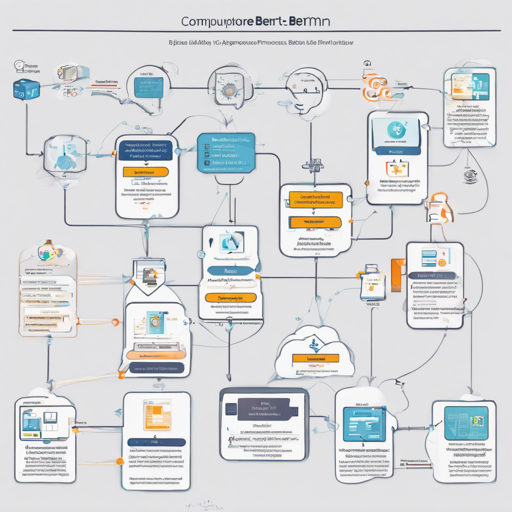
Fine-tuning models can be a rewarding endeavor, especially when optimizing them for tasks like Business Process Model and Notation (BPMN) extraction. In this guide, we will walk you through the process of fine-tuning a BERT model, utilizing a dataset of textual process descriptions.
What You Will Need
- Python installed on your system.
- Pytorch library for neural networks.
- Transformers library by Hugging Face.
- A suitable dataset for BPMN process descriptions.
Basic Overview of the Fine-Tuning Process
The fine-tuning process can be compared to training a dog. When you first adopt a dog, it has learned a lot on its own but may not perform specific tasks, such as fetching or sitting, correctly. To teach it these tasks, you use repeated training sessions, sharing commands, and positive reinforcement. Similarly, in the fine-tuning process, we sharpen the model’s existing capabilities to specialize in new tasks using a dataset to guide it.
Steps to Fine-Tune the BERT Model
Below you will find a simplified breakdown of the steps involved in fine-tuning the BERT model:
1. Prepare Your Environment
Install the required libraries using:
pip install torch transformers datasets2. Prepare the Dataset
The dataset used should consist of textual descriptions with appropriate labels. For BPMN extraction, you will typically deal with two labels: AGENT and TASK.
3. Load the Pre-trained Model
Load the bert-base-cased model from Hugging Face’s model hub:
from transformers import BertTokenizer, BertForTokenClassification
tokenizer = BertTokenizer.from_pretrained('bert-base-cased')
model = BertForTokenClassification.from_pretrained('bert-base-cased', num_labels=2)
4. Set Hyperparameters for Training
Choosing the right hyperparameters is essential for successful training. Here’s a quick view of the important ones:
- Learning Rate: 2e-05
- Batch Size: 8
- Number of Epochs: 5
5. Train the Model
Execute the training process, ensuring to monitor parameters like loss, precision, and recall. Keep in mind that this is the stage where you build the accuracy of the model.
6. Evaluate the Model
After training, it’s crucial to evaluate your model’s performance using metrics like:
- Precision
- Recall
- F1 Score
- Accuracy
In our case, we achieved a training loss of 0.2656, with precision and recall at 0.7314 and 0.8366 respectively.
Troubleshooting Common Issues
Here are some troubleshooting tips that might help you during your fine-tuning journey:
- Model Not Training Properly: Check that your dataset is properly formatted and balanced. Look for any class imbalances.
- High Loss Values: Ensure you’re using an appropriate learning rate and that you might need more epochs to fine-tune effectively.
- Low Accuracy: It could be beneficial to experiment with different model architectures or consider preprocessing your dataset to improve clarity.
For more insights, updates, or to collaborate on AI development projects, stay connected with fxis.ai.
Conclusion
Fine-tuning a BERT model can be a powerful way to enhance its effectiveness for specific tasks, such as BPMN extractions. With the right approach and persistence, you can achieve excellent results, enabling more effective interpretations of process workflows.
At fxis.ai, we believe that such advancements are crucial for the future of AI, as they enable more comprehensive and effective solutions. Our team is continually exploring new methodologies to push the envelope in artificial intelligence, ensuring that our clients benefit from the latest technological innovations.