
In the world of healthcare, clinical documentation is crucial yet often time-consuming. Enter the GPT-J-6B Model: a powerful tool that, when fine-tuned on a dataset of summarized clinical notes, can help generate concise discharge summaries with pertinent information. In this article, we will walk you through the steps of fine-tuning this model effectively, while keeping the process user-friendly.
Understanding the Concept
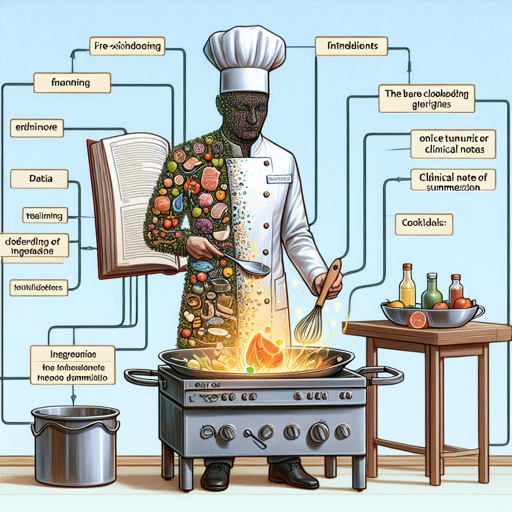
Imagine the GPT-J-6B model as a chef who has a large cookbook of recipes (its pre-existing knowledge). If you want this chef to specialize in a specific dish, say, summarizing clinical notes, you need to provide him with the best ingredients (your training data) and specific cooking techniques (training process). Once the chef has mastered this unique dish, he will be able to prepare it quickly and effectively.
Step by Step Guide to Fine-Tuning GPT-J-6B
- Gather the Dataset: Compile a dataset containing clinical notes and their summaries. This dataset will serve as the “recipe book” for your model.
- Prepare the Data: Organize your data in a format that the model can easily process. Typically, you will want pairings of input clinical notes and their corresponding summaries.
- Environment Setup: Ensure you have the necessary libraries and runtime environment. Libraries such as Hugging Face Transformers will be essential.
- Model Loading: Load the GPT-J-6B model using the transformation library. This can be done via straight-forward commands.
- Fine-Tuning: Train the model using your organized dataset. During this phase, the model will learn how to summarize clinical notes effectively.
Example Code
from transformers import GPTJForCausalLM, Trainer, TrainingArguments

# Load model
model = GPTJForCausalLM.from_pretrained('EleutherAI/gpt-j-6B')

# Set training arguments
training_args = TrainingArguments(
    output_dir='./results',
    per_device_train_batch_size=2,
    num_train_epochs=3,
)

# Define Trainer
trainer = Trainer(
    model=model,
    args=training_args,
    train_dataset=your_dataset
)

# Train model
trainer.train()
Troubleshooting Tips
While fine-tuning the GPT-J-6B model, you may run into a few challenges. Here are some tips to help you resolve common issues:
- Insufficient Memory: If your GPU runs out of memory, try reducing the batch size or using gradient accumulation to optimize memory usage.
- Training Stalling: If the model stops improving, consider adjusting the learning rate or increasing the number of training epochs.
- Data Format Issues: Ensure your dataset is correctly formatted. Improper formatting can lead to unexpected results.
For more insights, updates, or to collaborate on AI development projects, stay connected with fxis.ai.
Conclusion
Fine-tuning the GPT-J-6B model for summarizing clinical notes can greatly enhance the efficiency of clinical documentation processes. By applying the steps outlined, you’ll be able to generate precise and informative discharge summaries. At fxis.ai, we believe that such advancements are crucial for the future of AI, as they enable more comprehensive and effective solutions. Our team is continually exploring new methodologies to push the envelope in artificial intelligence, ensuring that our clients benefit from the latest technological innovations.