
Speech Emotion Recognition (SER) is an intriguing field that merges artificial intelligence with the nuances of human emotion. By fine-tuning the Wav2Vec 2.0 model, we can create a powerful tool for detecting emotions in speech. In this guide, we will explore how to adapt the Wav2Vec 2.0 model, originally designed for audio processing, for this specific task.
Understanding Wav2Vec 2.0
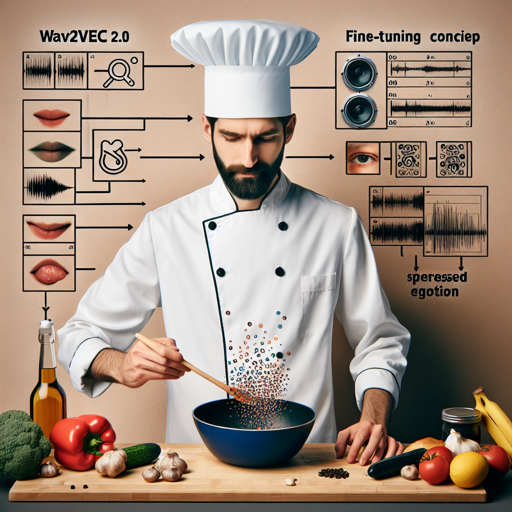
Imagine Wav2Vec 2.0 as a chef who has mastered the basics of cooking. However, to make exquisite dishes, the chef needs to fine-tune their skills with specialized ingredients and techniques. In this case, the ‘specialized ingredients’ are the datasets used for fine-tuning the model.
- For the creation of our SER model, we utilized multiple datasets:
- Surrey Audio-Visual Expressed Emotion (SAVEE) – Featuring 480 audio files from 4 male actors.
- Ryerson Audio-Visual Database of Emotional Speech and Song (RAVDESS) – Comprising 1,440 audio files from 24 professional actors (12 female, 12 male).
- Toronto Emotional Speech Set (TESS) – With 2,800 audio files from 2 female actors.
Setting Up the Environment
To start, ensure you have the following libraries installed in your Python environment:
pytorchtransformersdatasets
Once you have the necessary libraries, you can begin the fine-tuning process.
Training Procedure
The training configuration involves several hyperparameters that fine-tune the model’s performance. Here’s a breakdown:
learning_rate: 0.0001
train_batch_size: 4
eval_batch_size: 4
eval_steps: 500
seed: 42
gradient_accumulation_steps: 2
optimizer: Adam with betas=(0.9,0.999) and epsilon=1e-08
num_epochs: 4
max_steps: 7500
save_steps: 1500
Think of these hyperparameters as the recipe for cooking. Each ingredient affects the outcome, whether it’s the taste, texture, or appearance of the final dish.
Evaluating Performance
The model’s evaluation will yield metrics like loss and accuracy. Here’s a snapshot of training results as you fine-tune:
Step  Training Loss  Validation Loss  Accuracy
500   1.8124         1.3652          0.4862
1000  0.8872         0.7731          0.7970
1500  0.7035         0.5749          0.8520
3000  0.5696         0.3372          0.8922
7500  0.0830         0.1041          0.9746
This increment through training steps signifies the model learning efficiently. Each step is akin to how a chef gets better with every dish prepared.
Troubleshooting
If you run into issues while fine-tuning the Wav2Vec 2.0 model, consider the following troubleshooting steps:
- Ensure your datasets are correctly formatted and loaded.
- Check if your environment is set up properly with the required packages.
- If you’re running into memory issues, try reducing the batch size.
- Monitor training and validation loss to avoid overfitting; adjust your early stopping criteria if necessary.
For more insights, updates, or to collaborate on AI development projects, stay connected with fxis.ai.
Conclusion
By following these steps, you can fine-tune the Wav2Vec 2.0 model for Speech Emotion Recognition successfully. At fxis.ai, we believe that such advancements are crucial for the future of AI, as they enable more comprehensive and effective solutions. Our team is continually exploring new methodologies to push the envelope in artificial intelligence, ensuring that our clients benefit from the latest technological innovations.