
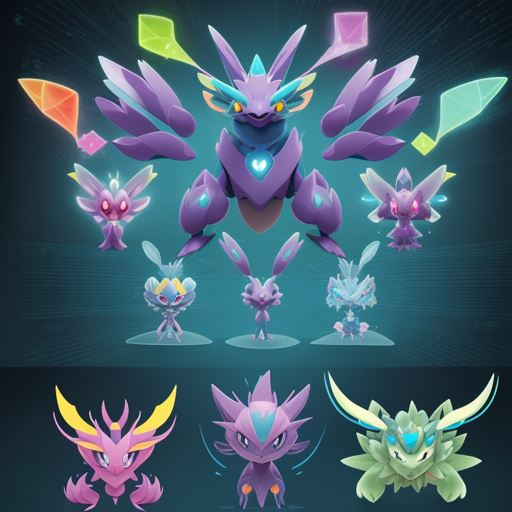
Welcome to the fascinating world of AI-generated art, where imagination meets innovation! In this blog post, we will walk you through the process of creating Pokémon with a fine-tuned version of ruDALL-E, an AI model specifically designed for generating images. So, grab your Poké Balls, and let’s dive into the digital Pokemon world!
What is ruDALL-E?
ruDALL-E is a powerful image generation model that leverages deep learning to create stunning visuals based on text descriptions. Fine-tuning this model for Pokémon means that we can produce unique, creative characters reminiscent of the beloved franchise.
How Does It Work?
Let’s break this down with an analogy. Imagine you have a magical artist (the AI model) who has only seen a few pictures of Pokémon. Your task is to give them a bunch more reference images and let them practice drawing for a while. After training them with many artworks, you can ask for new Pokémon creations based on any description you provide. That’s essentially what fine-tuning ruDALL-E is all about!
Steps to Generate Your Own Pokémon
- Step 1: Access the Colab Notebook – Start by opening this Colab Notebook to get the setup ready.
- Step 2: Training the Model – This model was trained over 12 epochs, taking about 4.5 hours on a P100 GPU, with a maximum learning rate of 1e-5. This setup allows the neural network to learn the nuances of Pokémon art effectively.
- Step 3: Generate Pokémon – After setting up the notebook, simply input your Pokémon description, and watch as the magic happens!
- Step 4: Share Your Creation – The generated Pokémon may just go viral like the previous creations which garnered over 10k retweets on Twitter and 30k upvotes on Reddit!
Demo
You can also experiment with generating Pokémon by utilizing this Colab Notebook Demo.
Troubleshooting Tips
While the process is relatively straightforward, you might encounter a few hiccups. Here are some common issues and their solutions:
- Issue: The model runs slowly – This could be due to limited GPU resources on your end. Try using Google Colab Pro for better performance.
- Issue: Errors in the code – Ensure that all dependencies in the Colab Notebook are installed correctly. Sometimes re-running the cell that installs the libraries can fix the issue.
- Issue: No images generated – Double-check that you have entered a proper description and that your training session went smoothly.
For more insights, updates, or to collaborate on AI development projects, stay connected with fxis.ai.
Conclusion
At fxis.ai, we believe that such advancements are crucial for the future of AI, as they enable more comprehensive and effective solutions. Our team is continually exploring new methodologies to push the envelope in artificial intelligence, ensuring that our clients benefit from the latest technological innovations.
Now that you have the tools and knowledge to embark on your Pokémon creation journey, it’s time to showcase your creativity to the world! Happy generating!