
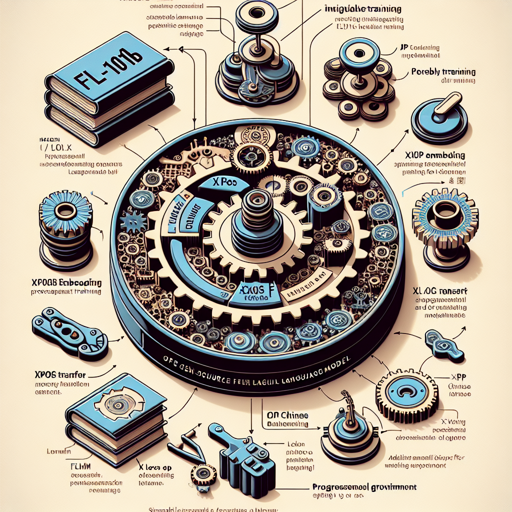
Welcome to the world of FLM-101B, an extraordinary open-source decoder-only large language model (LLM) with a whopping 101 billion parameters! This model empowers projects by supporting both Chinese and English languages and capitalizes on innovative training techniques to ensure accessibility and efficiency. In this guide, we will walk you through the setup process and provide tips for troubleshooting. Let’s dive in!
Why Choose FLM-101B?
- It’s an open-source model, making it highly accessible for research and development.
- Houses the largest known language model trained with xPos rotary position embedding.
- Employs unique methodologies, such as μp transfer and loss prediction.
- Features a progressive learning strategy through model growth.
Installing and Running FLM-101B
Getting started with FLM-101B takes just a few quick steps. Here’s a straightforward Python snippet to help you set up the model:
python
import torch
from transformers import AutoModelForCausalLM, AutoTokenizer

tokenizer = AutoTokenizer.from_pretrained("CofeAIFLM-101B", trust_remote_code=True)
model = AutoModelForCausalLM.from_pretrained("CofeAIFLM-101B", torch_dtype=torch.bfloat16, low_cpu_mem_usage=True, device_map="auto", trust_remote_code=True)

inputs = tokenizer("A house without books is like a body without a soul;", return_tensors="pt").to(model.device)
generated = model.generate(**inputs, max_new_tokens=64, repetition_penalty=1.1)
print(tokenizer.decode(generated.cpu()[0], skip_special_tokens=True))
Understanding the Code: A Simple Analogy
Think of setting up FLM-101B like preparing a meal for a dinner party:
- Importing Ingredients: Just like you gather your ingredients (using imported libraries), here, you make sure to load the necessary tools—like
torchandtransformers. - Choosing Your Recipe: In cooking, you select your favorite recipe (the model). Similarly,
AutoTokenizerandAutoModelForCausalLMdefine the LLM you will work with. - Preparing the Ingredients: Before you cook, you might chop or season your ingredients. In our code, that means taking the input text and converting it into tensors with the
tokenizer. - Cooking: Now, you heat things up! The model generates responses based on the input, just like a meal transforms as it cooks.
- Serving: Finally, you plate the dish (output generated from the model) and present it to your guests (viewers of the output).
Troubleshooting Tips
If you encounter issues while using FLM-101B, consider these troubleshooting tips:
- Model Not Loading: Ensure you have a stable internet connection for model downloads. Check if the model name is typed correctly.
- Memory Issues: Consider using smaller batch sizes or ensure your system meets the recommended GPU specifications.
- Unexpected Output: If the outputs are biased or inappropriate, review the input prompts and consider revising them for clarity.
If you continue to face challenges, for more insights, updates, or to collaborate on AI development projects, stay connected with fxis.ai.
Conclusion
At fxis.ai, we believe that such advancements are crucial for the future of AI, as they enable more comprehensive and effective solutions. Our team is continually exploring new methodologies to push the envelope in artificial intelligence, ensuring that our clients benefit from the latest technological innovations.
FLM-101B is a powerhouse of capabilities. By leveraging this open-source LLM, you’ll unlock new potentials in text generation and enhance your applications across diverse fields. Ready to take the plunge? Happy coding!