
Welcome to the exciting world of linguistic advancement! In this article, we’ll walk you through the process of utilizing the LAION LeoLM, an open and commercially available German Foundation Language Model based on Mistral 7b. This guide will provide step-by-step instructions, address potential troubleshooting issues, and offer some helpful insights while doing it. So, let’s dive in!
Understanding LeoLM
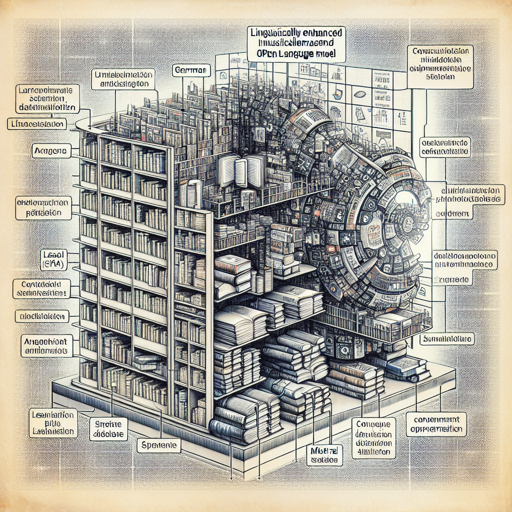
Before we jump into the installation and usage of LeoLM, let’s draw an analogy to understand the concept better. Imagine LeoLM as a sophisticated library that not only houses books in German but is also equipped with an automated system that can comprehend and generate text in a conversational style. The library is powered by an intelligent algorithm (Mistral 7b) that continually learns from the diverse array of books (datasets) it contains, adapting its knowledge to meet users’ queries.
Installation Steps
To use LeoLM, you first need to set up your environment. Follow these steps to smoothly install the necessary dependencies:
- Open your command line interface.
- Install the primary dependencies by executing the following command:
pip install transformers torch accelerate- If you’re looking for improved speed in inference, you can install additional dependencies using:
pip install packaging ninjapip install flash-attnLoading the Model
Now that you have installed the necessary dependencies, let’s move on to loading the model into your script. Here’s how to do it:
from transformers import AutoModelForCausalLM, AutoTokenizer
import torch

# Load the model
model = AutoModelForCausalLM.from_pretrained(
    model="LeoLMleo-mistral-hessianai-7b",
    device_map="auto",
    torch_dtype=torch.bfloat16,
    use_flash_attn_2=True  # optional for faster inference
)
Training Parameters
When dealing with a sophisticated model like LeoLM, it’s essential to know how it has been trained. For instance, during the training process, the learning rate adjusted from 1e-5 to 1e-6, utilizing a bfloat16 data type and Zero stage 3 for optimization. This is analogous to fine-tuning a recipe by gradually adjusting the seasoning until it reaches the perfect flavor!
Benchmark Performance
LeoLM has been benchmarked for efficiency and effectiveness, showcasing its prowess in both English and German text generation. This means you can expect solid performance whether you are querying in English, German, or a mix of both!
Troubleshooting Tips
If you encounter any issues while installing or using LeoLM, here are a few tips:
- Dependency Issues: Ensure all dependencies were installed correctly and are up to date. You may run the installation commands again.
- Model Loading Errors: Verify that you have the right model name and that your internet connection is stable.
- Performance Issues: Check if your machine meets the necessary requirements for running models with bfloat16 and flash attention.
For more insights, updates, or to collaborate on AI development projects, stay connected with fxis.ai.
Conclusion
At fxis.ai, we believe that such advancements are crucial for the future of AI, as they enable more comprehensive and effective solutions. Our team is continually exploring new methodologies to push the envelope in artificial intelligence, ensuring that our clients benefit from the latest technological innovations.
With LeoLM, you are not just accessing a language model; you are stepping into a realm of vast linguistic capabilities. Prepare to leverage this tool for your projects and enrich your understanding of language processing in a truly unique way!