
Integrating images and texts has never been easier thanks to BLIP-2, a state-of-the-art model powered by the Flan T5-xxl language model. Here’s how you can utilize BLIP-2 for tasks such as image captioning and visual question answering (VQA). Buckle up, we’re diving deep into the wonderful world of AI!
Understanding BLIP-2: The Components
Picture a well-synchronized team working together to solve a puzzle. In this analogy, each member represents a component of the BLIP-2 model. Here’s how they work:
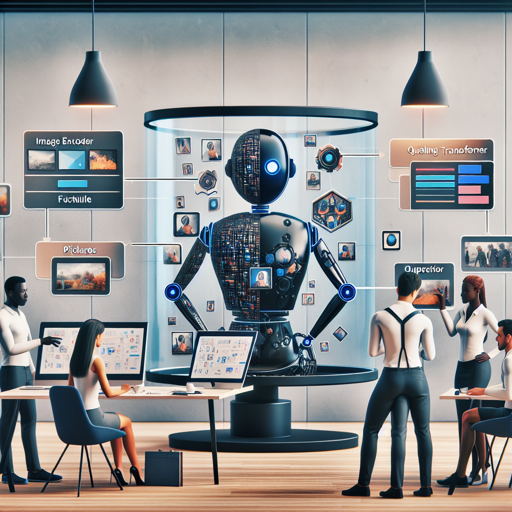
- Image Encoder: This is akin to the team member knowledgeable in the visual realm, interpreting pictures and turning them into useful data.
- Querying Transformer (Q-Former): This team member acts as the bridge, taking the insights from the image encoder and converting them into a format that the language model can understand.
- Large Language Model (Flan T5-xxl): This is the wordsmith of the group, generating descriptive or informative text based on the input they receive from both the image encoder and the Q-Former.
Together, they create a powerful mechanism for predicting text based on image inputs and prior text, enabling tasks such as generating captions, answering questions, and engaging in chat-like interactions.
How to Implement BLIP-2
Now that you understand the component parts, let’s get your hands dirty with some code! Below are simplified steps to run BLIP-2 on your machine, whether you’re using a CPU or GPU. Make sure you have the required libraries installed!
Running the Model on CPU
Click to expand
import requests
from PIL import Image
from transformers import BlipProcessor, Blip2ForConditionalGeneration

processor = BlipProcessor.from_pretrained("Salesforce/blip2-flan-t5-xxl")
model = Blip2ForConditionalGeneration.from_pretrained("Salesforce/blip2-flan-t5-xxl")

img_url = 'https://storage.googleapis.com/sfr-vision-language-research/BLIP/demo.jpg'
raw_image = Image.open(requests.get(img_url, stream=True).raw).convert('RGB')

question = "how many dogs are in the picture?"
inputs = processor(raw_image, question, return_tensors="pt")
out = model.generate(**inputs)
print(processor.decode(out[0], skip_special_tokens=True))
Running the Model on GPU
A majority of users lean towards GPU for enhanced performance in deep learning tasks. Below are steps to run BLIP-2 with GPU support:
In Full Precision
Click to expand
# pip install accelerate
import requests
from PIL import Image
from transformers import Blip2Processor, Blip2ForConditionalGeneration

processor = Blip2Processor.from_pretrained("Salesforce/blip2-flan-t5-xxl")
model = Blip2ForConditionalGeneration.from_pretrained("Salesforce/blip2-flan-t5-xxl", device_map="auto")

img_url = 'https://storage.googleapis.com/sfr-vision-language-research/BLIP/demo.jpg'
raw_image = Image.open(requests.get(img_url, stream=True).raw).convert('RGB')

question = "how many dogs are in the picture?"
inputs = processor(raw_image, question, return_tensors="pt").to("cuda")
out = model.generate(**inputs)
print(processor.decode(out[0], skip_special_tokens=True))
In Half Precision (`float16`)
Click to expand
# pip install accelerate
import torch
import requests
from PIL import Image
from transformers import Blip2Processor, Blip2ForConditionalGeneration

processor = Blip2Processor.from_pretrained("Salesforce/blip2-flan-t5-xxl")
model = Blip2ForConditionalGeneration.from_pretrained("Salesforce/blip2-flan-t5-xxl", torch_dtype=torch.float16, device_map="auto")

img_url = 'https://storage.googleapis.com/sfr-vision-language-research/BLIP/demo.jpg'
raw_image = Image.open(requests.get(img_url, stream=True).raw).convert('RGB')

question = "how many dogs are in the picture?"
inputs = processor(raw_image, question, return_tensors="pt").to("cuda", torch.float16)
out = model.generate(**inputs)
print(processor.decode(out[0], skip_special_tokens=True))
In 8-bit Precision (`int8`)
Click to expand
# pip install accelerate bitsandbytes
import torch
import requests
from PIL import Image
from transformers import Blip2Processor, Blip2ForConditionalGeneration

processor = Blip2Processor.from_pretrained("Salesforce/blip2-flan-t5-xxl")
model = Blip2ForConditionalGeneration.from_pretrained("Salesforce/blip2-flan-t5-xxl", load_in_8bit=True, device_map="auto")

img_url = 'https://storage.googleapis.com/sfr-vision-language-research/BLIP/demo.jpg'
raw_image = Image.open(requests.get(img_url, stream=True).raw).convert('RGB')

question = "how many dogs are in the picture?"
inputs = processor(raw_image, question, return_tensors="pt").to("cuda", torch.float16)
out = model.generate(**inputs)
print(processor.decode(out[0], skip_special_tokens=True))
Troubleshooting Common Problems
While the process is straightforward, you might encounter some hiccups. Here are a few troubleshooting ideas:
- Model Not Loading: Ensure that you have internet access when trying to load the pre-trained model for the first time.
- Incorrect Image Format: Confirm that your image is in RGB format. If it’s not, use the appropriate Python libraries to convert it.
- Memory Errors: If using GPU and you encounter memory issues, try reducing the batch size or utilizing half precision (`float16`) or 8-bit loading.
- Unexpected Outputs: This may relate to how well the question you pose relates to the content of the image. Try rephrasing your queries for better results.
For more insights, updates, or to collaborate on AI development projects, stay connected with fxis.ai.
Conclusion
BLIP-2 is an exceptional tool that opens the door for advanced image and language understanding. Armed with the knowledge from this guide, you’re now ready to dive into the vast capabilities of image captioning and visual question answering with ease.
At fxis.ai, we believe that such advancements are crucial for the future of AI, as they enable more comprehensive and effective solutions. Our team is continually exploring new methodologies to push the envelope in artificial intelligence, ensuring that our clients benefit from the latest technological innovations.