
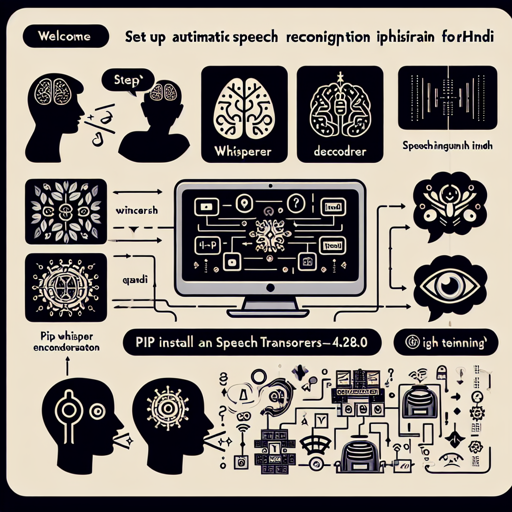
Welcome to a journey of transforming spoken words into written text using the cutting-edge capabilities of the Whisper model fine-tuned on the CommonVoice dataset in Hindi. This guide will lead you through setting up your environment, transcribing audio files, training models, and troubleshooting common issues. Ready? Let’s dive in!
Getting Started with SpeechBrain
To start using the Automatic Speech Recognition (ASR) capabilities, you need to install the required packages by using the following command:
pip install speechbrain transformers==4.28.0By completing this step, you are laying the groundwork for efficient speech-to-text conversion.
Understanding the System Architecture
This ASR system relies on a whisper encoder-decoder architecture. Let’s use a relatable analogy. Imagine a multilingual interpreter at an international summit. The interpreter doesn’t just hear the conversation (the audio) but translates it into another language (text). Here’s how it works:
- Whisper Encoder: Think of this as the interpreter’s ear; it is pre-trained to understand Hindi (the language).
- Whisper Tokenizer: This portion segments the spoken words (like parsing phrases) for easier translation.
- Whisper Decoder: This is the interpreter’s mouth; it’s responsible for articulating the translated words clearly.
- Normalizing Audio: Just as the interpreter must adjust the volume to hear clearly, the code normalizes audio for accurate processing.
Transcribing Your Own Audio Files
To transcribe an audio file in Hindi, use the following code:
from speechbrain.inference.ASR import WhisperASR

# Load WhisperASR model
asr_model = WhisperASR.from_hparams(source="speechbrain/asr-whisper-large-v2-commonvoice-hi", savedir="pretrained_models/asr-whisper-large-v2-commonvoice-hi")

# Transcribe audio file
transcription = asr_model.transcribe_file("speechbrain/asr-whisper-large-v2-commonvoice-hi/example-hi.wav")
print(transcription)
Simply change the file path to your own audio, and watch the magic happen!
Inference on GPU
If you want to speed up your transcription, consider running the model on a GPU. Add run_opts=device:cuda to your from_hparams() method as shown below:
asr_model = WhisperASR.from_hparams(source="speechbrain/asr-whisper-large-v2-commonvoice-hi", savedir="pretrained_models/asr-whisper-large-v2-commonvoice-hi", run_opts={"device": "cuda"})Training the Model from Scratch
If you are launching on a quest to train the model from the ground up, follow these steps:
- Clone the SpeechBrain repository:
- Navigate to the directory and install the requirements:
- Start the training process:
git clone https://github.com/speechbrain/speechbraincd speechbrain
pip install -r requirements.txt
pip install -e .cd recipes/CommonVoiceASR/transformer
python train_with_whisper.py hparams/train_hi_hf_whisper.yaml --data_folder=your_data_folderTroubleshooting Common Issues
Every adventure may have its bumps along the way. Here are some common troubleshooting tips:
- Model Not Loading: Verify your path in the
from_hparams()function; it should point to the correct saved model directory. - Audio Not Transcribing Correctly: Check the audio format and ensure it’s a mono channel sampled at 16kHz.
- Performance Issues: If the inference is slow, consider utilizing a GPU as mentioned earlier.
If you need further assistance or collaboration opportunities, feel free to connect with us at fxis.ai.
Conclusion
By following this guide, you are equipped with the knowledge to utilize Whisper with SpeechBrain for effective Automatic Speech Recognition in Hindi. Embrace the future where technology and language intertwine beautifully!
At fxis.ai, we believe that such advancements are crucial for the future of AI, as they enable more comprehensive and effective solutions. Our team is continually exploring new methodologies to push the envelope in artificial intelligence, ensuring that our clients benefit from the latest technological innovations.