
In the realm of artificial intelligence and machine learning, emotion recognition plays a pivotal role. With the rise of advanced models like WavLM paired with robust frameworks such as SpeechBrain, we now have the power to decipher emotions embedded in speech dynamically. In this guide, we’ll walk through how to perform speech emotion diarization using a finely-tuned WavLM model on popular emotional datasets.
Overview of Speech Emotion Diarization
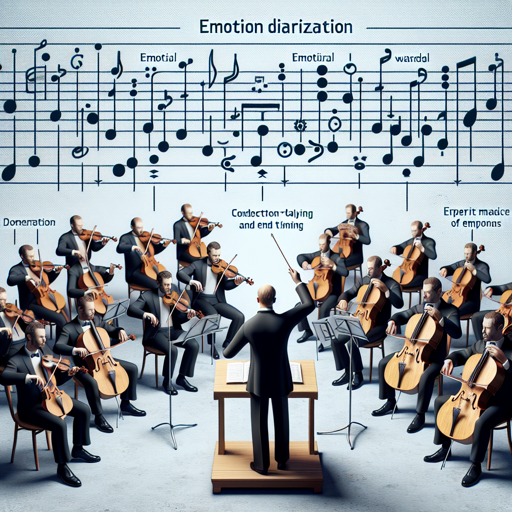
This system is designed to detect various emotions within speech recordings and delineate their duration. Think of it like a skilled conductor leading an orchestra, where each musician (emotion) performs at different times, and the conductor (the model) needs to identify the start and end timing of each performance accurately. The WavLM model acts as this conductor, while SpeechBrain provides the necessary tools to manage our orchestra of emotions.
Installation of SpeechBrain
To start this journey, you’ll first need to install SpeechBrain. Follow the steps below:
- Clone the SpeechBrain repository:
git clone https://github.com/speechbrain/speechbrain.gitcd speechbrainpip install -r requirements.txtpip install --editable .For a more enjoyable experience, explore more about SpeechBrain.
Performing Speech Emotion Diarization
With SpeechBrain successfully installed, it’s time to perform the emotion diarization. Here’s how:
from speechbrain.inference.diarization import Speech_Emotion_Diarization

# Initialize the classifier
classifier = Speech_Emotion_Diarization.from_hparams(
    source="speechbrain/emotion-diarization-wavlm-large")

# Diarize the audio file
diary = classifier.diarize_file("example.wav")
print(diary)
This code will produce output indicating the time segments for each emotion present in the audio file, much like a timeline showing when each emotional note was played in our musical performance.
Training the Model from Scratch
If you prefer to train the model from scratch, follow these steps:
- Clone the SpeechBrain repository again, if not already done.
- Navigate to the directory:
- Install the requirements:
- Then run the training script as follows:
cd speechbrainpip install -r requirements.txtcd recipes/ZaionEmotionDataset/emotion_diarization
python train.py hparams/train.yaml --zed_folder path/to/ZED --emovdb_folder path/to/EmoV-DB --esd_folder path/to/ESD --iemocap_folder path/to/IEMOCAP --jlcorpus_folder path/to/JL_corpus --ravdess_folder path/to/RAVDESSTroubleshooting Tips
If you encounter issues, consider these troubleshooting steps:
- Ensure you have all dependencies installed. Missing packages may lead to errors.
- Double-check paths to your data. Incorrect paths can cause the model not to find the datasets required for training or inference.
- If running on a GPU, confirm that your setup is correctly configured to utilize CUDA.
- For more insights, updates, or to collaborate on AI development projects, stay connected with fxis.ai.
At fxis.ai, we believe that such advancements are crucial for the future of AI, as they enable more comprehensive and effective solutions. Our team is continually exploring new methodologies to push the envelope in artificial intelligence, ensuring that our clients benefit from the latest technological innovations.