
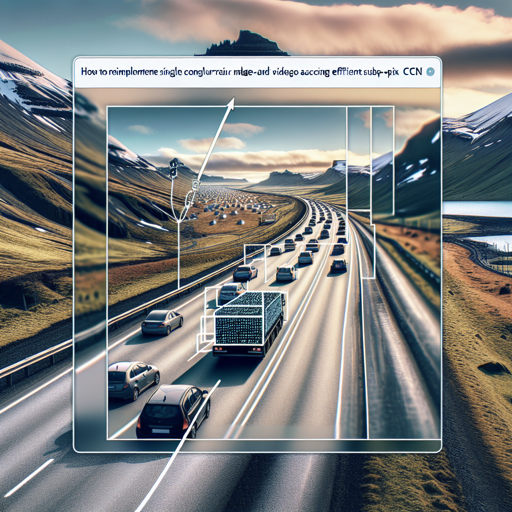
Are you looking to enhance images and videos in real-time with exceptional clarity? In this guide, we will explore the process of reimplementing a method that utilizes an Efficient Sub-Pixel Convolutional Neural Network (ESPCN) to upscale images by a factor of 3, particularly for road and vehicle images captured by the Icelandic Road and Coastal Administration (IRCA). Let’s dive deep into the process!
What is ESPCN?
The Efficient Sub-Pixel Convolutional Neural Network is a type of CNN specifically designed to upscale images efficiently. Unlike traditional methods that can take a long time due to scaling images in a less optimized manner, ESPCN uses its architecture to make the process significantly faster while maintaining image quality.
Setting Up Your Environment
- Step 1: Ensure you have the required libraries installed. You will typically need libraries such as TensorFlow or PyTorch, NumPy, and OpenCV. You can install them using pip:
pip install tensorflow opencv-python numpyUnderstanding the Code
Imagine you are a painter trying to recreate a masterpiece. You start with a blank canvas (original image) and use your brushes (convolutions) to fill in colors (features) in a way that reflects the original, but enhances its beauty by adding details (upscaled image). Each brushstroke is calculated and strategically placed, resulting in a stunning final piece of art—a process similar to how ESPCN operates.
Your neural network does not merely resize the image; instead, it learns the essential patterns and details and efficiently enhances them while producing a new image with an upscaled resolution.
# An example architecture for ESPCN
import tensorflow as tf
from tensorflow.keras import layers, models

def ESPCN(input_shape):
    inputs = layers.Input(shape=input_shape)

    # Convolution layers
    x = layers.Conv2D(64, (5, 5), activation='relu')(inputs)
    x = layers.Conv2D(32, (3, 3), activation='relu')(x)

    # Sub-pixel convolution layer
    x = layers.Conv2D(3 * (scale_factor ** 2), (3, 3))(x)
    outputs = layers.Lambda(lambda z: tf.nn.depth_to_space(z, scale_factor))(x)

    model = models.Model(inputs, outputs)
    return model

scale_factor = 3
model = ESPCN((None, None, 3))
Training the Model
Once your model architecture is defined, you’ll need to compile and train it on your dataset. Ensure to split your data into training and validation sets for effective learning.
- Example Training Loop:
model.compile(optimizer='adam', loss='mean_squared_error')
model.fit(train_images, train_labels, epochs=50, validation_data=(val_images, val_labels))
Troubleshooting Common Issues
If you encounter problems while implementing your model, here are a few troubleshooting tips:
- Ensure your dataset is correctly labeled and formatted. Mismatched dimensions can lead to failure in training.
- If the model is not learning, consider adjusting the learning rate or refining your architecture.
- Check the system requirements—graphic memory limitations can impact the training process.
- For additional support, refer to online forums and documentation.
- For more insights, updates, or to collaborate on AI development projects, stay connected with fxis.ai.
Conclusion
In this blog, we explored the reimplementation of an efficient method for super-resolution using ESPCN tailored particularly for road and vehicle image enhancement. With this knowledge, you should be able to create and train your network to achieve stunning results in real-time applications.
At fxis.ai, we believe that such advancements are crucial for the future of AI, as they enable more comprehensive and effective solutions. Our team is continually exploring new methodologies to push the envelope in artificial intelligence, ensuring that our clients benefit from the latest technological innovations.