
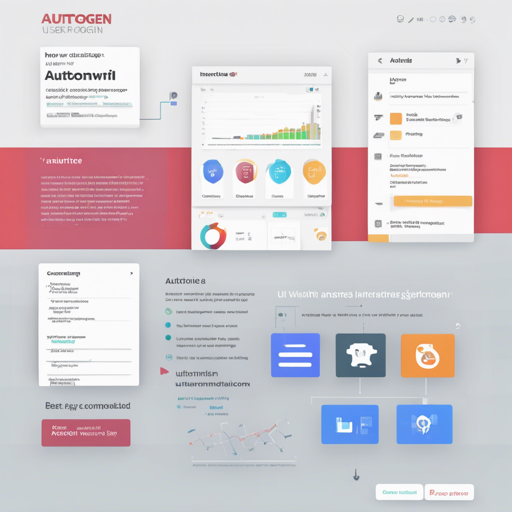
Welcome to your go-to guide for getting started with the AutoGen UI, an experimental user interface designed for working with AutoGen agents. This UI facilitates the development of applications utilizing multiple LLM (Large Language Model) agents that interact to solve complex tasks. Built with Next.js and FastApi, it’s a powerful tool for rapid prototyping, testing, and debugging.
Why Choose AutoGen UI?
The AutoGen framework simplifies the creation of LLM applications by allowing different agents to converse, mimicking human-like problem-solving methods. The UI accelerates development processes through:
- Rapid prototyping and testing of agent flows
- Inspection of agent behaviors and outcomes
- Debugging capabilities to address any challenges in real-time
Note that this is an early work in progress, and you’ll need to set up your OPENAI_API_KEY as an environment variable to get started.
Getting Started with AutoGen UI
Here’s a step-by-step guide to installing and running the AutoGen UI:
1. Install Dependencies
Ensure that you have Python 3.9+ installed on your machine. You can install the necessary packages from PyPI using pip or clone the repository:
pip install autogenuior
git clone git@github.com:victordibia/autogen-ui.git
cd autogen-ui
pip install -e .
2. Run the UI Server
Set the environment variables using the following commands:
export OPENAI_API_KEY=your_key
autogenui # or with --port 8081
Open your browser and navigate to http://localhost:8081.
3. Modify Source Files
If you need to make changes, you can modify the frontend source files. After modifications, run:
npm run buildto rebuild the frontend.
Development Workflow
For backend development with hot-reload, run:
autogenui --reloadNote that any changes in the frontend code will require you to rebuild it to reflect updates through this command.
Frontend Development
For working on the frontend:
cd frontend
yarn install
export NEXT_PUBLIC_API_SERVER=http://your_backend_hostname/api
yarn dev
Ensure the dependencies are installed and the API server is correctly set before building:
yarn buildRoadmap for Future Features
The development team is working on a roadmap that includes features such as:
- Basic Chat UI: A front-end interface for agent conversations.
- Debug Tools: Monitor agent interactions and costs.
- Streaming UI: Display agent responses in real-time.
- Flow-based Playground UI: Design and run agent flows interactivity.
Troubleshooting Common Issues
If you encounter any problems while using AutoGen UI, here are some troubleshooting steps:
- Environment Variables: Ensure that your OPENAI_API_KEY is correctly set.
- Port Issues: If your server doesn’t load, check if another app is using port 8081.
- Frontend Not Updating: Remember to rebuild the frontend after making changes.
- Dependencies Missing: Rerun the install commands to ensure all packages are installed.
For more insights, updates, or to collaborate on AI development projects, stay connected with fxis.ai.
Final Thoughts
At fxis.ai, we believe that such advancements are crucial for the future of AI, as they enable more comprehensive and effective solutions. Our team is continually exploring new methodologies to push the envelope in artificial intelligence, ensuring that our clients benefit from the latest technological innovations.
With this guide, you’re now ready to embark on your journey with AutoGen UI! Happy coding!