
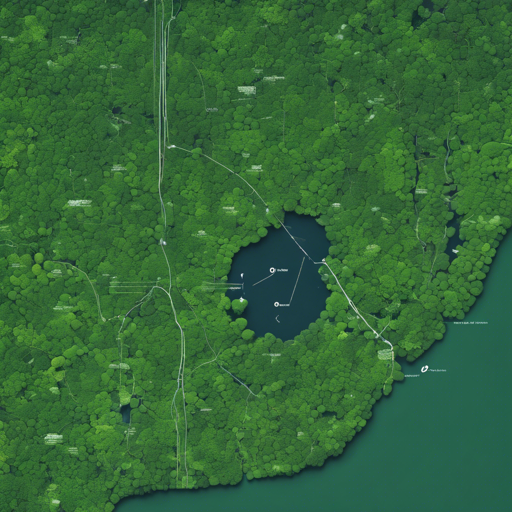
As technology advances, the integration of artificial intelligence into environmental monitoring is more crucial than ever. One exciting application is utilizing computer vision to analyze satellite images of the Amazon Forest. In this blog, we will guide you through the essential aspects of tagging these images using PyTorch and Keras.
Getting Started with Image Tagging
The first step to harnessing the power of AI in satellite image analysis is to set up your environment and familiarize yourself with the necessary tools. Here’s what you need:
- Python: Ensure you are using Python 3.x.
- PyTorch: The repository was developed using PyTorch 0.1. Since then, numerous updates have made it easier to work with.
- Keras: An alternative framework also mentioned for image processing.
- Pillow-SIMD: This is significantly faster than the traditional PIL library, making image handling more efficient.
Understanding the Code Structure
Now that you have your environment set up, let’s break down the salient elements of the provided code.
Imagine your satellite images as pieces of furniture in a large storage room (the Amazon). Every piece has a specific tag (label) indicating its type, such as “tree,” “water,” “road,” etc. Just like how you would organize and sort this furniture based on its size or color, the code helps organize and categorize these images based on their features.
Key Functionalities
- Mean and Std Deviation Calculation: A script that computes these values to standardize your training process. This is akin to measuring all the furniture dimensions to know how much space you need.
- Using Weighted Loss Functions: Address the imbalance in photo categories, just like giving extra attention to rare furniture pieces that can be easily overlooked.
- Logging Experiments: Keep track of your progress, similar to maintaining a catalog of your furniture for better management.
- Data Augmentations: This allows for creating variations of the same image, just like re-arranging furniture for a new look.
- Custom Samplers: Ensures that all categories are viewed effectively during the training process.
Implementation Steps
To implement satellite image tagging, follow these steps:
- Clone the repository from GitHub.
- Install the necessary libraries, making sure to use Pillow-SIMD.
- Load your dataset and prepare scripts for mean and standard deviation calculation.
- Begin your training session using weighted loss functions and custom samplers.
- Log your results and modify parameters as necessary based on your findings.
- Evaluate your model using the best snapshot saved during training.
Troubleshooting Common Issues
While working through this process, you might encounter some challenges. Here are a few troubleshooting tips:
- Performance Issues: If your model is running slow, check if Pillow-SIMD is correctly installed and being used.
- Data Load Errors: Ensure your CSV file paths are correct. This is like ensuring that all furniture pieces are in their designated areas before you start tagging.
- Loss Function Errors: Double-check your weighted loss function parameters, as these are crucial for successful training.
- Training Taking Too Long: You may need to adjust the batch size or tweak the data augmentation settings.
For more insights, updates, or to collaborate on AI development projects, stay connected with fxis.ai.
Conclusion
In summary, tagging satellite images for environmental monitoring is a remarkable effort that can lead to significant discoveries about the Amazon Forest’s health. By utilizing the outlined approaches, you’ll craft a system that not only learns effectively but also contributes to a deeper understanding of our planet.
At fxis.ai, we believe that such advancements are crucial for the future of AI, as they enable more comprehensive and effective solutions. Our team is continually exploring new methodologies to push the envelope in artificial intelligence, ensuring that our clients benefit from the latest technological innovations.