
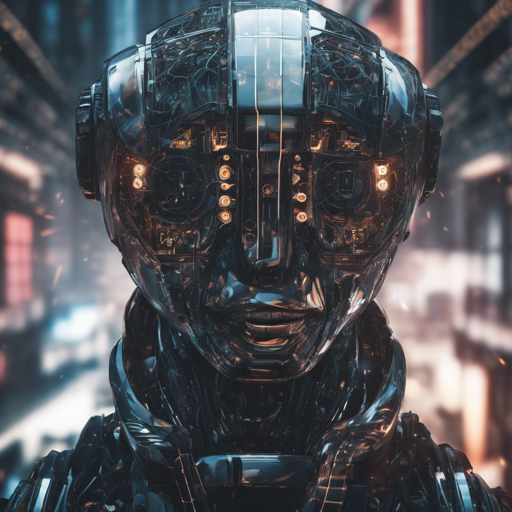
The Juggernaut-Cinematic-XL is a powerful AI model for generating ultra-realistic images based on text prompts. This guide will walk you through the process of testing this model either locally or via an API call. Let’s dive in!
Step 1: Get Started with Image Pipeline
First things first, you need to sign up at imagepipeline.io and obtain your unique API key. Don’t worry, there’s no payment required!
This API key is like your personal key to a treasure chest of stunning images generated by state-of-the-art AI technology.
Step 2: Preparing the Code
Now that you have your API key, it’s time to set up your environment. You can use various programming languages like PHP, JavaScript, or Node.js, but for this example, we’ll focus on Python.
Here’s a sample code snippet to generate your image:
import requests
import json

url = "https://imagepipeline.io/sdxl/text2image/v1/run"
payload = json.dumps({
    "model_id": "sdxl",
    "prompt": "ultra realistic close up portrait ((beautiful pale cyberpunk female with heavy black eyeliner)), blue eyes, shaved side haircut, hyper detail, cinematic lighting, magic neon, dark red city, Canon EOS R3, nikon, f1.4, ISO 200, 1160s, 8K, RAW, unedited",
    "negative_prompt": "painting, extra fingers, mutated hands, poorly drawn hands, poorly drawn face, deformed",
    "width": 512,
    "height": 512,
    "samples": 1,
    "num_inference_steps": 30,
    "safety_checker": False,
    "guidance_scale": 7.5,
    "multi_lingual": False,
    "lora_models": "d0f06583-70e9-4541-8456-45ba46924216",
    "lora_weights": 0.5
})
headers = {
    "Content-Type": "application/json",
    "API-Key": "your_api_key"
}
response = requests.request("POST", url, headers=headers, data=payload)
print(response.text)
Understanding the Code with an Analogy
Imagine you are a chef trying to create a delicious dish. Each ingredient is important, just like each part of the code. The ingredients (parameters) you use influence the final taste (output image).
- The model_id is like the recipe type; it tells the chef (AI) what kind of dish (image) to prepare.
- The prompt is your request to the chef: it describes exactly what flavors (features) you want in your dish (image).
- Parameters like width, height, and num_inference_steps are like the cooking time and temperature: they ensure that the dish (image) is prepared correctly.
- The guidance_scale indicates how strict the chef should be about following the recipe. A higher number means the chef follows your directions closely but may sacrifice some flavors (image quality).
Step 3: Execute the Request
After preparing your code, run it in your Python environment. The output will be a beautifully crafted image based on your prompt.
Troubleshooting Tips
- If you encounter issues, double-check your API key. Remember that it must be included in the headers of your request.
- Ensure that the prompt and parameters are formatted correctly; a misplaced character can lead to errors.
- If you receive a response that doesn’t seem correct, try adjusting your num_inference_steps and guidance_scale values for different effects.
For more insights, updates, or to collaborate on AI development projects, stay connected with fxis.ai.
Conclusion
With just a few simple steps, you can generate stunning images using the Juggernaut-Cinematic-XL model. Remember, experimenting with different prompts and parameters will yield the best results.
At fxis.ai, we believe that such advancements are crucial for the future of AI, as they enable more comprehensive and effective solutions. Our team is continually exploring new methodologies to push the envelope in artificial intelligence, ensuring that our clients benefit from the latest technological innovations.