
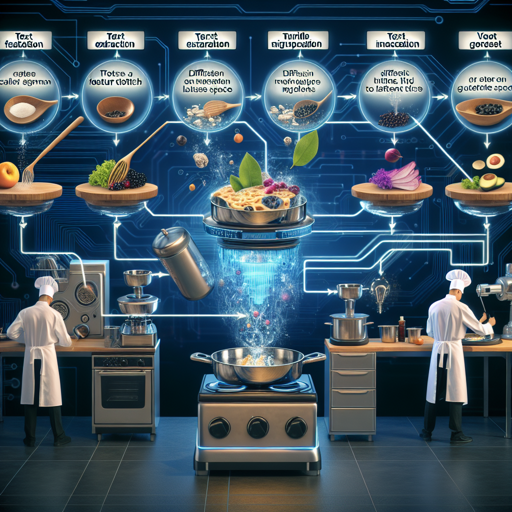
Welcome, fellow tech enthusiasts! Today, we’re diving into the fascinating world of text-to-video synthesis using a cutting-edge model that can transform written descriptions into engaging videos. Whether you’re working on an academic project, a creative endeavor, or simply curious, this guide will walk you through how to leverage this technology with ease.
Understanding the Model
This remarkable model is built on a multi-stage text-to-video generation diffusion process. Imagine a master chef preparing a sumptuous meal. First, they gather all the ingredients (text features), prep them with precision (diffusion to latent space), and finally, cook it all together to serve a mouth-watering dish (video output). Each step plays a vital role to ensure the end product meets your expectations. The model consists of three essential components:
- Text Feature Extraction: Converts your textual description into actionable data.
- Diffusion from Text to Video Latent Space: Transforms extracted features to create a fluid transition to the visual realm.
- Video Latent Space to Video Visual Space: The final step where the latent representation is turned into a coherent video.
The total parameters of the model are impressive, at around 1.7 billion! Just like a well-orchestrated team, this model only accepts input in English, focusing on creating videos that accurately reflect your queries.
How to Use the Model
The model is hosted on two popular platforms: ModelScope Studio and Hugging Face. You can jump right into a demo or you can choose to implement it in your own environment. If you prefer a hands-on experience, refer to the Colab page to build it yourself. Here’s how you can set it up:
Operating Environment Setup
First, ensure you have the necessary Python packages installed. You can do this by executing the following commands:
pip install modelscope==1.4.2
pip install open_clip_torch
pip install pytorch-lightning
Sample Code to Generate Video
Here’s a simple example of how to use the model:
from huggingface_hub import snapshot_download
from modelscope.pipelines import pipeline
from modelscope.outputs import OutputKeys
import pathlib

model_dir = pathlib.Path('weights')
snapshot_download('damo-vilab/modelscope-damo-text-to-video-synthesis', repo_type='model', local_dir=model_dir)
pipe = pipeline('text-to-video-synthesis', model_dir.as_posix())
test_text = {'text': 'A panda eating bamboo on a rock.'}
output_video_path = pipe(test_text)[OutputKeys.OUTPUT_VIDEO]
print('Output video path:', output_video_path)
The above code snippet will provide the path to the generated video. To view the results, you can use VLC media player for optimal playback, as some players may not support the generated format.
Troubleshooting
If you encounter any issues during setup or video generation, here are some quick troubleshooting tips:
- Ensure you have at least 16GB of CPU and GPU RAM to run the demo effectively.
- Check the package installations to ensure they completed successfully.
- Ensure your text inputs are in English, as the model currently does not support other languages.
For more insights, updates, or to collaborate on AI development projects, stay connected with fxis.ai.
Important Model Considerations
Before diving in, it’s essential to understand the limitations and ethical guidelines associated with this model:
- The model generates results based on public datasets, any deviations may arise.
- It is not designed to produce high-quality film output or generate clear text.
- Avoid using it for harmful content generation.
- Be mindful of the potential for bias based on its training data.
At fxis.ai, we believe that such advancements are crucial for the future of AI, as they enable more comprehensive and effective solutions. Our team is continually exploring new methodologies to push the envelope in artificial intelligence, ensuring that our clients benefit from the latest technological innovations.
Conclusion
This multi-stage text-to-video generation model opens up exciting possibilities for creators, researchers, and technology enthusiasts alike. Armed with the knowledge and steps in this guide, you’re now equipped to explore the full potential of AI-generated video content!