
The world of Machine Translation is advancing rapidly, and one of the pioneers in this field is the ALMA (Advanced Language Model-based Translator). In this article, we will delve into the essentials of using the ALMA translation models, particularly focusing on the ALMA-13B-LoRA model, and provide you with a straightforward guide to get started.
Understanding the ALMA Model Paradigm
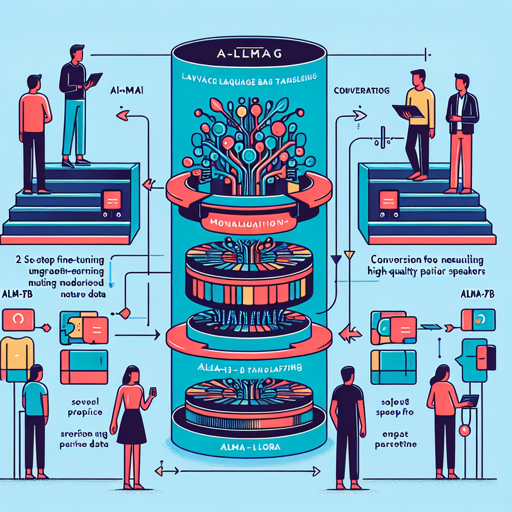
ALMA adopts a two-step fine-tuning process. Imagine you are teaching someone a new language. Initially, you help them grasp the basics with solo practice (fine-tuning on monolingual data). Once they have a strong foundation, you engage them in conversations with native speakers (using high-quality parallel data) to sharpen their skills. This method enhances their ability to translate effectively.
The Different ALMA Models
- ALMA-7B: Full-weight fine-tune LLaMA-2-7B on 20B monolingual tokens.
- ALMA-7B-LoRA: Similar to ALMA-7B but with optimized LoRA fine-tuning.
- ALMA-7B-R (NEW!): Further refined via Contrastive Preference Optimization.
- ALMA-13B: Based on 12B monolingual tokens, ensuring robust performance.
- ALMA-13B-LoRA: The standout performer, optimized with LoRA fine-tuning.
- ALMA-13B-R (NEW!): Further optimized version with the newest techniques.
Getting Started with ALMA-13B-LoRA
To utilize the ALMA-13B-LoRA for translation, follow this simple code snippet. Below is an example of translating a Chinese sentence into English:
import torch
from peft import PeftModel
from transformers import AutoModelForCausalLM, LlamaTokenizer

# Load base model and LoRA weights
model = AutoModelForCausalLM.from_pretrained('haoranxu/ALMA-13B-Pretrain', torch_dtype=torch.float16, device_map='auto')
model = PeftModel.from_pretrained(model, 'haoranxu/ALMA-13B-Pretrain-LoRA')

tokenizer = LlamaTokenizer.from_pretrained('haoranxu/ALMA-13B-Pretrain', padding_side='left')

# Add the source sentence into the prompt template
prompt = "Translate this from Chinese to English:\nChinese: 我爱机器翻译。\nEnglish:"
input_ids = tokenizer(prompt, return_tensors='pt', padding=True, max_length=40, truncation=True).input_ids.cuda()

# Translation
with torch.no_grad():
    generated_ids = model.generate(input_ids=input_ids, num_beams=5, max_new_tokens=20, do_sample=True, temperature=0.6, top_p=0.9)
outputs = tokenizer.batch_decode(generated_ids, skip_special_tokens=True)
print(outputs)
Troubleshooting Common Issues
While using the ALMA models, you might encounter some common challenges. Here are potential solutions:
- If your model fails to load, ensure that you have the correct model path and internet connectivity.
- If you face memory issues during attempted translations, consider lowering the
torch_dtypetotorch.float32or reducing the output length. - In case the output isn’t as expected, check the input prompt format or tweak the sampling parameters like
num_beamsandtop_p.
For more insights, updates, or to collaborate on AI development projects, stay connected with fxis.ai.
Conclusion
By utilizing the AIMA translation models effectively, exciting potentials for advancements in machine translation await you. The combination of robust data usage and innovative learning techniques provides a powerful toolkit for linguists and developers alike.
At fxis.ai, we believe that such advancements are crucial for the future of AI, as they enable more comprehensive and effective solutions. Our team is continually exploring new methodologies to push the envelope in artificial intelligence, ensuring that our clients benefit from the latest technological innovations.