
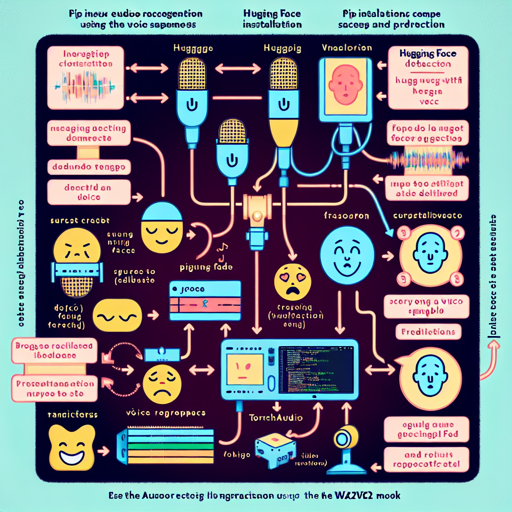
In the realm of artificial intelligence, audio classification is an exciting area that focuses on understanding human emotions through voice. This guide will help you set up a predictive model to classify emotions from audio data using the state-of-the-art Wav2Vec2 model provided by Hugging Face. We’ll go from installation to actual predictions, making this process user-friendly for all!
Installation Requirements
Before getting started, you’ll need to install a few libraries. These libraries are crucial for running the code that performs audio emotion recognition:
!pip install git+https://github.com/huggingface/datasets.git
!pip install git+https://github.com/huggingface/transformers.git
!pip install torchaudio
!pip install librosa
Loading and Predicting Emotions
Now, let’s load the required libraries and set up our model to make predictions. Think of the model as a specialized librarian who knows how to locate the exact book (or emotion) you desire based only on snippets of sound (or your voice). Here’s how you can do it:
import torch
import torch.nn as nn
import torch.nn.functional as F
import torchaudio
from transformers import AutoConfig, Wav2Vec2FeatureExtractor

device = torch.device("cuda" if torch.cuda.is_available() else "cpu")
model_name_or_path = "harshit345/xlsr-wav2vec-speech-emotion-recognition"
config = AutoConfig.from_pretrained(model_name_or_path)
feature_extractor = Wav2Vec2FeatureExtractor.from_pretrained(model_name_or_path)

model = Wav2Vec2ForSpeechClassification.from_pretrained(model_name_or_path).to(device)
Function Definitions
Let’s define a couple of functions. The first function, speech_file_to_array_fn, takes a file path and converts the audio file into an array. The second function, predict, uses this array to derive predictions:
def speech_file_to_array_fn(path, sampling_rate):
    speech_array, _sampling_rate = torchaudio.load(path)
    resampler = torchaudio.transforms.Resample(_sampling_rate)
    speech = resampler(speech_array).squeeze().numpy()
    return speech

def predict(path, sampling_rate):
    speech = speech_file_to_array_fn(path, sampling_rate)
    inputs = feature_extractor(speech, sampling_rate=sampling_rate, return_tensors="pt", padding=True)
    inputs = {key: inputs[key].to(device) for key in inputs}

    with torch.no_grad():
        logits = model(**inputs).logits

    scores = F.softmax(logits, dim=1).detach().cpu().numpy()[0]
    outputs = [{"Emotion": config.id2label[i], "Score": f"{round(score * 100, 3):.1f}%"} for i, score in enumerate(scores)]
    return outputs
Making Predictions
Now that we have the functions in place, it’s time to make some predictions! Specify the path to your audio sample:
# Provide path for a sample audio file
path = '/data/jtes_v1.1/wav/f01/ang/f01_ang_01.wav'
outputs = predict(path, sampling_rate)
Interpreting Results
When the model processes your audio, it will return a list of emotions with their corresponding confidence scores:
[{'Emotion': 'anger', 'Score': '78.3%'},
 {'Emotion': 'disgust', 'Score': '11.7%'},
 {'Emotion': 'fear', 'Score': '5.4%'},
 {'Emotion': 'happiness', 'Score': '4.1%'},
 {'Emotion': 'sadness', 'Score': '0.5%'}]
Evaluating Model Performance
It’s essential to evaluate how well the model is performing. The scores summarizing precision, recall, and overall accuracy will indicate the model’s reliability:
| Emotions | Precision | Recall | F1-Score | Accuracy | |———–|———–|——–|———-|———-| | Anger | 0.82 | 1.00 | 0.81 | | | Disgust | 0.85 | 0.96 | 0.85 | | | Fear | 0.78 | 0.88 | 0.80 | | | Happiness | 0.84 | 0.71 | 0.78 | | | Sadness | 0.86 | 1.00 | 0.79 | | | | | | Overall | 0.806 |Troubleshooting
If you encounter issues along the way, here are some troubleshooting tips:
- Installation Errors: Make sure that you have the correct permissions to install packages.
- Model Not Found: Ensure you’ve specified the correct model name.
- CUDA issues: If using GPU, check if CUDA is properly configured.
- Data Loading Errors: Verify that the path to your audio file is accurate and accessible.
For more insights, updates, or to collaborate on AI development projects, stay connected with fxis.ai.
Conclusion
At fxis.ai, we believe that such advancements are crucial for the future of AI, as they enable more comprehensive and effective solutions. Our team is continually exploring new methodologies to push the envelope in artificial intelligence, ensuring that our clients benefit from the latest technological innovations.