
Welcome to the world of document understanding! You’ve stumbled upon the Donut model, which is fine-tuned specifically for invoice processing. This article will guide you through how to make the best use of this powerful tool, troubleshoot potential issues, and explore how this innovative technology can help streamline your document understanding tasks.
What is Donut?
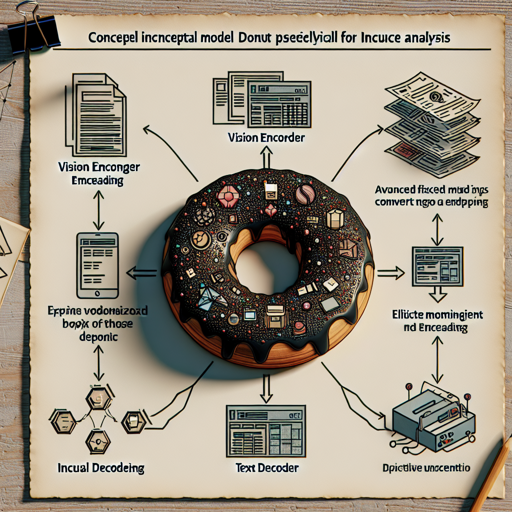
Donut is a unique model that utilizes advanced techniques like the vision encoder (Swin Transformer) and a text decoder (BART). This creates a robust system that can analyze image files, convert them into embeddings, and then generate meaningful text based on those embeddings. Just imagine trying to find a particular recipe in an unorganized recipe box. That’s the kind of challenge Donut can help solve, turning visual chaos into organized text.
Model Description
During its training, Donut was exposed to thousands of invoices from various languages and formats. Using these, it learned the ropes of identifying key components like:
- DocType
- Currency
- Document Date
- Gross Amount
- Invoice Number
- Net Amount
- Tax Amount
- Order Number
- Creditor Country
This comprehensive training is what allows Donut to excel in its intended applications.
How to Use Donut for Your Invoices
To get started with Donut for invoice processing, make sure you follow these steps:
- Ensure your invoices are scanned at a resolution of at least 1280×1920 pixels as higher DPI does not add value.
- Prepare your image files.
- Refer to the documentation for code examples and detailed instructions.
To visualize how Donut processes invoices, consider it akin to a painter using a canvas (your invoices) and paintbrush (the model’s processing algorithms) to create a clear picture of the document’s content.
Troubleshooting Common Issues
While working with the Donut model, you may encounter some challenges. Here are a few troubleshooting tips:
- Issue: The model doesn’t recognize my invoice text correctly.
- Solution: Ensure the resolution and quality of your images are high enough. Poor quality images can hinder performance.
- Issue: Unexpected errors during processing.
- Solution: Double-check the installation of necessary libraries and confirm that you’re following the code examples from the documentation accurately.
- Issue: Specific text elements missing in the output.
- Solution: Donut has limitations on what it can identify. Ensure that your invoice follows a recognizable format. Experiment with varying types of invoices to see different outcomes.
For more insights, updates, or to collaborate on AI development projects, stay connected with fxis.ai.
Conclusion
In short, the Donut model brings a great leap toward understanding and processing invoice data. It embodies the essence of transforming complex images into structured data, making your life easier when managing and analyzing documents.
At fxis.ai, we believe that such advancements are crucial for the future of AI, as they enable more comprehensive and effective solutions. Our team is continually exploring new methodologies to push the envelope in artificial intelligence, ensuring that our clients benefit from the latest technological innovations.