
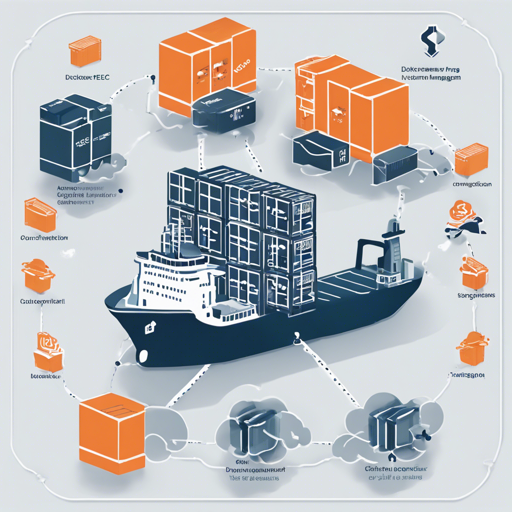
Welcome to the world of Amazon EC2 Container Service (ECS) and ecs-formation—your go-to tool for defining multiple Docker containers and clusters seamlessly. In this blog, we’ll walk you through setting up ecs-formation, managing task definitions and services, and taking advantage of its advanced features like blue-green deployment.
Setting Up ecs-formation
Getting started with ecs-formation is simple. Follow these steps:
1. Installation
ecs-formation is built using Go, so ensure you have Go installed on your machine. Then, install ecs-formation with the following command:
bash
$ go get github.com/openfresh/ecs-formation
2. Define Your Environment Variables
ecs-formation uses the cobra library and supports YAML configuration. Prepare the configuration file at ~/.ecs-formation.yaml as follows:
Ruby
project_dir: ~your_project_dir
aws_region: us-east-1
Make sure to include the necessary AWS credentials:
AWS_ACCESS_KEY: Your AWS access keyAWS_SECRET_ACCESS_KEY: Your AWS secret access keyAWS_REGION: Target AWS region name
3. Create Working Directories
You’ll need to organize your workspace by creating the following directories:
bash
$ mkdir -p path-to-path/test-ecs-formation/task
$ mkdir -p path-to-path/test-ecs-formation/service
$ mkdir -p path-to-path/test-ecs-formation/bluegreen
Managing Task Definitions and Services
Before you define task definitions, ensure you have created an ECS cluster and the ECS instance must be part of that cluster.
Defining Task Definitions
Create a task definition file named test-definition.yml in the task directory:
bash
$ vim test-definition.yml
nginx:
  image: nginx:latest
  ports:
    - 80:80
  environment:
    PARAM1: value1
    PARAM2: value2
  links:
    - api
  memory_reservation: 256
  cpu_units: 512
  essential: true
api:
  image: your_namespace/your-api:latest
  ports:
    - 8080:8080
  memory: 1024
  cpu_units: 1024
  essential: true
  links:
    - redis
redis:
  image: redis:latest
  ports:
    - 6379:6379
  memory: 512
  cpu_units: 512
  essential: true
Here, the configuration resembles assembling different components of a car—each part (nginx, api, redis) comes together to function as a whole. The task definition specifies what resources each component requires, analogous to how a car’s specifications outline engine power, weight, and efficiency.
Defining Services on the Cluster
Create a service definition file in the service directory, naming it according to your ECS cluster (e.g., test-cluster.yml):
bash
$ vim test-cluster.yml
test-service:
  task_definition: test-definition
  desired_count: 1
  role: your-ecs-elb-role
  load_balancers:
    - name: test-elb
      container_name: nginx
      container_port: 80
  autoscaling:
    target:
      min_capacity: 0
      max_capacity: 1
      role: arn:aws:iam::your_account_id:role/ecsAutoscaleRole
Blue-Green Deployment Made Easy
One of the standout features of ecs-formation is its support for blue-green deployments. This allows you to release new versions of your application without downtime. To set this up, you will need two ECS clusters (Blue and Green) and two ELBs (primary and standby).
bash
$ vim test-bluegreen.yml
blue:
  cluster: test-blue
  service: test-service
  autoscaling_group: test-blue-asg
green:
  cluster: test-green
  service: test-service
  autoscaling_group: test-green-asg
primary_elb: test-elb-primary
standby_elb: test-elb-standby
Troubleshooting Tips
While using ecs-formation, you might encounter some challenges. Here are a few troubleshooting ideas:
- Invalid Credentials: If you’re facing access issues, double-check your AWS credentials in the environment variables.
- Service unavailable: Ensure that your ECS cluster and instances are correctly configured and connected.
- Task Definition Errors: Review your YAML syntax and ensure all required fields are specified.
For more insights, updates, or to collaborate on AI development projects, stay connected with fxis.ai.
Conclusion
ecs-formation streamlines the process of managing Docker containers on AWS ECS. By following the steps outlined in this blog, you can easily set up, manage, and deploy your applications. At fxis.ai, we believe that such advancements are crucial for the future of AI, as they enable more comprehensive and effective solutions. Our team is continually exploring new methodologies to push the envelope in artificial intelligence, ensuring that our clients benefit from the latest technological innovations.