
In the world of machine learning, image classification is a fundamental technique that empowers systems to make sense of visual data. The EfficientNet-v2 model, available through the TIMM library, is a powerful tool designed for this purpose, leveraging state-of-the-art techniques to provide rapid and accurate results. This guide will help you set up and use the EfficientNet-v2 model for image classification, feature map extraction, and generating image embeddings.
Understanding EfficientNet-v2
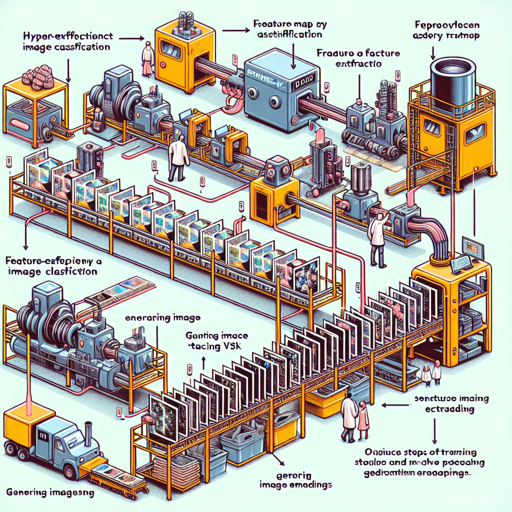
Think of EfficientNet-v2 as a super-efficient assembly line in a factory that processes images instead of items. Each step of the assembly line is fine-tuned to ensure the output—whether it’s a classification, a feature map, or embeddings—is produced with maximum efficiency and minimal waste. The model has undergone extensive training on the ImageNet-1k dataset, which serves as the “raw material” it uses for building its output. With only 23.9M parameters, it balances speed and accuracy.
Getting Started with EfficientNet-v2
Before diving into the code, ensure you have the necessary environment set up. You need Python and the TIMM library installed. If you haven’t done this yet, here’s how you can install TIMM:
pip install timmImage Classification
To classify images using EfficientNet-v2, follow these steps:
- Import the required libraries.
- Load and pre-process your image.
- Load the EfficientNet-v2 model.
- Perform image classification.
Here’s the code to get you started:
from urllib.request import urlopen
from PIL import Image
import timm
import torch

img = Image.open(urlopen('https://huggingface.co/datasets/huggingface/documentation-images/resolve/main/beignets-task-guide.png'))
model = timm.create_model('efficientnetv2_rw_s.ra2_in1k', pretrained=True)
model = model.eval()

data_config = timm.data.resolve_model_data_config(model)
transforms = timm.data.create_transform(**data_config, is_training=False)
output = model(transforms(img).unsqueeze(0))  # unsqueeze single image into batch of 1
top5_probabilities, top5_class_indices = torch.topk(output.softmax(dim=1) * 100, k=5)
Feature Map Extraction
To understand how the EfficientNet-v2 model processes images, you can extract feature maps that reveal the intermediary steps of the classification process.
The analogy of a layered cake comes to mind—each layer of the cake (feature map) contributes to the final flavor (classification) but can also be enjoyed individually. Here’s how you can extract the feature maps:
img = Image.open(urlopen('https://huggingface.co/datasets/huggingface/documentation-images/resolve/main/beignets-task-guide.png'))
model = timm.create_model('efficientnetv2_rw_s.ra2_in1k', pretrained=True, features_only=True)
model = model.eval()

data_config = timm.data.resolve_model_data_config(model)
transforms = timm.data.create_transform(**data_config, is_training=False)
output = model(transforms(img).unsqueeze(0))  # unsqueeze single image into batch of 1

for o in output:
    print(o.shape)  # prints the shape of each feature map in output
Generating Image Embeddings
Image embeddings are compressed representations used for further analysis, such as similarity searches. This can be likened to summarizing a book into key points. Below is how to generate embeddings:
img = Image.open(urlopen('https://huggingface.co/datasets/huggingface/documentation-images/resolve/main/beignets-task-guide.png'))
model = timm.create_model('efficientnetv2_rw_s.ra2_in1k', pretrained=True, num_classes=0)  # remove classifier layer
model = model.eval()

data_config = timm.data.resolve_model_data_config(model)
transforms = timm.data.create_transform(**data_config, is_training=False)
output = model(transforms(img).unsqueeze(0))  # output is (batch_size, num_features) shaped tensor
Troubleshooting
If you encounter issues while running the code or using the model, here are a few troubleshooting tips:
- Make sure you are using the latest version of the TIMM library by running
pip install --upgrade timm. - Check your image URL; ensure it is accessible and correct.
- If you encounter an error regarding missing dependencies, ensure that all necessary libraries are installed.
- For more insights, updates, or to collaborate on AI development projects, stay connected with fxis.ai.
Conclusion
EfficientNet-v2 provides a robust framework for image classification, feature extraction, and more. By understanding its architecture and how to implement it, you can leverage this model for various applications in machine learning and computer vision.
At fxis.ai, we believe that such advancements are crucial for the future of AI, as they enable more comprehensive and effective solutions. Our team is continually exploring new methodologies to push the envelope in artificial intelligence, ensuring that our clients benefit from the latest technological innovations.