
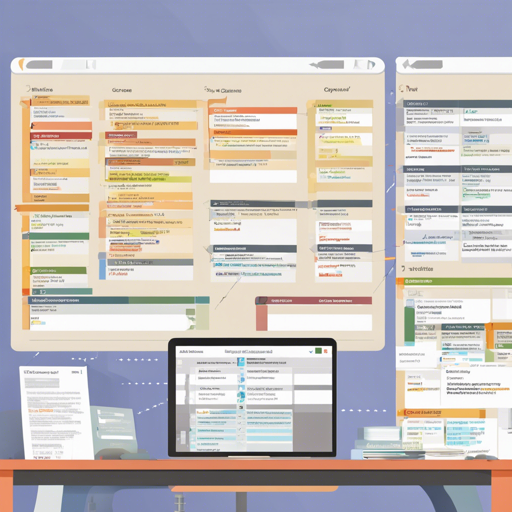
GanttProject is a powerful, free project management tool that helps you visualize your project timeline and manage tasks effectively. It comes packed with an array of features that enable you to keep track of project milestones, resources, and overall progress. In this article, we will walk you through how to set up and utilize GanttProject effectively.
Getting Started with GanttProject
To begin using GanttProject, follow these simple steps:
- Installation: Download GanttProject from the official website here and install it on your desktop.
- Create a New Project: Open GanttProject and click on ‘New Project’ to create your first project. A blank canvas will appear for you to start planning.
- Add Tasks: Use the task hierarchy feature to add and organize tasks. You can create sub-tasks to track progress and dependencies effectively.
- Milestones and Baselines: Set your project milestones to monitor major goals, and utilize baselines to compare your planned versus actual timelines.
- Resource Management: Allocate resources efficiently by using the resource load chart, which helps visualize how tasks are assigned and loaded.
Visualizing Projects with Gantt and PERT Charts
One of GanttProject’s standout features is its Gantt chart, which visually represents your project timeline. This chart can also generate a PERT chart for those who prefer a different visualization methodology. Think of the Gantt chart as a roadmap to your project’s success, allowing you to see how tasks intertwine and progress over time.
To create a Gantt chart:
- Enter your tasks and timeline in the project view.
- Adjust task durations and dependencies directly on the chart.
Export and Collaboration Options
GanttProject allows you to export your project data in various formats, such as PDF, HTML, and PNG, making it easy to share with stakeholders.
- Export: Navigate to File > Export and select your desired format.
- Collaboration: Utilize WebDAV or the GanttProject Cloud to collaborate effectively with team members on your project.
Building GanttProject from Source
If you’re interested in customizing GanttProject or exploring its code, you can build it from the source. Here’s how:
- Clone the repository using the command:
- Checkout the submodules:
- For a core build (basic functionality), run:
- For a complete app build, use:
- On Linux and macOS, navigate to your dist/bin directory and run:
git clone https://github.com/bardsoftware/ganttproject.gitgit submodule update --init --recursivegradle rungradle runappcd ganttproject-builder/dist-bin && ./ganttprojectTroubleshooting Tips
While using GanttProject, you may encounter some common issues. Here are a few troubleshooting suggestions:
- Application Freezing: Make sure your system meets the minimum requirements for GanttProject. Restart the app if it becomes unresponsive.
- Export Issues: Ensure that you have enough memory available and your project does not exceed export limits.
- Collaboration Problems: Check your internet connection and settings if you are experiencing issues with the GanttProject Cloud.
For more insights, updates, or to collaborate on AI development projects, stay connected with fxis.ai.
Conclusion
With GanttProject, managing your project becomes a breeze. Its structured approach to task organization and visualization can significantly enhance your project management experience.
At fxis.ai, we believe that such advancements are crucial for the future of AI, as they enable more comprehensive and effective solutions. Our team is continually exploring new methodologies to push the envelope in artificial intelligence, ensuring that our clients benefit from the latest technological innovations.