
Google’s Text-to-Text Transfer Transformer (T5) has taken Natural Language Processing (NLP) by storm. The latest release, T5 Version 1.1, introduces several enhancements that make it a more potent tool for language tasks. In this article, we’ll explore how to set up and fine-tune T5 Version 1.1, while also troubleshooting common issues that may arise. So, let’s dive right in!
Key Improvements in T5 Version 1.1
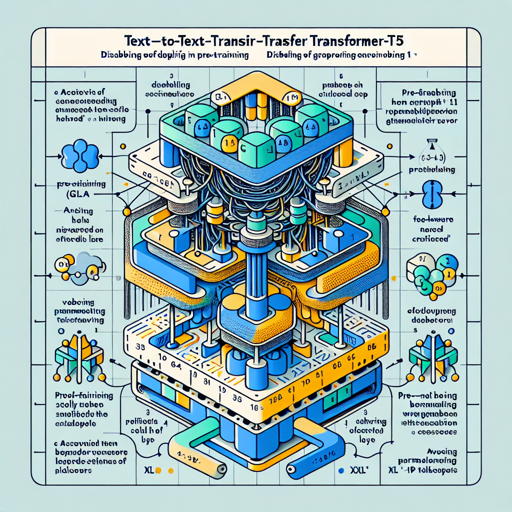
- Uses GEGLU activation in the feed-forward hidden layer instead of ReLU.
- Dropout is disabled during pre-training for improved quality but should be enabled during fine-tuning.
- Pre-trained solely on the C4 dataset without mixing in any supervised training.
- No parameter sharing between embedding and classifier layers.
- Model design changes with “xl” and “xxl” sizes replacing the “3B” and “11B” versions, featuring larger
d_modeland smallernum_headsandd_ff.
Setting Up T5 Version 1.1
Before you begin using T5, you need to fine-tune it on your specific task. Here’s how:
- Install the necessary libraries and dependencies for T5, usually TensorFlow or PyTorch.
- Load the pre-trained T5 Version 1.1 model from here.
- Prepare your data in a text-to-text format, following the unified framework that T5 employs.
- Fine-tune the model on your dataset, ensuring to have dropout enabled during this phase.
- After fine-tuning, you can now test the model on your specific downstream tasks.
Understanding Through Analogy
Imagine you are a chef preparing for a grand banquet (pre-training). You gather your ingredients—an assortment of spices, vegetables, and meats from different cuisines (C4 dataset). Instead of preparing every dish at once, you master a few key techniques (the model’s parameters) which you can apply to any cuisine. Once you’re ready (fine-tuned), you can whip up anything from Italian to Thai in record time! The essence of this approach in T5 is that the model learns to master language tasks all at once, setting the stage for versatility and efficiency.
Troubleshooting Common Issues
As with any powerful tool, issues may arise during your journey with T5 Version 1.1. Below are some troubleshooting tips:
- Issue with loading the model: Ensure that your environment has the necessary libraries installed and that your internet connection is stable.
- Dataset format error: Verify your dataset is properly formatted to adhere to T5’s text-to-text expectations.
- Fine-tuning not improving performance: Check the learning rate and other hyperparameters, as they can greatly influence the model’s ability to learn.
- Unexpected output from model: Double-check if dropout was correctly enabled during fine-tuning.
For more insights, updates, or to collaborate on AI development projects, stay connected with fxis.ai.
Conclusion
By utilizing Google’s T5 Version 1.1, you have access to a powerful tool that adapts to various language tasks through innovative transfer learning techniques. The enhancements provided in this version make it more robust and efficient. With the right set-up and attention, you’re well-equipped to harness its full potential!
At fxis.ai, we believe that such advancements are crucial for the future of AI, as they enable more comprehensive and effective solutions. Our team is continually exploring new methodologies to push the envelope in artificial intelligence, ensuring that our clients benefit from the latest technological innovations.