
Welcome to the world of advanced language models! In this guide, we will stroll through the process of utilizing the Neural-Chat-7B-V3-3 model developed by Intel. This model is fine-tuned for a variety of language-related tasks, promoting seamless interaction with users while generating accurate responses. We’ll cover everything from setup to execution, along with some pragmatic troubleshooting tips.
Getting Started with Neural-Chat-7B-V3-3
The Neural-Chat-7B-V3-3 model is a robust Large Language Model (LLM) that leverages Intel’s Gaudi 2 processor. The context length for this model allows for a whopping 8192 tokens, making it capable of handling extensive dialogues.
Reproducing the Model
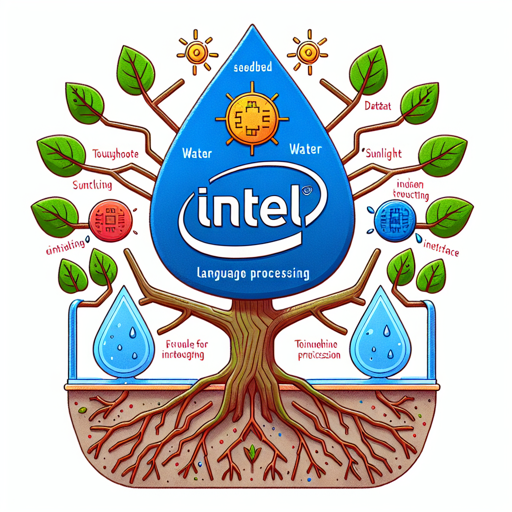
Before we dive into using the model, let’s discuss how to reproduce it. Think of this process like planting a tree: you need the right seedbed (code), water (dataset), and sunlight (hardware) for it to grow. Below is a step-by-step breakdown of how to set up the model:
- First, clone the GitHub repository and navigate into the directory:
git clone https://github.com/intel/intel-extension-for-transformers.git
cd intel-extension-for-transformersdocker build --no-cache . --target hpu --build-arg REPO=https://github.com/intel/intel-extension-for-transformers.git --build-arg ITREX_VER=main -f .intel_extension_for_transformers/neural_chat/docker/Dockerfile -t chatbot_finetuning:latestdocker run -it --runtime=habana -e HABANA_VISIBLE_DEVICES=all -e OMPI_MCA_btl_vader_single_copy_mechanism=none --cap-add=sys_nice --net=host --ipc=host chatbot_finetuning:latestcd examples/finetuning
finetune_neuralchat_v3.pyUsing the Model
Once you’ve set up the model, you’re ready to generate responses! It’s like having a well-trained assistant at your beck and call. Below is a sample code snippet to get you started:
import transformers

model_name = "Intel/neural-chat-7b-v3-3"
model = transformers.AutoModelForCausalLM.from_pretrained(model_name)
tokenizer = transformers.AutoTokenizer.from_pretrained(model_name)

def generate_response(system_input, user_input):
    prompt = f"### System:\n{system_input}\n### User:\n{user_input}\n### Assistant:\n"
    inputs = tokenizer.encode(prompt, return_tensors="pt", add_special_tokens=False)
    outputs = model.generate(inputs, max_length=1000, num_return_sequences=1)
    response = tokenizer.decode(outputs[0], skip_special_tokens=True)
    return response.split("### Assistant:\n")[-1]

system_input = "You are a math expert assistant."
user_input = "calculate 100 + 520 + 60"
response = generate_response(system_input, user_input)
print(response)
In this snippet, we’ve set a scenario where the assistant demonstrates its math prowess, guiding the user step by step on how to tackle a calculation problem.
Troubleshooting Tips
As with any technology, you may encounter issues while using the Neural-Chat-7B-V3-3 model. Here are a few troubleshooting ideas:
- Ensure that your Docker environment has the needed permissions to run the models.
- Verify that you have the latest version of all dependencies installed.
- If you encounter memory issues, consider adjusting the batch size or model parameters to fit your hardware capability.
- Double-check the prompts you are providing to the model. Clear and concise instructions often yield better responses.
For more insights, updates, or to collaborate on AI development projects, stay connected with fxis.ai.
Understanding the Model’s Performance
The Neural-Chat-7B-V3-3 is evaluated against several metrics for its performance:
- ARC (25-shot): 66.89
- HellaSwag (10-shot): 85.26
- MMLU (5-shot): 63.07
- TruthfulQA (0-shot): 63.01
- Winogrande (5-shot): 79.64
- GSM8K (5-shot): 61.11
This data showcases how the model stacks up against competitive benchmarks, emphasizing its strengths in various tasks.
Final Thoughts
At fxis.ai, we believe that such advancements are crucial for the future of AI, as they enable more comprehensive and effective solutions. Our team is continually exploring new methodologies to push the envelope in artificial intelligence, ensuring that our clients benefit from the latest technological innovations.
In your own experimentation with the Intel Neural-Chat-7B-V3-3 model, remember that iterations and testing are key to uncovering its full potential.