
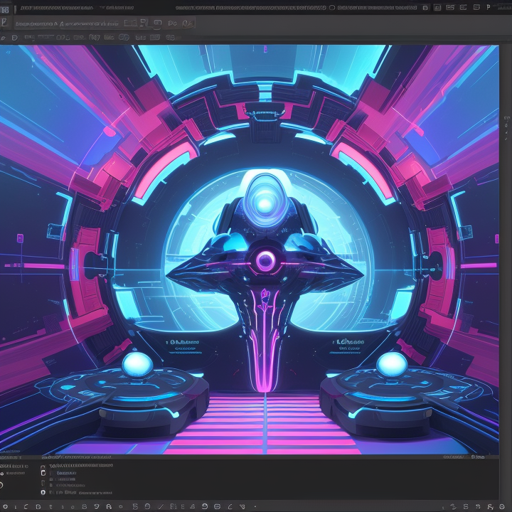
Openjourney is an innovative open-source model that allows users to generate stunning images using text prompts. This guide will walk you through how to effectively use Openjourney, including some troubleshooting tips to enhance your experience.
What is Openjourney?
Openjourney is essentially an adaptation of PromptHero’s promptheroopenjourney model, fine-tuned with Midjourney images. With the safety checker disabled, it’s crucial to remember that this model should not be used for harmful or illegal content.
Getting Started
To get started with Openjourney, follow these simple steps:
- Visit the Openjourney Prompts page to find inspiration and examples of prompts to use.
- Make sure to incorporate the mdjrny-v4 style in your prompts for optimal results.
- Explore the various versions of Openjourney, including the Lora version and the Openjourney v4.
How to Generate Images
To generate images using Openjourney, you need to use a Python script. Let’s break down how it can be done.
Analogy: Baking a Cake
Think of generating images with Openjourney like baking a cake. You need the right ingredients (prompt), the right recipe (code), and a good oven (model) to bake it to perfection. If you mix the ingredients properly (write your prompt carefully) and bake it in the right conditions (run your code on the correct platform), you will get a delicious cake (a vibrant image) as a result!
Example Code
Here’s a simple script that shows you how to generate an image:
from diffusers import StableDiffusionPipeline
import torch

model_id = "prompthero/openjourney"
pipe = StableDiffusionPipeline.from_pretrained(model_id, torch_dtype=torch.float16)
pipe = pipe.to("cuda")

prompt = "retro series of different cars with different colors and shapes, mdjrny-v4 style"
image = pipe(prompt).images[0]
image.save("retro_cars.png")
Troubleshooting Tips
While generating images, you might encounter some issues. Here are a few troubleshooting steps:
- Ensure that you have the required libraries installed (like
diffusersandtorch). - Check that your device has enough GPU memory if you are using CUDA.
- Double-check your prompt for any typos or errors.
- Try adjusting your prompt for more detailed or varying results.
For more insights, updates, or to collaborate on AI development projects, stay connected with fxis.ai.
Additional Resources
If you’re eager to learn more about AI art generation, here are some helpful links:
Conclusion
Openjourney provides a unique opportunity to explore AI-generated art, perfecting your own creative additions through text prompts. At fxis.ai, we believe that such advancements are crucial for the future of AI, as they enable more comprehensive and effective solutions. Our team is continually exploring new methodologies to push the envelope in artificial intelligence, ensuring that our clients benefit from the latest technological innovations.