
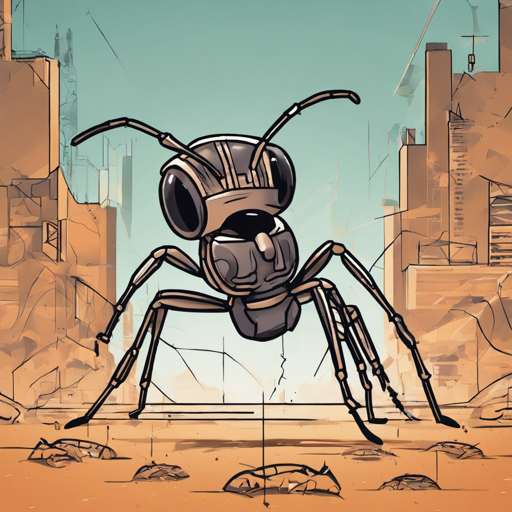
In this article, we will explore how to implement the A2C agent using the stable-baselines3 library to tackle the AntBulletEnv-v0 environment. This environment presents a delightful yet challenging simulation where our AI agent must navigate a 3D space resembling a four-legged robot. Ready to step into the world of deep reinforcement learning? Let’s go!
Prerequisites
- Python installed on your system (preferably version 3.6 or higher)
- Basic understanding of reinforcement learning concepts
- Installation of the necessary libraries
Installation Steps
Before you can get started, you need to install the following libraries. Run these commands in your terminal:
pip install stable-baselines3
pip install huggingface_sb3
Setting Up the A2C Agent
Now that you have the necessary libraries, we can get to the exciting part—implementing the A2C agent. This agent will serve as our virtual athlete navigating the AntBullet environment.
Here’s how you can set it up:
from stable_baselines3 import A2C
from huggingface_sb3 import load_from_hub

# Load the pre-trained agent
model = load_from_hub('', 'A2C') # Replace  with the actual model ID.
How It Works: An Analogy
Think of the A2C agent as a skilled athlete being trained to perfect a series of moves on a complex obstacle course (the AntBullet environment). Just like a coach provides feedback and modifies training based on the athlete’s performance, the A2C agent learns from its own experiences while practicing in the environment. It takes actions, receives rewards (or penalties, when it stumbles), and gradually refines its strategies to excel. Over time, just as our athlete improves their skills, so does our A2C agent enhance its performance through trial and error.
Testing Your A2C Agent
To observe how well your A2C agent performs, you can run a test episode and visualize the results. Here’s how:
import gym

# Create the environment
env = gym.make('AntBulletEnv-v0')

# Enjoy a run with your A2C agent
obs = env.reset()
for _ in range(1000):
    action, _states = model.predict(obs)
    obs, rewards, done, info = env.step(action)
    env.render()  # Visualize the agent in action
    if done:
        obs = env.reset()
Troubleshooting
If you encounter any issues along the way, here are some troubleshooting tips:
- Environment Setup Issues: Ensure that all libraries are correctly installed, and check your Python version compatibility.
- Model Loading Errors: Double-check the model ID you are using with
load_from_hubto make sure it’s accurate. - Rendering Problems: If you’re facing issues with the environment rendering on certain systems, consider checking if a compatible display is available or switching to a different workstation.
For more insights, updates, or to collaborate on AI development projects, stay connected with fxis.ai.
Conclusion
Congratulations on setting up your A2C agent to navigate the AntBullet environment! With the power of reinforcement learning and the stable-baselines3 library, you are on your way to exploring the depths of AI. At fxis.ai, we believe that such advancements are crucial for the future of AI, as they enable more comprehensive and effective solutions. Our team is continually exploring new methodologies to push the envelope in artificial intelligence, ensuring that our clients benefit from the latest technological innovations.