
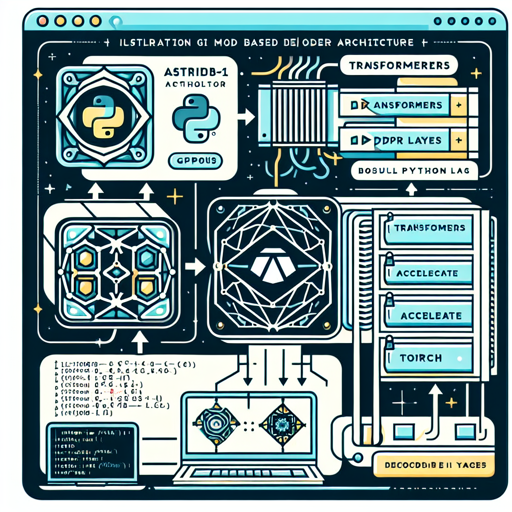
In the exciting realm of AI applications, the Astrid-7B-1 model comes equipped with advanced features to generate coherent and contextually relevant text. It leverages the power of a transformer architecture with 32 Decoder Layers to provide you with a versatile tool for a variety of applications. Here’s a step-by-step guide on harnessing the capabilities of this model effectively.
What You Need
- A machine with GPUs.
- Python installed on your system.
- The necessary libraries: transformers, accelerate, and torch.
Installation Instructions
Before diving into coding, you need to install the required libraries. Open your command line interface and run the following commands:
pip install transformers==4.30.1
pip install accelerate==0.20.3
pip install torch==2.0.0
Using the Model
Once you’ve installed the necessary libraries, you can start using the Astrid-7B-1 model. Here’s how you can do it:
import torch
from transformers import pipeline

generate_text = pipeline(
    model='path_to_local_folder',
    torch_dtype='auto',
    trust_remote_code=True,
    use_fast=True,
    device_map='cuda:0',
)

res = generate_text(
    "Why is drinking water so healthy?",
    min_new_tokens=2,
    max_new_tokens=256,
    do_sample=False,
    num_beams=1,
    temperature=float(0.3),
    repetition_penalty=float(1.2),
    renormalize_logits=True
)

print(res[0]['generated_text'])
In the example above, we initiate a text generation task where the model responds to a question about water consumption. The parameters allow you to tweak the generation outcome, such as the number of new tokens and the temperature of the response.
Breaking it Down: The Analogy
Imagine you’re a chef creating a gourmet dish in your kitchen. The Astrid-7B-1 model is like a sophisticated food processor that helps you blend the ingredients together. The “pipeline” initializes the processor, and as you add the components (like the prompt or question, spices, and cooking methods), the model whirs to create a smooth and tasty result. Each parameter you adjust modifies the flavor of the final dish – just like adjusting the temperature or beam settings tweaks the output’s style and context. Whether you’re making a simple soup or an elaborate feast, the tools at your disposal shape your culinary masterpiece, akin to how the model crafts responses based on your input!
Sample Output Verification
To further understand how the model processes your query, you can print a sample prompt after preprocessing:
print(generate_text.preprocess("Why is drinking water so healthy?")['prompt_text'])Troubleshooting Common Issues
Despite the robustness of the Astrid-7B-1 model, you might encounter some hiccups along the way. Here are a few troubleshooting ideas:
- Installation Errors: Ensure that your Python and pip versions are up to date, as older versions may not support the libraries.
- GPU Issues: If the model doesn’t run on the GPU, verify that your CUDA installation is compatible with your PyTorch installation.
- Output Anomalies: If the generated text doesn’t meet expectations, consider adjusting parameters like temperature and repetition penalty.
- Model Loading Errors: Double-check the path to your local folder and ensure the model’s files are correctly placed there.
For more insights, updates, or to collaborate on AI development projects, stay connected with fxis.ai.
Conclusion
The Astrid-7B-1 model provides a powerful avenue for generating meaningful text in various applications. With a user-friendly setup and customizable options, this model empowers developers and enthusiasts alike to explore the vast possibilities of AI-generated text.
At fxis.ai, we believe that such advancements are crucial for the future of AI, as they enable more comprehensive and effective solutions. Our team is continually exploring new methodologies to push the envelope in artificial intelligence, ensuring that our clients benefit from the latest technological innovations.