
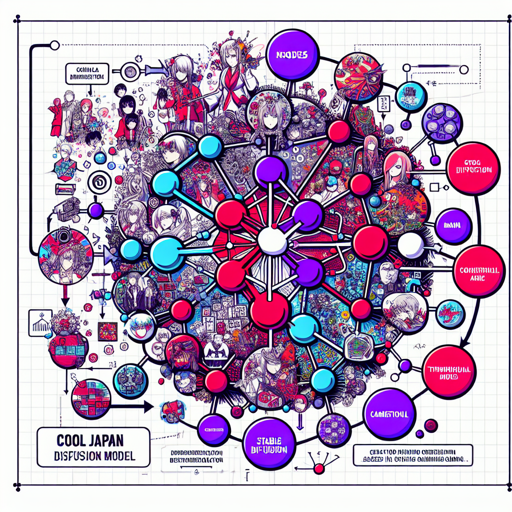
Welcome to the fascinating world of the Cool Japan Diffusion model, an innovative adaptation of Stable Diffusion designed specifically for generating captivating anime, manga, and game-inspired images. In this article, we will guide you through the usage of this model, along with some troubleshooting tips to enhance your experience!
Getting Started with Cool Japan Diffusion
- If you prefer a hassle-free experience, you can try the model’s demo on this Space.
- For detailed instructions on how to use the model, refer to the user manual.
- Download the model from here.
Understanding the Code: An Analogy
In the depths of our code, we have a fascinating mechanism that operates much like a chef crafting a dish through specific ingredients and processes. Imagine the model as the chef, the input prompt as the recipe, and the configured parameters—aspects such as the type of ingredients and cooking time—as adjustments that refine the final dish (or, in this case, the generated image).
The model takes in your specified prompt, much like a chef gathering their ingredients. Each aspect of the prompt guides the chef on what flavors to highlight, resulting in a beautifully crafted image. When using parameters such as negative_prompt, think of it as telling the chef what not to include in the dish, maintaining the quality of the culinary creation. The required steps ensure your creations are produced smoothly and efficiently, just like a well-organized kitchen!
Model Usage Examples
The Cool Japan Diffusion model can be utilized similarly to the Stable Diffusion v2 model. Below are two primary patterns for using it:
Using Web UI
From this version onward, it’s recommended to install xformers. You can create it by following the instructions in the user manual.
Using Diffusers
Utilize the Diffusers library from Hugging Face. Start by executing the following script to install the library:
bash
pip install --upgrade git+https://github.com/huggingface/diffusers.git transformers accelerate scipy
Then, execute the following script to generate images:
python
from diffusers import StableDiffusionPipeline, EulerAncestralDiscreteScheduler
import torch

model_id = "aipicasso/cool-japan-diffusion-2-1-2"
scheduler = EulerAncestralDiscreteScheduler.from_pretrained(model_id, subfolder="scheduler")
pipe = StableDiffusionPipeline.from_pretrained(model_id, scheduler=scheduler, torch_dtype=torch.float32)
pipe = pipe.to("cuda")

prompt = "anime, masterpiece, a portrait of a girl, good pupil, 4k, detailed"
negative_prompt = "deformed, blurry, bad anatomy, bad pupil, disfigured, poorly drawn face, mutation..."

images = pipe(prompt, negative_prompt=negative_prompt, num_inference_steps=20).images
images[0].save("girl.png")
Troubleshooting Tips
While using the Cool Japan Diffusion model, you may encounter a few challenges. Here are some tips to help you navigate these issues:
- If you’re experiencing performance issues, consider utilizing xformers to enhance speed.
- For those with limited GPU memory, try enabling attention slicing by calling
pipe.enable_attention_slicing(). - Should you get unexpected results or errors, revisit your prompts; concise and clear instructions yield the best results!
For more insights, updates, or to collaborate on AI development projects, stay connected with fxis.ai.
Conclusion
At fxis.ai, we believe that such advancements are crucial for the future of AI, as they enable more comprehensive and effective solutions. Our team is continually exploring new methodologies to push the envelope in artificial intelligence, ensuring that our clients benefit from the latest technological innovations.