
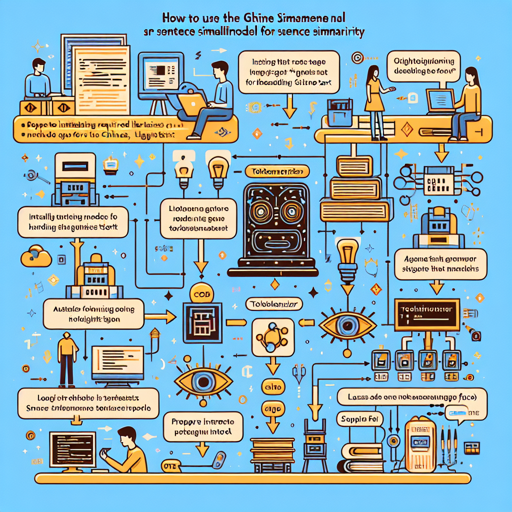
The GTE (General Text Embeddings) model, specifically designed for handling Chinese text, facilitates various text-based applications like semantic similarity and information retrieval. Here, we’ll explore how to effectively utilize the GTE Small Model, especially for comparing sentence similarity.
Getting Started with GTE Small Model
To begin your journey into text embeddings with the GTE Small Model, follow these steps:
- Install Required Libraries: Ensure you have the necessary libraries installed. You will need
torchand thetransformerslibrary from Hugging Face. - Load the Model: Utilize the
AutoTokenizerandAutoModelclasses for loading the GTE Small Model. - Prepare Your Input: Tokenize your sentences that you want to compare.
- Generate Embeddings: Feed your tokenized inputs to the model to get embeddings.
- Calculate Similarity: Use a cosine similarity function to compare the generated embeddings.
Example Code Implementation
Here’s a practical example to illustrate how you can use the GTE Small model:
import torch.nn.functional as F
from torch import Tensor
from transformers import AutoTokenizer, AutoModel

input_texts = [
    "中国的首都是哪里",
    "你喜欢去哪里旅游",
    "北京",
    "今天中午吃什么"
]

tokenizer = AutoTokenizer.from_pretrained("thenlper/gte-small-zh")
model = AutoModel.from_pretrained("thenlper/gte-small-zh")

# Tokenize the input texts
batch_dict = tokenizer(input_texts, max_length=512, padding=True, truncation=True, return_tensors="pt")
outputs = model(**batch_dict)
embeddings = outputs.last_hidden_state[:, 0]  # Get the embeddings

# (Optionally) normalize embeddings
embeddings = F.normalize(embeddings, p=2, dim=1)
scores = (embeddings[:1] @ embeddings[1:].T) * 100

print(scores.tolist())
Understanding the Code with an Analogy
Think of working with the GTE Small Model as preparing a delightful multi-course meal.
- Selecting Ingredients: First, you gather the ingredients (your sentences) that you will cook with.
- Chopping and Preparing: The tokenizer acts like a chef chopping those ingredients into manageable pieces (tokens).
- Cooking: The model is the stove where all the ingredients come together to cook into a beautiful dish (your embeddings).
- Plating: Finally, you’re getting the final output (similarity scores) that represent how similar one dish is to another.
Troubleshooting and Common Issues
Even the best chefs sometimes run into issues in the kitchen. Here’s how to troubleshoot common problems you may encounter while using the GTE Small Model:
- Model Not Found Error: Ensure you have the correct model name and that it is available on Hugging Face.
- No Output: Check that your input sentences are within the supported length of 512 tokens; longer texts will get truncated.
- Slow Performance: If the model is running slow, ensure your runtime environment meets the hardware requirements, ideally running on a capable GPU.
For more insights, updates, or to collaborate on AI development projects, stay connected with fxis.ai.
Conclusion
Utilizing the GTE Small Model for sentence similarity can transform the way you interact with written text in Chinese. Achieving accurate similarity metrics not only aids in understanding the nuances of language but also enhances applications in fields such as search engines and content recommendation systems.
At fxis.ai, we believe that such advancements are crucial for the future of AI, as they enable more comprehensive and effective solutions. Our team is continually exploring new methodologies to push the envelope in artificial intelligence, ensuring that our clients benefit from the latest technological innovations.