
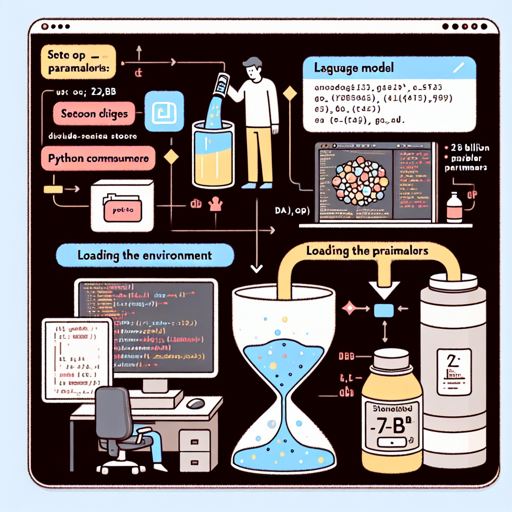
Welcome to the fascinating world of AI text generation! In this guide, we’ll walk you through the essential steps needed to leverage the KAI-7B Large Language Model (LLM) for generating text based on specific prompts. This model, with its impressive 7 billion parameters, has been fine-tuned to excel in various writing tasks. Let’s dive in!
Getting Started with KAI-7B
To begin using the KAI-7B model, you need to understand that it is a pretrained generative model based on the Mistral architecture. Here’s how to set it up!
- Step 1: Environment Setup
To use the KAI-7B model, ensure you have a suitable Python environment ready. You’ll need to install libraries like Hugging Face’s Transformers.
- Step 2: Load the Model
Loading the KAI-7B model can be likened to pouring a bottle of soda into a glass. The fizz represents the model’s ability to generate content once it’s activated. Here’s a simple code snippet to get you started:
from transformers import AutoModelForCausalLM, AutoTokenizer model_name = "Keynote-Technology/KAI-7B" tokenizer = AutoTokenizer.from_pretrained(model_name) model = AutoModelForCausalLM.from_pretrained(model_name) - Step 3: Generate Text
Now that the model is loaded, you can generate text with it. Imagine giving the model a prompt, like a seed that grows into a full plant. Here’s an example:
input_text = "The ice caps are melting"
inputs = tokenizer(input_text, return_tensors="pt")
outputs = model.generate(**inputs)

generated_text = tokenizer.decode(outputs[0], skip_special_tokens=True)
print(generated_text)
Understanding KAI-7B’s Capabilities
The KAI-7B model is particularly robust when it comes to STEM topics, as indicated by its performance in various benchmarks. However, like any LLM, it requires improvement in specific areas like Math and Coding. Consider it a highly skilled chef who masters savory dishes but occasionally struggles with desserts!
Troubleshooting Common Issues
As with any technology, you might run into some roadblocks while using KAI-7B. Here are a few common issues and how to address them:
- Issue 1: Model Fails to Generate Text
Ensure that the model is correctly loaded and that your input prompts are formatted properly. Revisiting the coding steps can help trace any errors.
- Issue 2: Output Text is Irrelevant
This might occur if the prompts are too vague or unclear. Try to provide more specific instructions for better context. Think of it as asking a friend to elaborate on a topic.
- Issue 3: Ethical Use Concerns
Remember that KAI-7B is governed by the Apache 2.0 license, which prohibits the generation of content related to hate speech or unethical topics. Always adhere to these guidelines.
For more insights, updates, or to collaborate on AI development projects, stay connected with fxis.ai.
Conclusion
In conclusion, the KAI-7B model opens up new possibilities for automated text generation. With its powerful capabilities, it can assist in numerous applications such as content creation, educational tools, and much more. At fxis.ai, we believe that such advancements are crucial for the future of AI, as they enable more comprehensive and effective solutions. Our team is continually exploring new methodologies to push the envelope in artificial intelligence, ensuring that our clients benefit from the latest technological innovations.